ETAtouch controller Getting to know the control system
Entering access data for the boiler remote control
After receiving your login information (after registering
on "www.meinETA.at"), enter it in the system configu-
ration in the [meinETA Access] menu. This enables
access to remotely control the boiler.
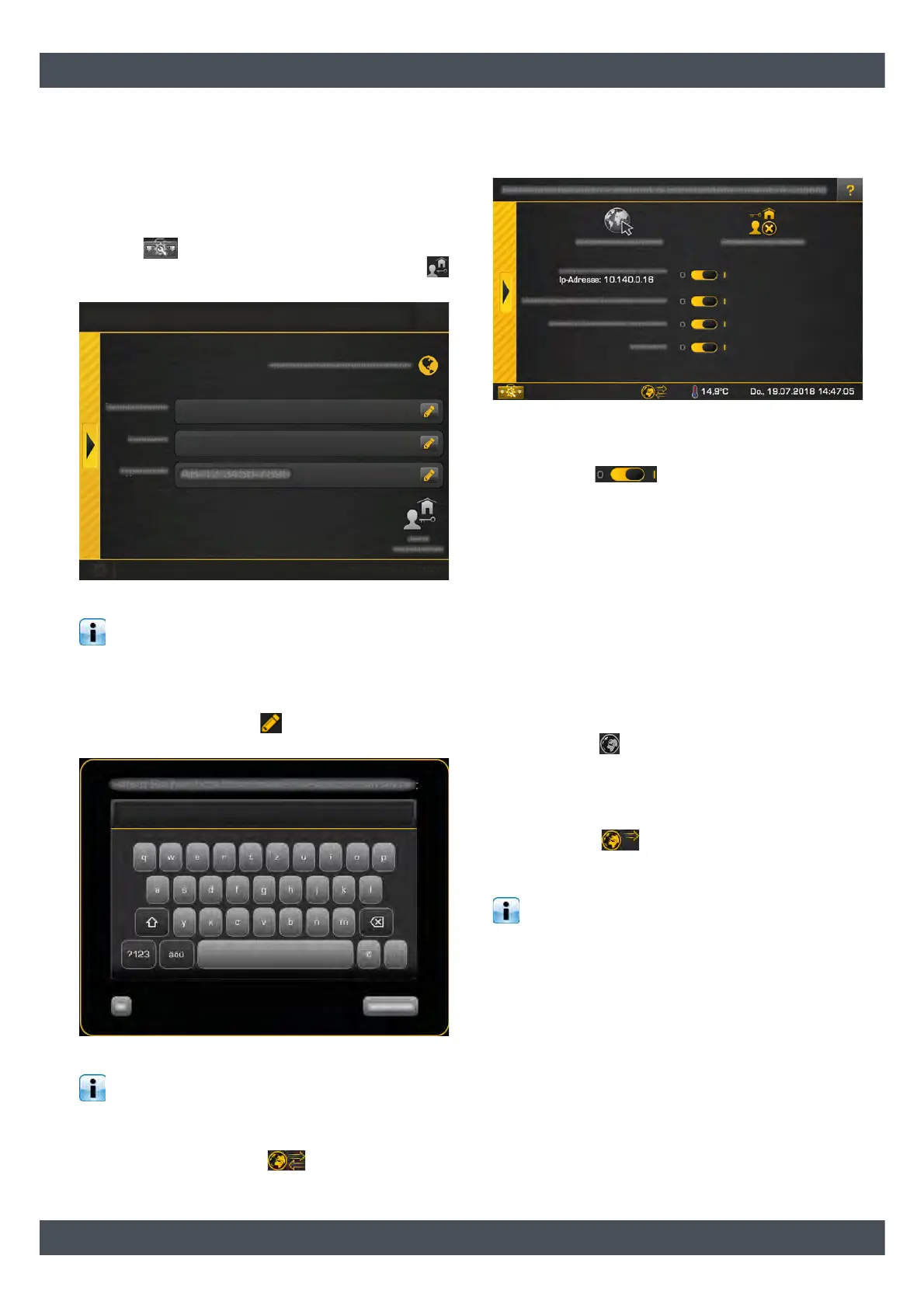
To enter the login information, open the system
settings ( symbol, bottom left) and switch to the
[Internet & interfaces] menu. Then press the
[meinETA Access] button.
Fig. 7-34: Entering login details
The upper area indicates whether an internet
connection to the screen is established. If there is
no connection, it must be established first.
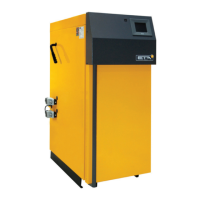
Enter your login information and the type plate number
of the boiler (if this is not displayed) in the relevant
fields. To enter, press the symbol to open the on-
screen keyboard.
Fig. 7-35: On-screen keyboard
For control systems without a boiler, enter "BEP-
00.0000-000" as production number.
Then press the [Register now] button. The activation is
now performed (if an internet connection is available).
If this is successful, the symbol for remote
control appears at the bottom of the screen. If an error
is displayed, check the access data and the internet
connection.
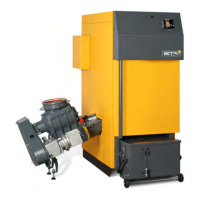
Fig. 7-36: Settings window for remote control
After successful activation, options for remote control
appear in the settings window. These can be turned on
or off with the ( ) selector switch:
• [Start local VNC service IP address: ]:
You can also access this via the free VNC Viewer
on your boiler via your home network.
• [Send messages to meinETA server]:
This means that any messages that occur are also
displayed on the "meinETA" platform and
forwarded by e-mail.
• [Establish a meinETA connection]:
This allows or blocks remote control via the
"meinETA" platform. If this option is turned off, the
remote control is also switched off and therefore
the boiler is not visible on the "www.meinETA.at"
platform. The symbol for the remote control
changes to .
• [Full access]:
This switches off remote access, but the control
system still remains visible on the "meinETA"
platform. The symbol for the remote control
changes to . Changes to the control system
can only be performed on-site. This ensures that
no one can remotely change your control system.
You can change the options at any time by
pressing the remote control symbol at the bottom
of the screen.


 To Next Page