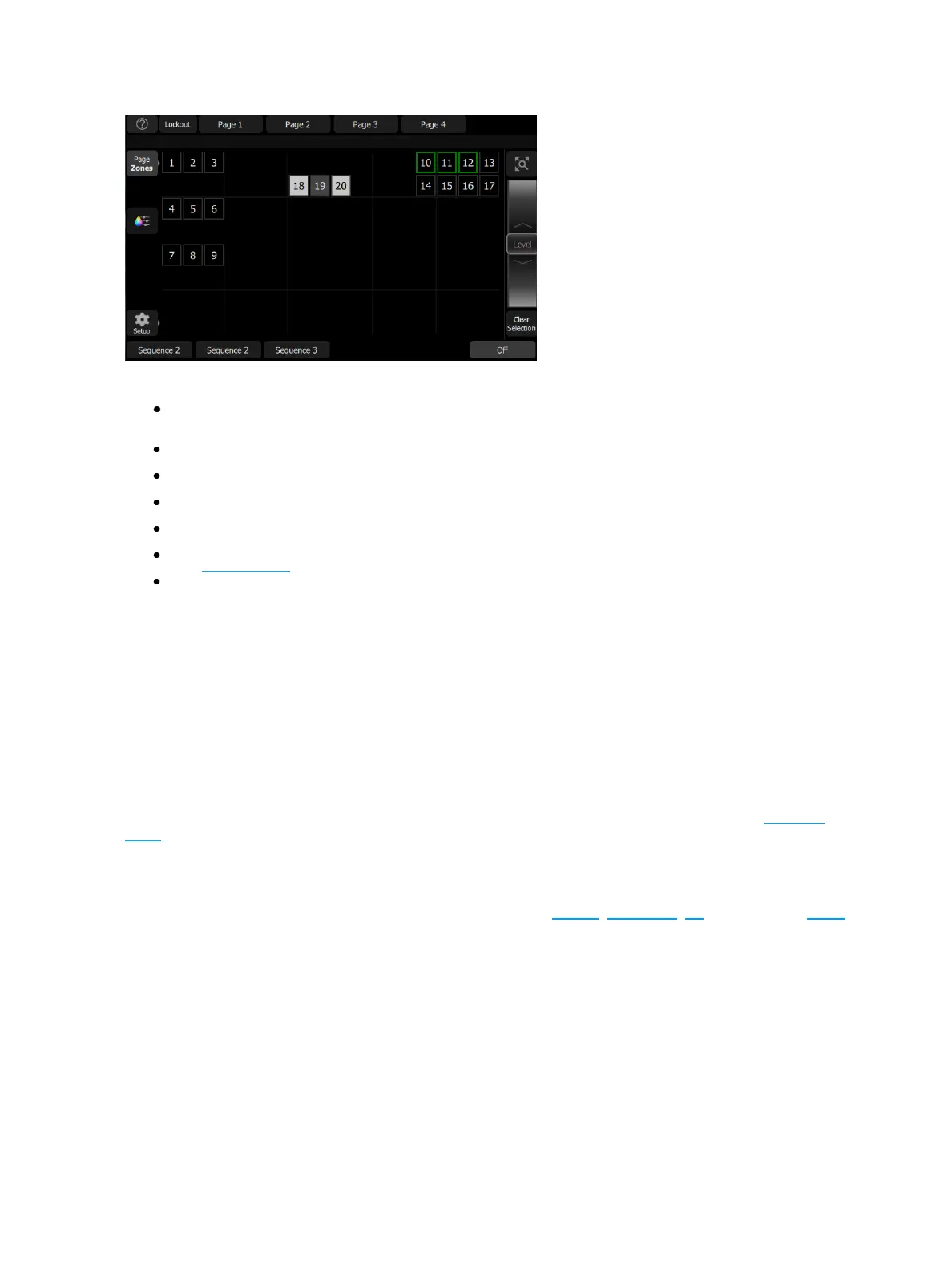
4 EchoTouch Overview
Available Controls
Pinch two fingers to zoom the display in or out, or use the Zoom button located above the Wheel.
Zoom in to see intensity levels within the zone cells.
Drag with two fingers to pan the display.
Single click on a deselected zone to select it.
Single click on a selected zone to deselect it.
Double click on a zone to select that zone alone and de-select all others.
Use Layout Mode for zone map customization.
Selected zones are indicated surrounded by a green box.
Wheel
To the right of the zone map is the wheel. The wheel can be used to control zone levels by moving the wheel
up to increase the level or down to decrease.
Clear Selection
Deselects any selected zones, but their levels will remain at the current value.
Lockout
This button is used to lockout other Echo devices in the shared space.
The Lockout button will only display if Show Echo Space Lockout Control has been enabled in Settings:
Echo .
Pages
Pages are user configurable displays that can contain buttons for presets, sequences, off, and faders for zones.



 To Next Page