Preparing for Installation 15
Preparing for Installation
Cutting Track
OneTrack and OneTrack Backbone come in standard lengths of 4ft, 8ft, and 12ft (122cm,
244cm, and 366cm). You can cut both to custom length on site.
In order to ensure proper performance, use cut pieces at the end of a run with no feeds or
couplers attached to the cut end.
When cutting OneTrack and OneTrack Backbone, please note the following:
• Cut OneTrack and OneTrack Backbone separately.
• Remove the end cap from OneTrack before cutting, and then reinstall the end cap after
cutting (unless you cannot avoid using the cut end with a coupler or feed accessory).
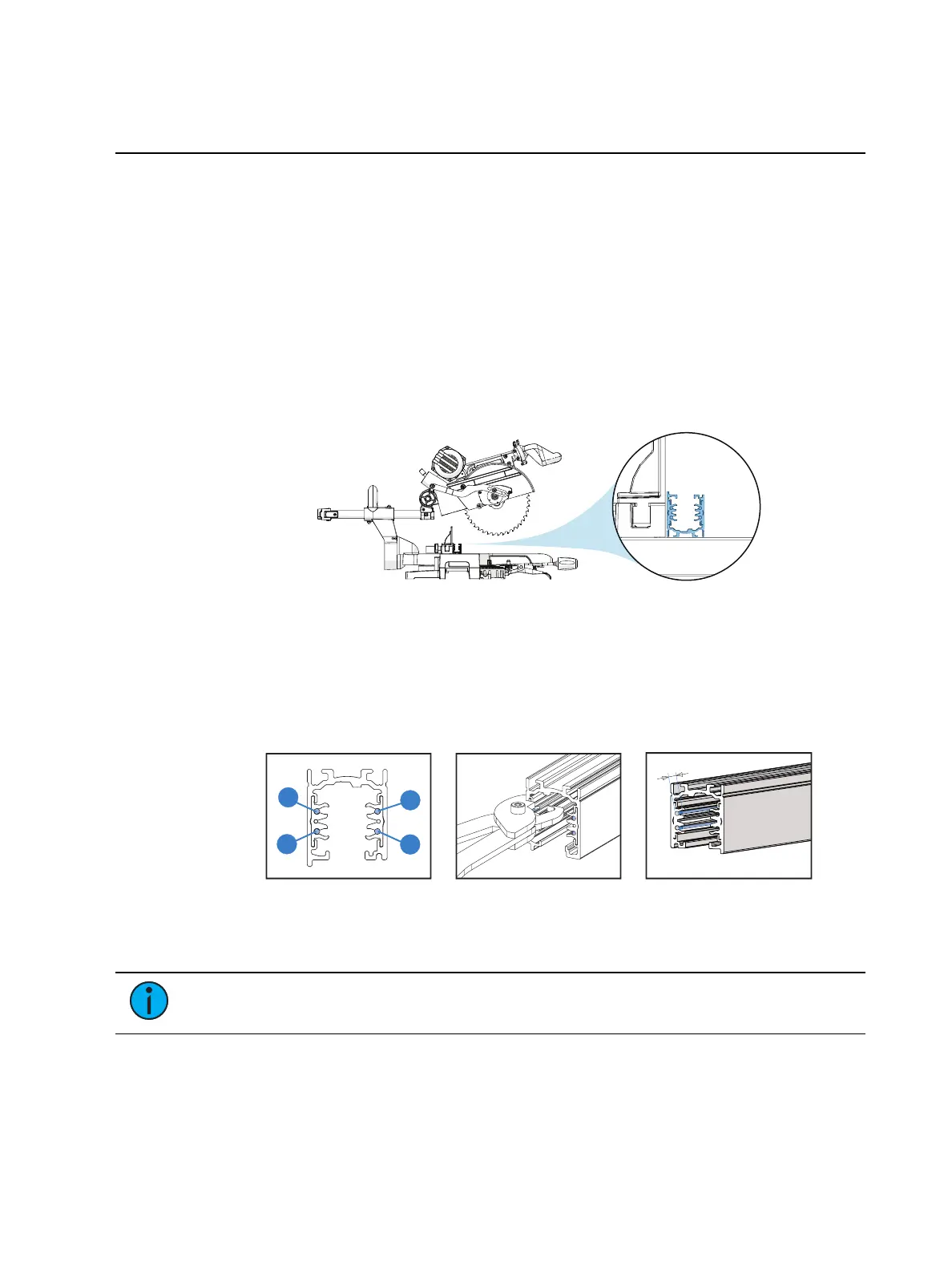
• ETC recommends using a power miter saw with appropriate metal blade to cut the track.
Figure 14: Use a power miter saw to cut track from the open side towards the top
• Make cuts square and perpendicular to the OneTrack or OneTrack Backbone.
• Make cuts to OneTrack from the open side towards the top.
• Do not cut on the labeled end of a piece of OneTrack.
• After cutting track, use the track trimming tool (ETC part number 7076A1004) to trim
the four power conductors 0.2in (5mm) from the track end.
Figure 15: Use track trimming tool to cut power conductors
• Use a file to remove burrs after cutting, and clean any metal shavings before installing.
Note:
ETC is not responsible for damage caused by the installer or due to
modification of the system by the installer.



 To Next Page