Installation 27
Installing End Feeds
Before you begin, see
Tools Required on page 26
.
When installing end feeds, be aware that DMX and power cannot be wired into the same end
feed. Install separate end feeds for DMX and power.
If you are using OneTrack Backbone, see the installation instructions provided with the
OneTrack Backbone end feed housing to install the housing on the end feed. See
End Feed
Housing on page 52
.
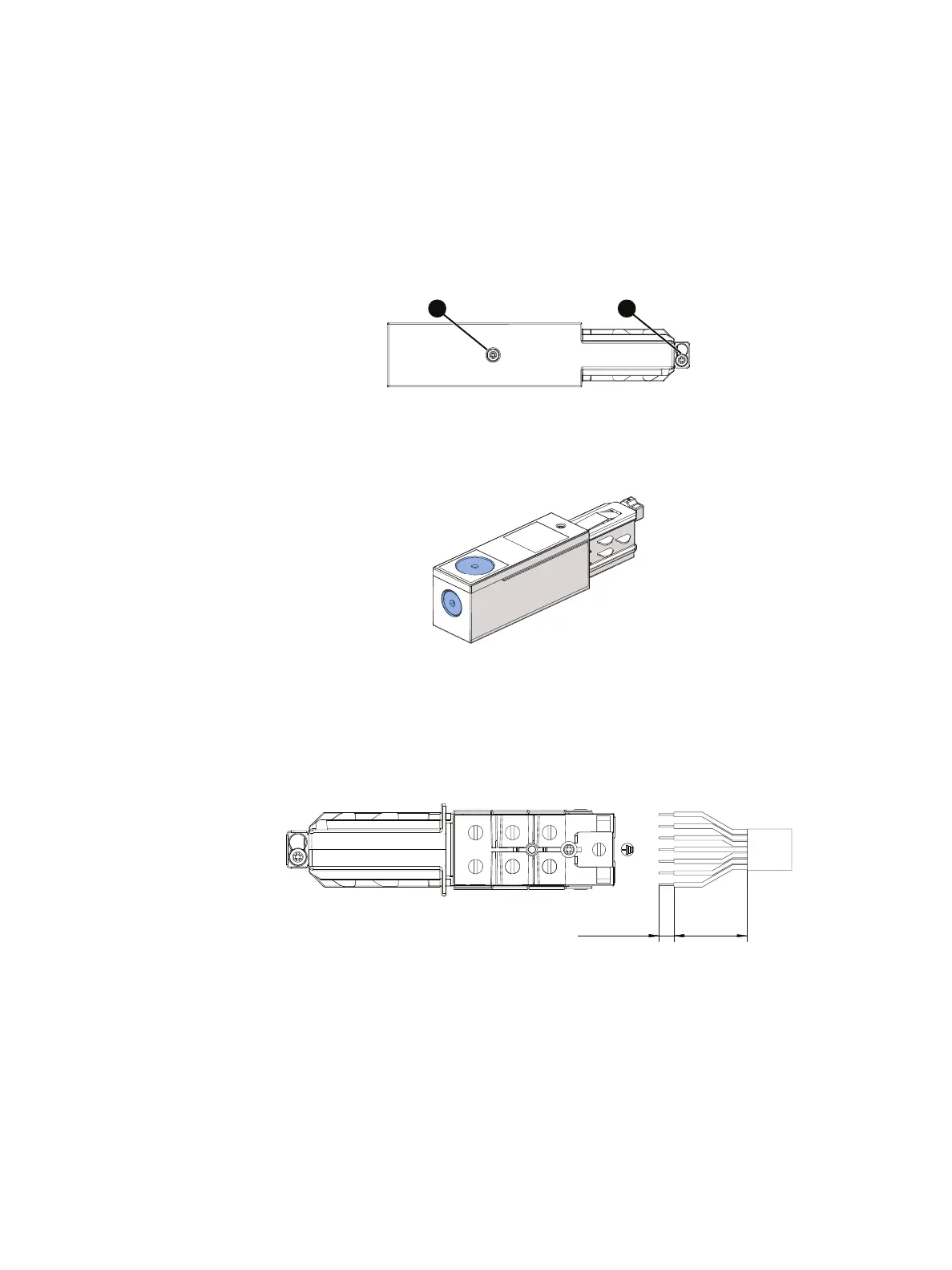
1. Remove the screw (labeled Ain
Figure 26
) that secures the end feed cover.
Figure 26: End feed screws
2. Remove the appropriate knockout for the wiring, and install a 7/8in (20mm) conduit
fitting or strain relief in the knockout.
Figure 27: End feed knockouts
3. Strip the protective covering on the 12 AWG (4mm
2
) wires 3.15 in (80mm), and then
strip either the data wires or the power wires 0.39–0.43 in (10–11mm). Connect the
data wires or power wires to the marked terminals on the end feed. (Install separate end
feeds for DMX and power.)
~3.15 in
0.39–0.43 in
(~80 mm)
(10–11 mm)
D
–
D
+
N
1
L
1
N
2
L
2
Figure 28: End feed wiring
4. Replace the cover and secure it with the screw (labeled Ain
Figure 26
).



 To Next Page