22 OneTrack and OneTrack Backbone Planning and Installation Manual
Reconfiguring DMX Data Lines
Based on your system layout, you may need to reposition data lines. This is required for
X-couplers, and may be necessary for T-couplers, too. This example demonstrates
repositioning data lines for the X-coupler, but the same information applies to T-couplers (see
Figure 23
and
Figure 24
). (Images show Data + wiring in red for clarity.)
1. Remove the screws that secure the cover to the coupler.
2. Using a flatblade screwdriver, loosen the screws securing the black data wires.
D
–
D
+
D
–
D
+
D
+
D
–
D
+
D
–
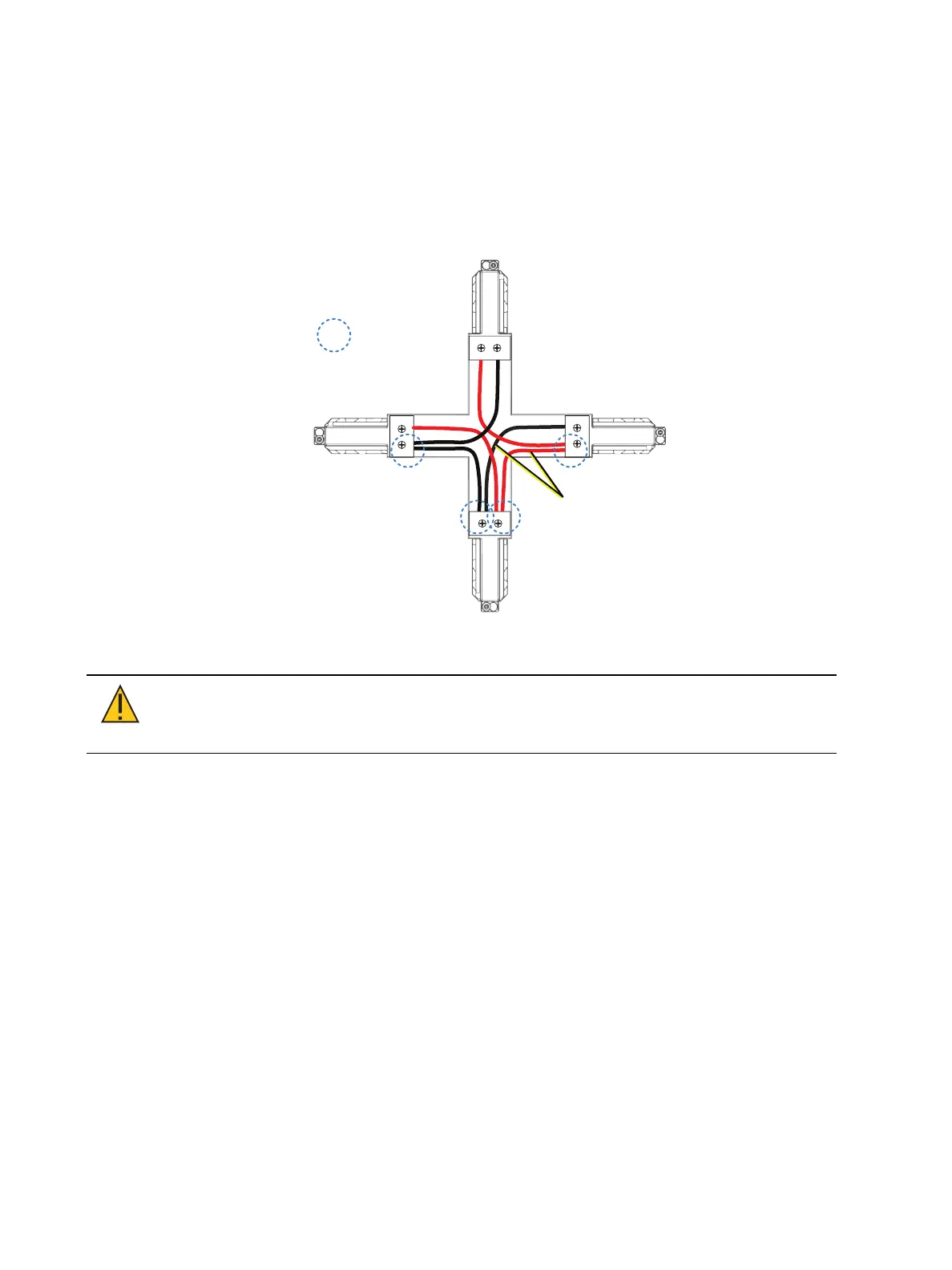
Y-taps disrupt
DMX data
transmission
Original Wire
Connections
Figure 21: Original wire connection (X-coupler)
CAUTION: The unmodified X-coupler wiring forms Y-taps, which disrupt
data transmission. Data transmission will become unreliable if the DMX
signal path is not configured according to ANSI E1.11 - USITT DMX512(A).
3. Gently pull the wires from the connectors.
4. Repeat steps 2 and 3 for remaining connections that need to be repositioned. (You will
end up with extra wires that are not needed.)
5. Insert the wires into their new location. Tighten the wire-retaining screws. Gently pull on
the wires to verify that they are properly connected.



 To Next Page