Installation 29
Installing Current Limiters
Before you begin, see
Tools Required on page 26
.
Note:
Current limiters can be used in DataTrack Backbone installations; however,
the current limiters do not fit into the DataTrack Backbone housing.
Current limiters are only surface mounted.
C2
C1
N1
G
N2
GROUND
CIRCUIT 2
CIRCUIT 1
NEUTRAL 1
NEUTRAL 2
POWER SOURCE
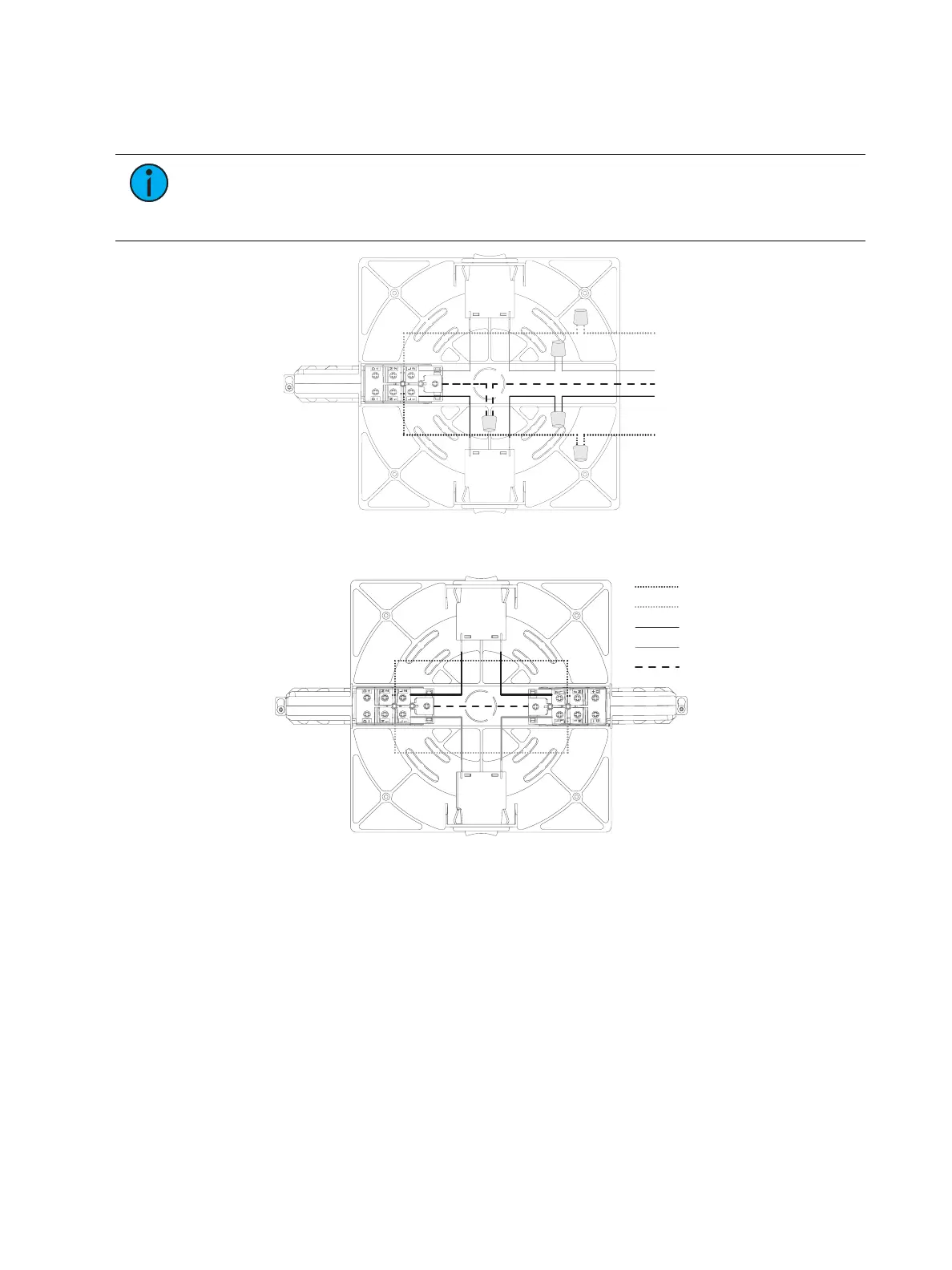
Figure 30: End feed with current limiter wiring
GROUND
CIRCUIT 2
CIRCUIT 1
NEUTRAL 1
NEUTRAL 2
Figure 31: I-coupler with current limiter wiring
Powering On the Track
1. Place luminaires on track.
2. Switch overcurrent devices to ON position.
3. Turn main power supply connector to the ON position.
• The overcurrent devices will automatically switch to OFF if current ratings are
exceeded.
• If overcurrent devices will not remain on: Reduce the wattage on the track so the
total wattage is less than the wattage specified on the overcurrent devices. Turn the
overcurrent devices to ON.



 To Next Page