Preparing for Installation 19
Surface Mounting (OneTrack Only)
WARNING: RISK OF ELECTRIC SHOCK! Do not drill through the sides of the
track. When surface mounting, ensure that the top of the track (opposite the
opening) is mounted to the mounting surface. Do not mount the track sides
to a mounting surface.
AVERTISSEMENT : RISQUE DE CHOC ÉLECTRIQUE! Ne percez pas les côtés
du rail. En cas de montage en surface, veillez à ce que la partie supérieure du
rail (opposée à l'ouverture) soit montée sur la surface de montage. Ne
montez pas les côtés du rail sur une surface de montage.
CAUTION: It is the responsibility of the installer to provide suitable
hardware for attaching track to the building structure and to ensure that the
structure is sufficient for the load of the track system and attached fixtures.
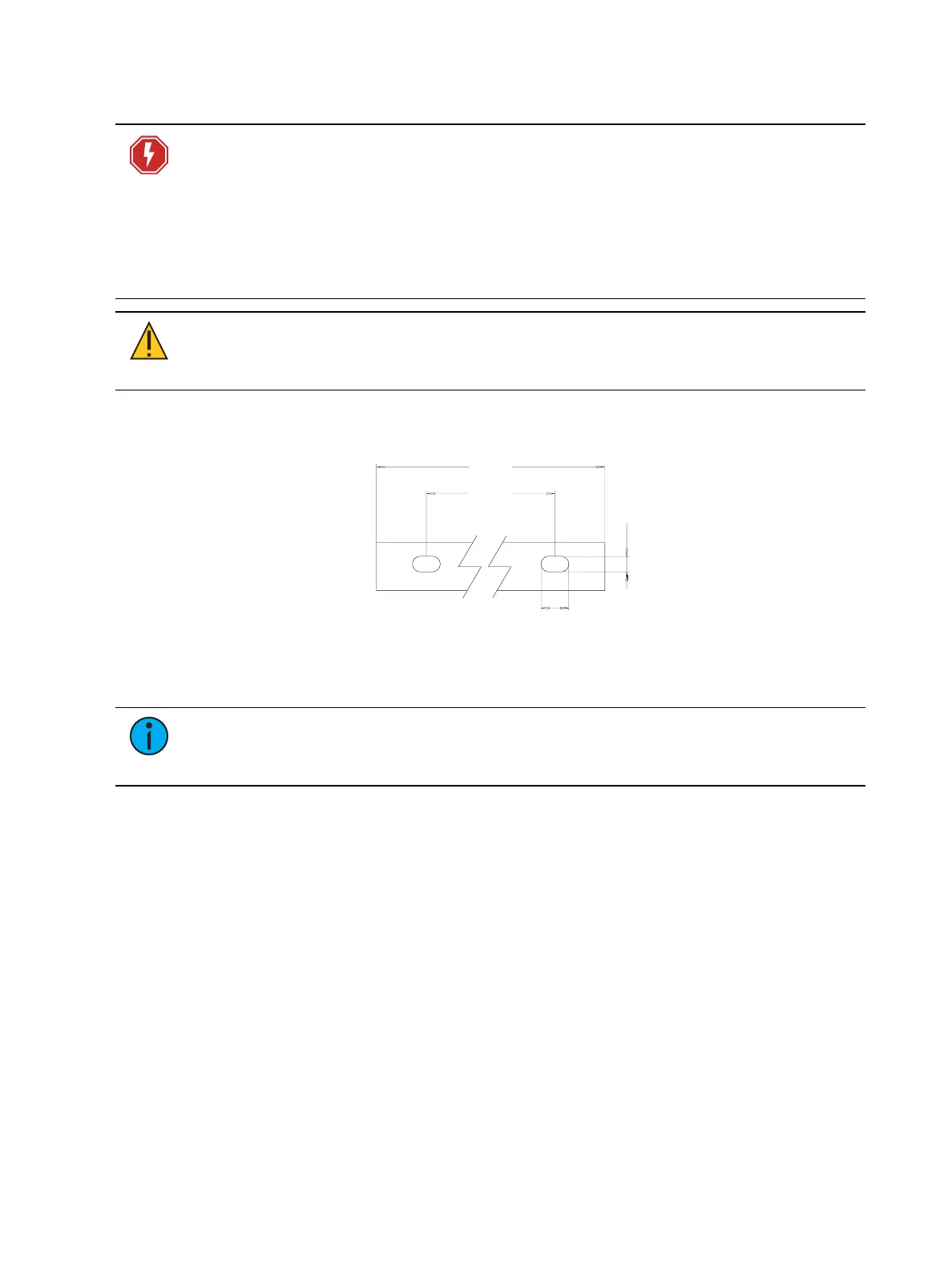
Track has pre-punched holes for surface mounting or attaching the track to Unistrut hardware
or other mounting hardware.
3.28 ft
(1 m)
1.64 ft
(0.5 m)
0.16 in
(4 mm)
0.47 in
(12 mm)
Figure 19: Pre-punched mounting holes
Note:
Mounting points may interfere with fixture track adapters depending on the
hardware used for installation. Consider the desired fixture locations when
determining mounting point locations.
Drilling OneTrack
If you need to add holes because you have cut track or you need additional holes at the end of
track, you can pre-drill holes in OneTrack. Remove burrs after drilling, and clean any metal
shavings before installing.
• Maximum drill diameter is 3/16in (4mm).
• Minimum distance of the first drilled location from end of track is 3in (76mm).
Wall Mounting
When mounting track to a wall in a vertical orientation, tighten the set screws on the fixture
adapters to ensure that fixtures remain securely positioned.



 To Next Page