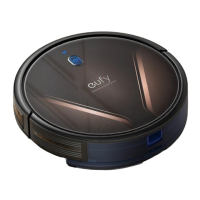
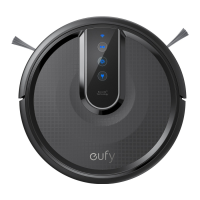
Buttons & Indicators
Start/Pause
Cleaning
• Solid Blue: standby, cleaning, pause cleaning,
returning
to
charging base
or
fully charged
• Solid orange: standby
or
working
in
low
battery
r
~
8
status
• Breathing orange
(when
docked
to
charging
►
II
base): charging
• Flashing red : error
*
Refer
to the
"Troubleshooting>Voice
Alert"
.,
section
in
this manual for solutions .
Reset
the
Wi-Fi
Connection
(Press and hold for 10
seconds)
@\
C•)
Return
to
Charging
Base
• Flashing blue
slowly
: returning
to
charging base
~
~
• Solid blue: standby
or
paused
-
8
Spot
Cleaning
• Flashing blue
slowly
: Spot
Mode
• Solid blue: standby
or
paused
.·········································································································-.
, • , • When you
use
the
Find
My
Robot
function
via
the EufyHome
app,
all
three
-o-
LED
indicators
are
solid blue and a voice prompt
is
heard.
~
•
To
conserve power, the blue light
on
the
►
II
button becomes dim when:
• RoboVac
is
not docked to the Charging
Base
and
has
been
inactive for 10
minutes;
• RoboVac
is
fully charged for 1 minute.
. ,
..........................................................................................................
Status
Slowly flashing blue Waiting for connection
Rapidly flashing blue Connecting with your wireless router
Solid blue Connected to your wireless router
18



 To Next Page