Replace
the
Side
Brush
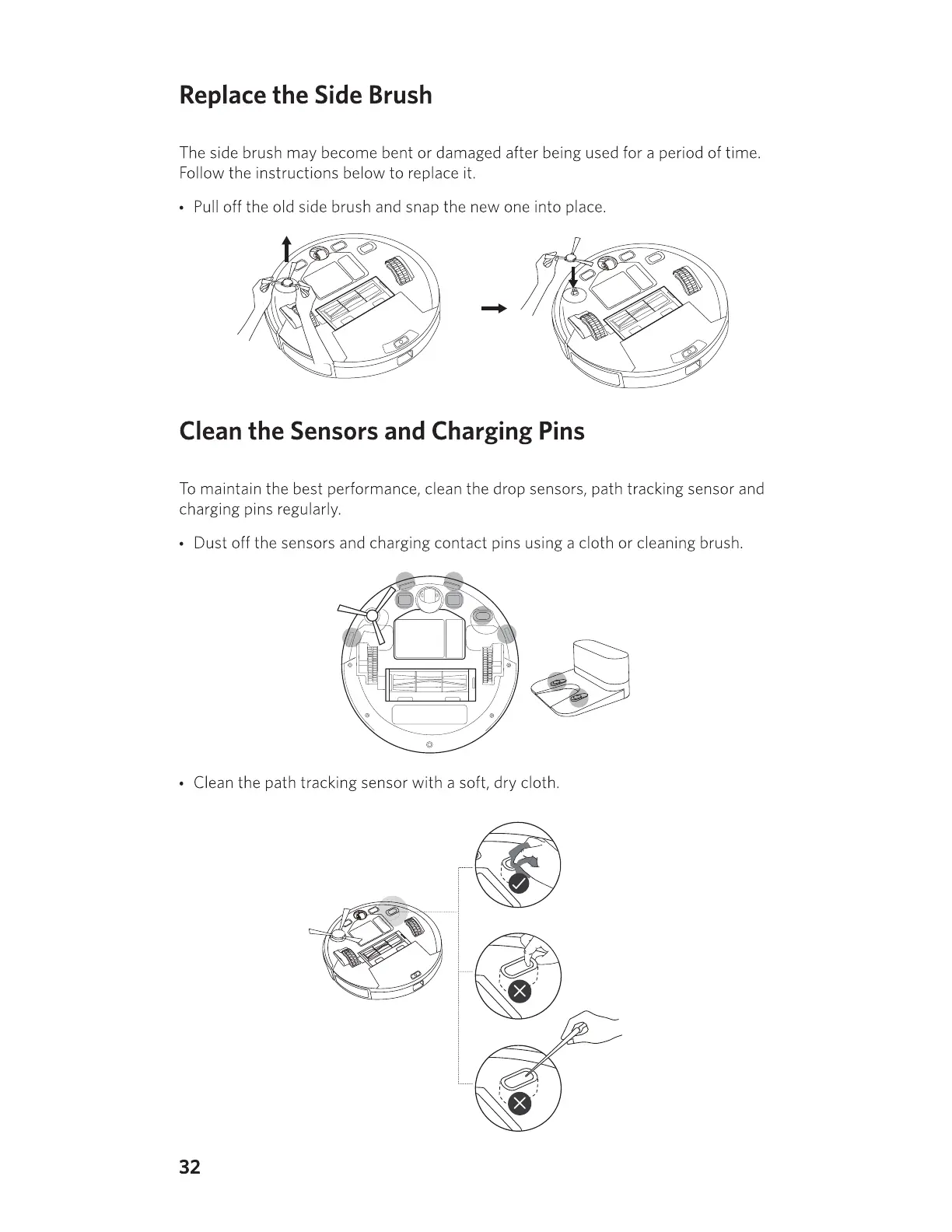
The side brush may become bent or damaged after being used for a period of time.
Follow the instructions below
to
replace it.
•
Pull
off the old side brush and snap the new one into place.
-+
Clean
the
Sensors
and
Charging
Pins
To
maintain the best performance, clean the drop sensors, path tracking sensor and
charging pins regularly.
• Dust off the sensors and charging contact pins using a cloth or cleaning brush.
• Clean the path tracking sensor with a soft, dry cloth.
32



 To Next Page