PhoenixBIOS features and setup
Issue G 55
Field Explanation
System memory,
Extended memory
The amount of conventional and extended memory (respectively)
detected during boot-up. These values cannot be changed.
Boot Options
Used to determine what happens when the computer is turned
on. For example, you can choose to boot up more quickly by
skipping certain tests.
Specifying master and slave drive settings
PhoenixBIOS 4.0 supports up to two IDE disk adapters, called primary and secondary
adapters. Each adapter supports one master drive and one slave drive. All combinations
of master and slave drives are supported.
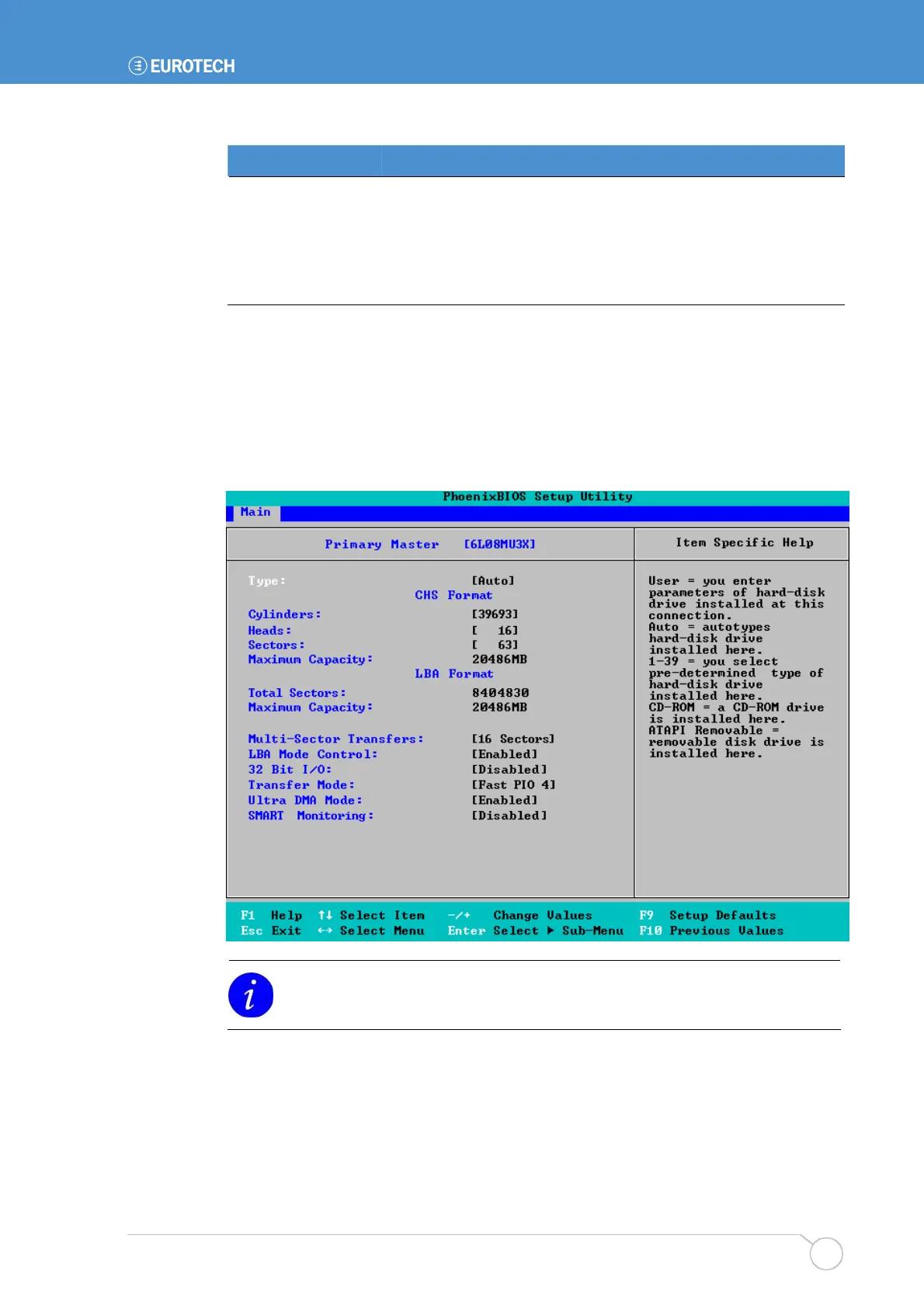
To specify settings for a drive, highlight it in the Main menu and press Enter. The
following screen is displayed:
The details displayed vary, depending on the drive attached and its Type. Refer
to the table on the following page for more information.



 To Next Page