APOLLO user manual
Issue G
54
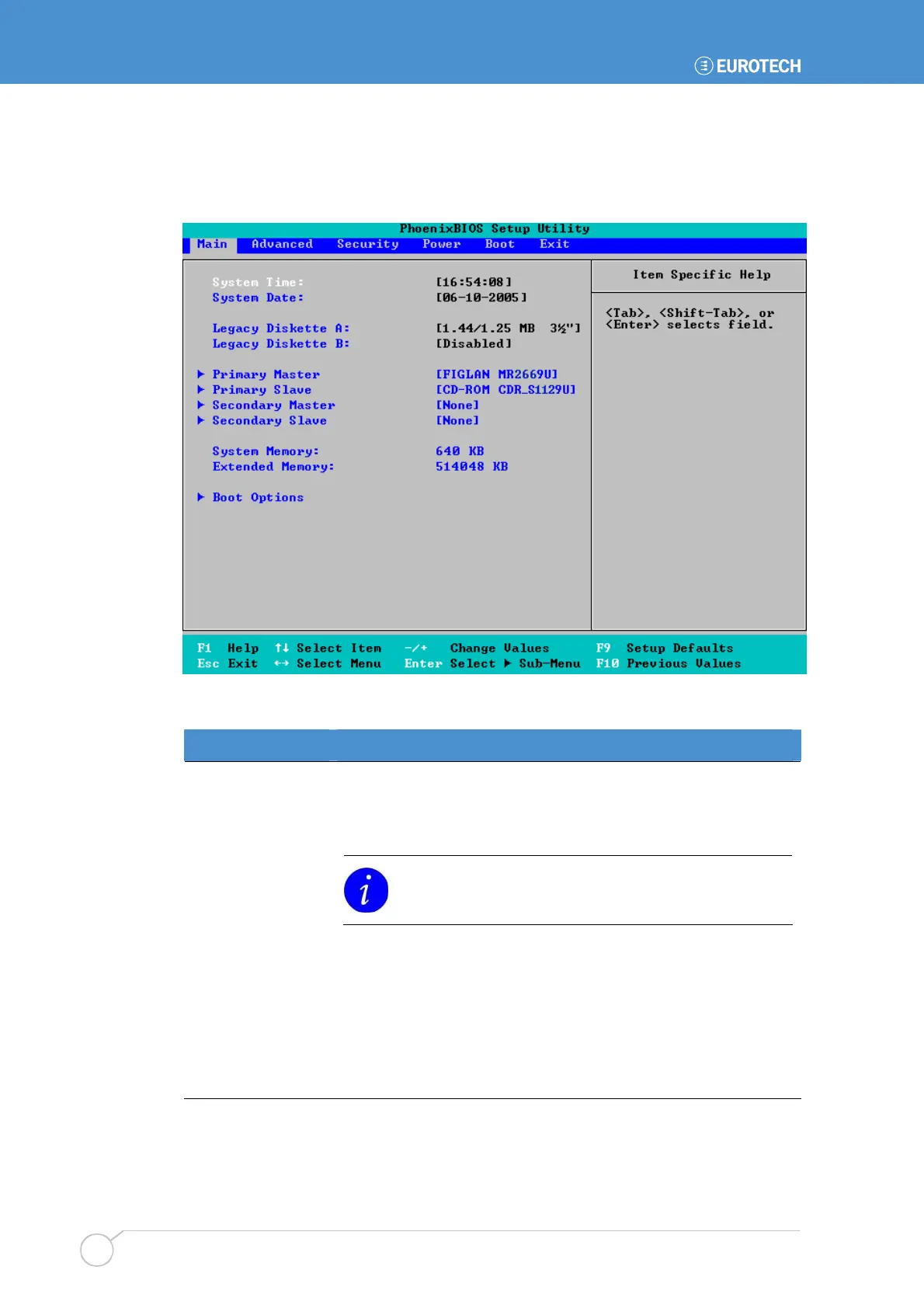
Main menu
The Main menu is used to specify your basic system configuration:
You can make the following selections from the Main menu:
Field Explanation
System Time,
System Date
Used to set the system time and date.
Legacy Diskette A,
Legacy Diskette B
Select the type of floppy disk drive(s) installed in your system.
1.25MB is a Japanese format that requires a 3½" three-
mode diskette drive.
Primary Master,
Primary Slave,
Secondary Master,
Secondary Slave
Used to specify which drives of the following types you have
installed:
• Hard disk drives.
• Removable disk drives, e.g. Zip drives.
• CD-ROM and DVD-ROM drives.
See the following page for details.



 To Next Page