PhoenixBIOS features and setup
Issue G 81
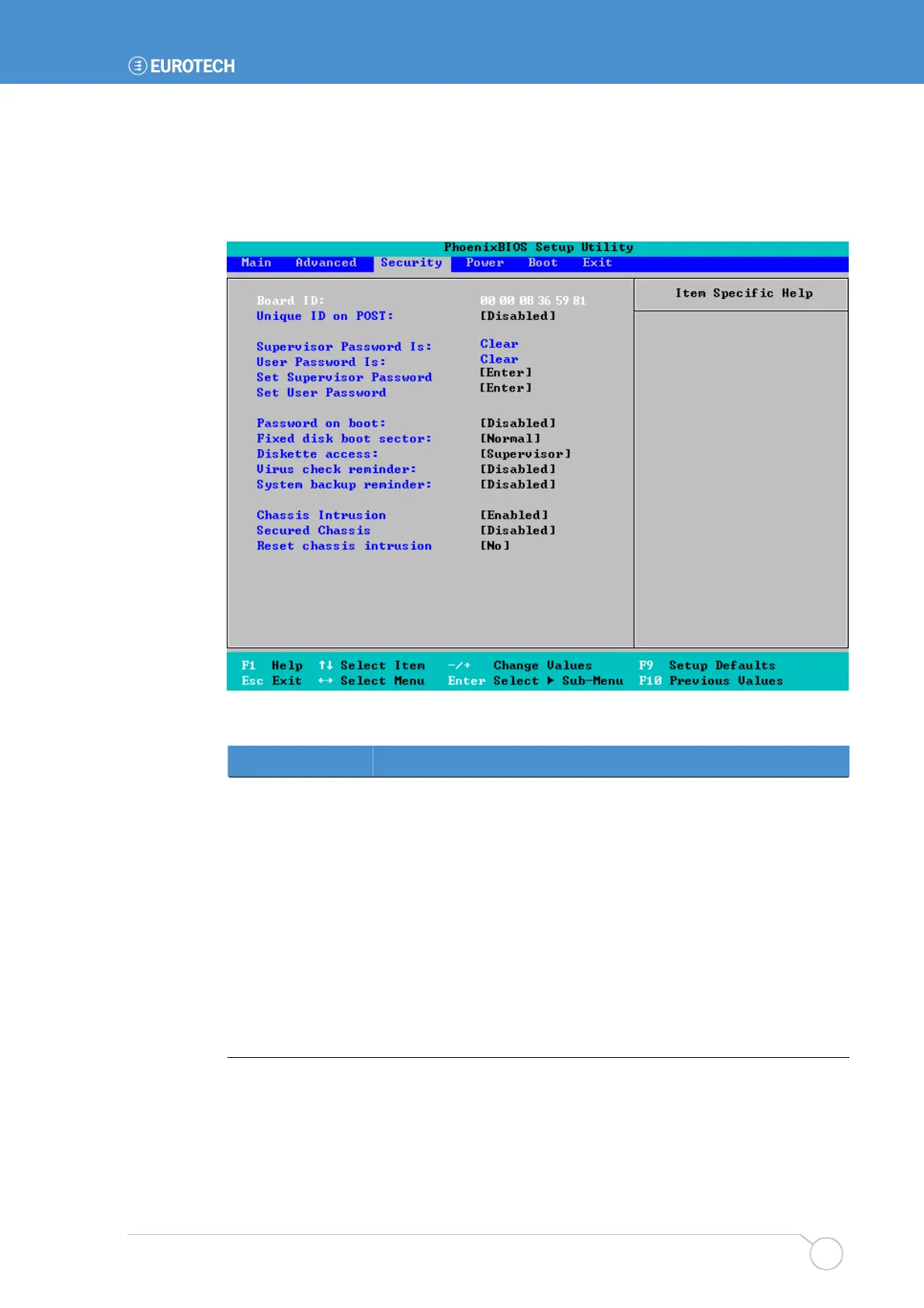
Security menu
The Security menu is used to control access to the system and to set up reminders, for
example, to prompt users to backup the system and check for viruses on a regular basis:
The following table explains the security settings you can choose:
Field Explanation
Board ID
The 48-bit unique ID, read from the on-board DS2401 device.
Unique ID on POST
Choose Enabled if you want this ID to be displayed during POST.
Supervisor
Password Is
Indicates whether a supervisor password has been created (Set).
Clear indicates that no supervisor password has been created.
You can create or change the supervisor password in the Set
Supervisor Password field.
User Password Is
Indicates whether a user password has been created (Set). Clear
indicates that no user password has been created.
You can create or change the user password in the Set User
Password field.



 To Next Page