APOLLO user manual
Issue G
80
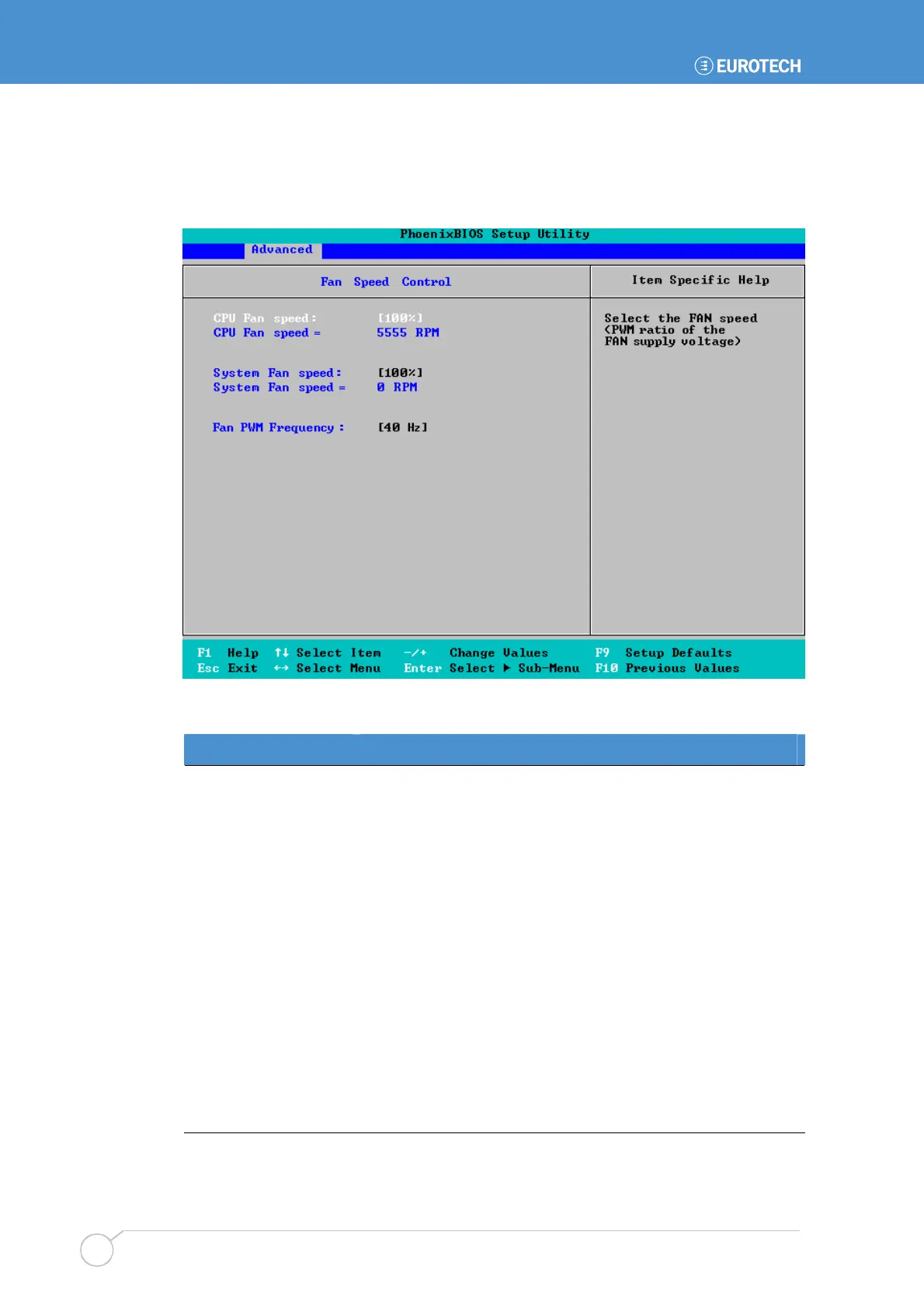
Maintaining system fan settings
When you select Fan Speed Control from the Advanced menu, the following screen is
displayed:
The details you are prompted to specify are explained in the following table:
Field Explanation
CPU Fan speed
The speed at which the processor fan is currently operating is
shown in blue.
You can control the speed at which this fan operates. You do
this by selecting the proportion of its maximum capacity that
the fan is to operate at. (In the example shown, the fan is set
to work at 100% of its maximum capacity, i.e. 5555RPM.)
System Fan speed
The speed at which the additional system fan is currently
operating is shown in blue (if there is one). You can choose to
attach an additional fan if required. This may be, for example,
a chassis mounted fan to control airflow within the enclosure.
You can control the speed at which this system fan operates.
You do this by selecting the proportion of its maximum
capacity that the fan is to operate at. (In the example shown,
the fan is set to work at 100% of its maximum capacity.)
Fan PWM Frequency
Select the frequency of the Pulse Width Modulation signal for
the fan speed control that best suits the fan used. This can be
40Hz or 120Hz.



 To Next Page