58
59
3.4
STARTING AND STOPPING
DRUG DELIVERY
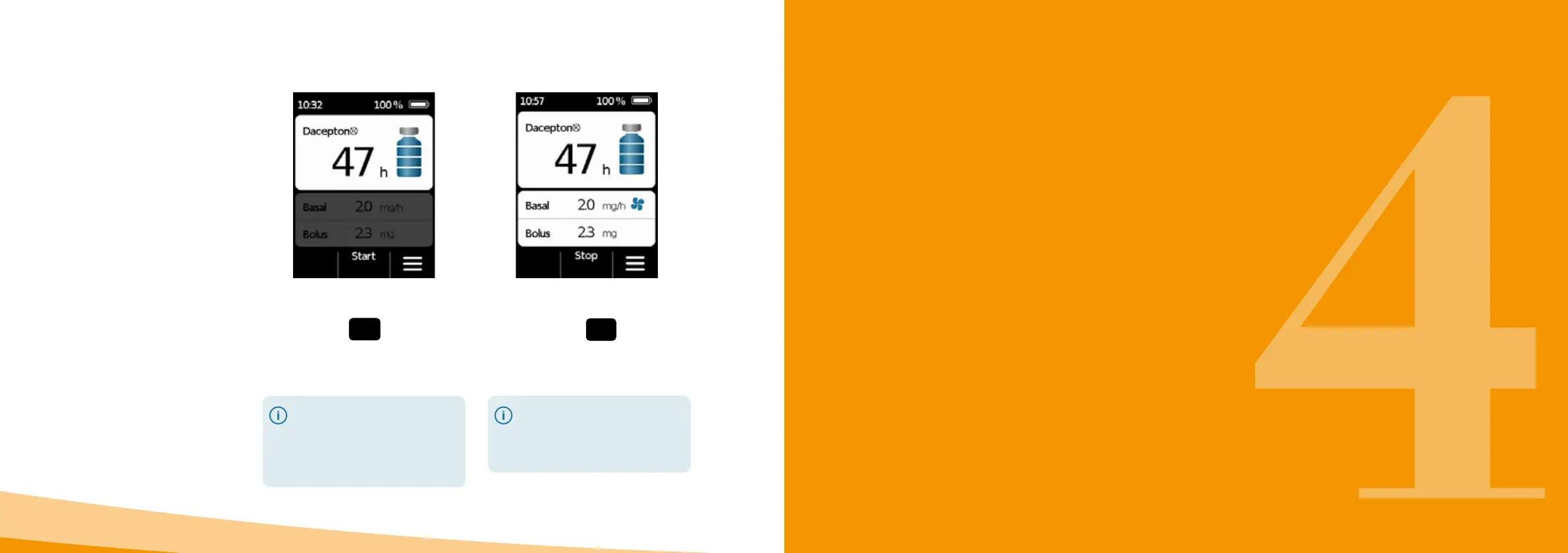
Stopping drug delivery
Press and hold
Stop and do not
release the button until you hear an
acoustic signal (approx. 3seconds).
Your pump will stop automatically
if the reservoir is empty or an error
occurs. Following an alarm, you
always have to restart the delivery
of apomorphine.
You can start and stop delivery of the
drug using the function buttons. An
interruption is only necessary if you
wish to
• change the reservoir
• change the infusion set
• change the rechargeable battery
• change the time
• change delivery settings
• take o the device
Starting drug delivery
Press and hold
Start and do and do
not release the button until you hear an
acoustic signal (approx. 3seconds).
Check the viewing window from
time to time to verify whether
the filling level of the reservoir is
decreasing. In this way, you can
tell whether the delivery function
is
enabled and functioning properly.
4.1 Menu control
4.2 Delivering a bolus
4.3 Changing the infusion set
4.4 Changing the reservoir
4.5 Viewing the delivery settings
4.6 Viewing the history
4.7 Changing the rechargeable battery
4.8 Taking o and recharging the pump
DAILY ROUTINE



 To Next Page