116
117
7
1
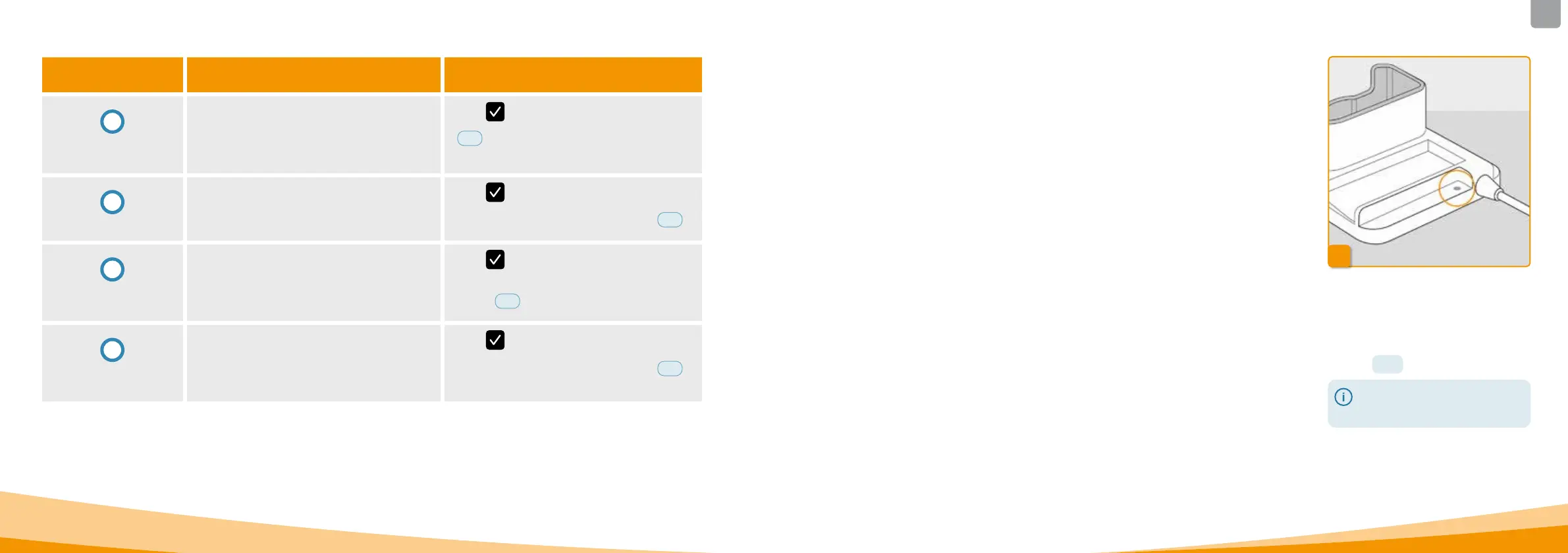
No mains connection
If the mains connection signal light
on your docking station is not lit, this
means that either there is no mains
voltage or the docking station is
defective.
Check mains connection
Check the mains connection of the
docking station.
Section
2.1
If the power supply to the docking
station is not functioning, then
contact Customer Service.
7.5
ERROR MESSAGES ON
THE DOCKING STATION
7.5.1. THE MAINS CONNECTION SIGNAL
LIGHT ON THE DOCKING STATION
IS NOT LIT
Notice Why did it occur? What should I do?
i
Stop button
pressed too long
The "Stop button pressed too long" notice will
appear when the stop button has been pressed
and held for longer than 30seconds.
Press
to acknowledge the notice and follow
the instructions for stopping the pump in Section
3.4
.
i
Filling aborted
The "Filling aborted" notice will appear when you
remove the reservoir during the filling process.
Press
to acknowledge the notice, reinsert
the reservoir, and continue the filling process in
accordance with the instructions in Section
3.1
.
i
Error while
filling
The "Error while filling" notice will appear when
an alarm is triggered during filling and the filling
process is cancelled.
Press
to acknowledge the notice. Remove the
reservoir and repeat the filling process with a new
reservoir in accordance with the instructions in
Section
3.1
.
i
Preparation
interrupted
The "Preparation interrupted" notice will appear
when you remove the reservoir during the prepa‑
ration process.
Press
to acknowledge the notice, reinsert the
reservoir, and continue the preparation process in
accordance with the instructions in Section
3.2
.



 To Next Page