106
Eversense XL CGM User Guide
12
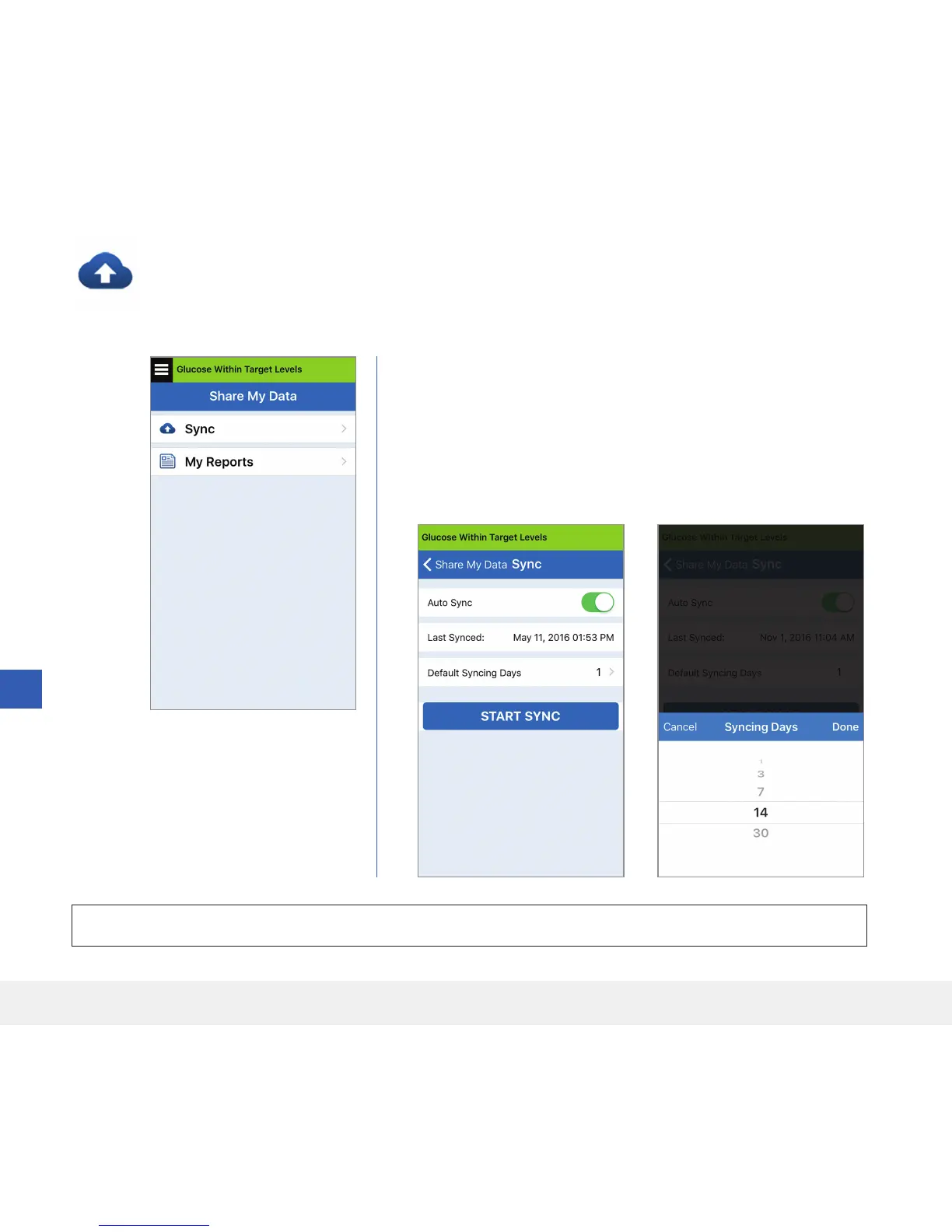
Sync
As long as you have an internet connection, Auto Sync is turned on, and you are logged into the app, your
glucose readings sync to your Eversense DMS account about every 2 hours. You can turn o Auto Sync.
To turn o Auto Sync, tap Sync on the SHARE MY DATA screen.
Tap the Auto Sync button to o.
To manually sync your data, tap the START SYNC button. Data for
the number of days set as your default will be synced. You can set the
Default Syncing Days to 1, 3, 7, 14 or 30 days.
IMPORTANT: If you turn o Auto Sync your historical glucose data will not be stored in your DMS account.



 To Next Page