96
Eversense XL CGM User Guide
10
10. Event Log
This section describes how to review and log events to help better track glucose patterns.
The Eversense XL CGM System
allows you to log and track
events in addition to continually
monitoring glucose levels. You can
manually enter events that will
appear on the trend graph and
glucose reports to help you find
patterns in your glucose profile.
Types of Events:
View Events
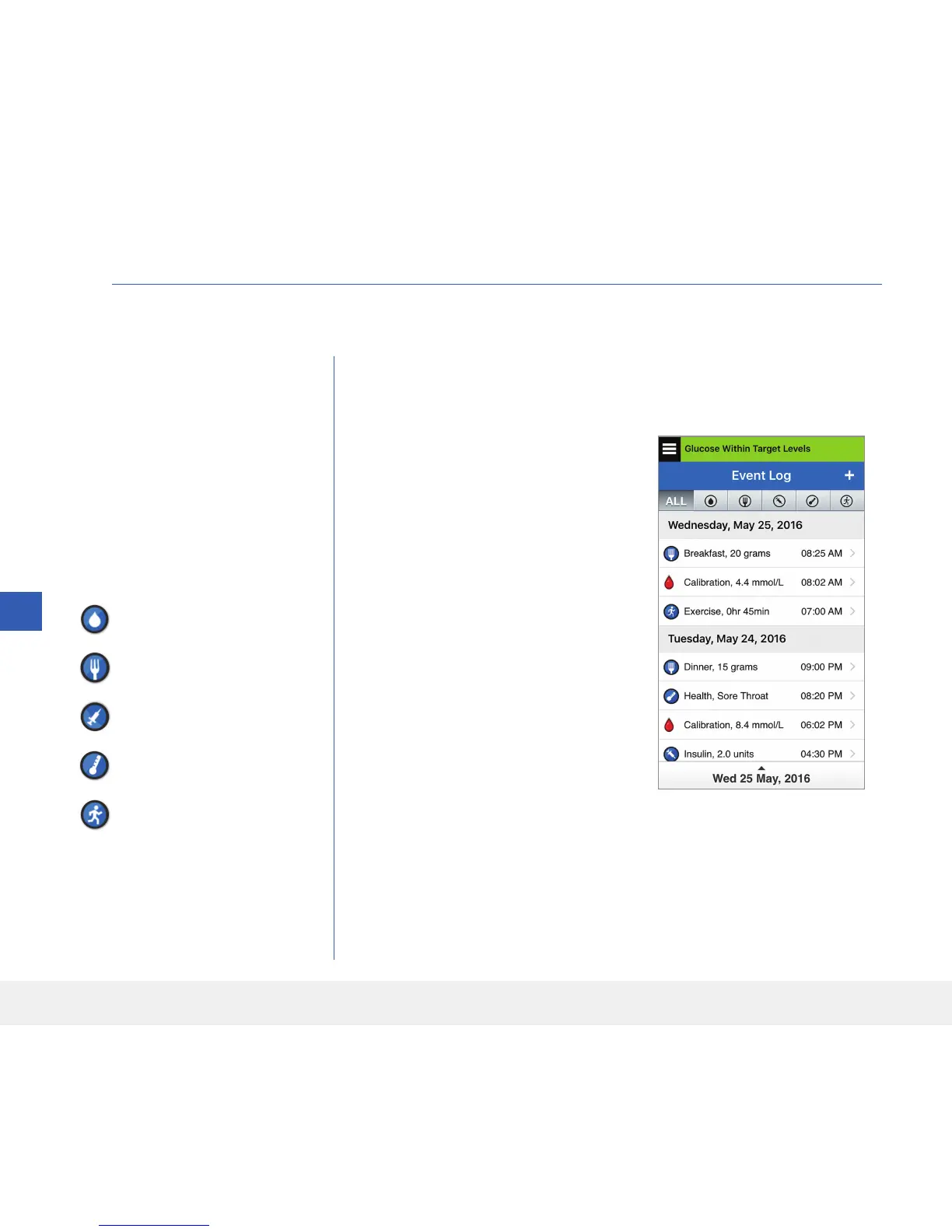
You can view past events entered from the EVENT LOG screen.
Glucose
Meals
Insulin
Health
Exercise
1. Tap Menu > Event Log.
The EVENT LOG screen
will appear.
2. All your entered events will be
listed.
You can also select specific
event types to view by tapping
a selected event type.
• Tap ALL, then tap icons on
top of the screen to select
only the types of events you
want displayed.
Note: You can also access the
ADD EVENT screen directly
from the MY GLUCOSE
screen with a single tap anywhere
on the graph area.



 To Next Page