97
Eversense XL CGM User Guide
10
10. Event Log
Glucose
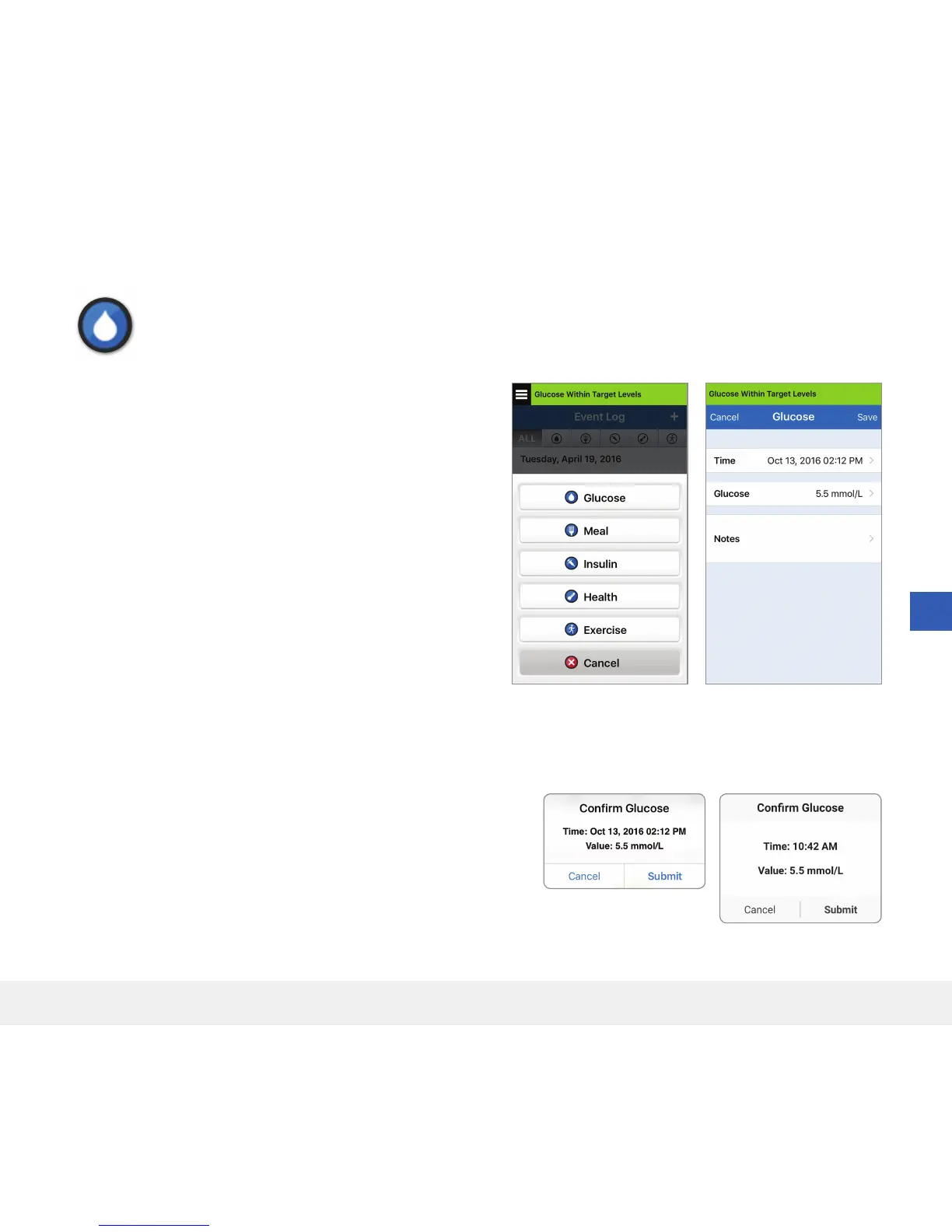
Enter and track blood glucose meter tests (test results other than calibrations).
Log Specific Events
1. Tap Menu > Event Log.
2. Add an event using the event icon “
+
” > Glucose.
3. Tap Time to enter the correct date and time.
Tap Done.
4. Tap Glucose to enter the correct blood glucose value.
Tap Done.
Note: You can enter a BG value between 1.1 and
33.3 mmol/L. Entries < 1.1 mmol/L will be converted to 1.1,
and entries above 33.3 mmol/L will be converted to 33.3
for calculation and display purposes.
5. Tap Save.
6. On the Confirm Glucose pop up box, tap Submit to confirm
the glucose event and return to the EVENT LOG screen,
or tap Cancel to exit without saving changes or to edit the
information before saving.
Note: Glucose Events do not replace calibration
measurements. You will still have to enter calibration readings.
iOS
Android



 To Next Page