24
Eversense XL CGM User Guide
3
Step 2. Set up the App – Account Creation, Pairing and Settings
1.
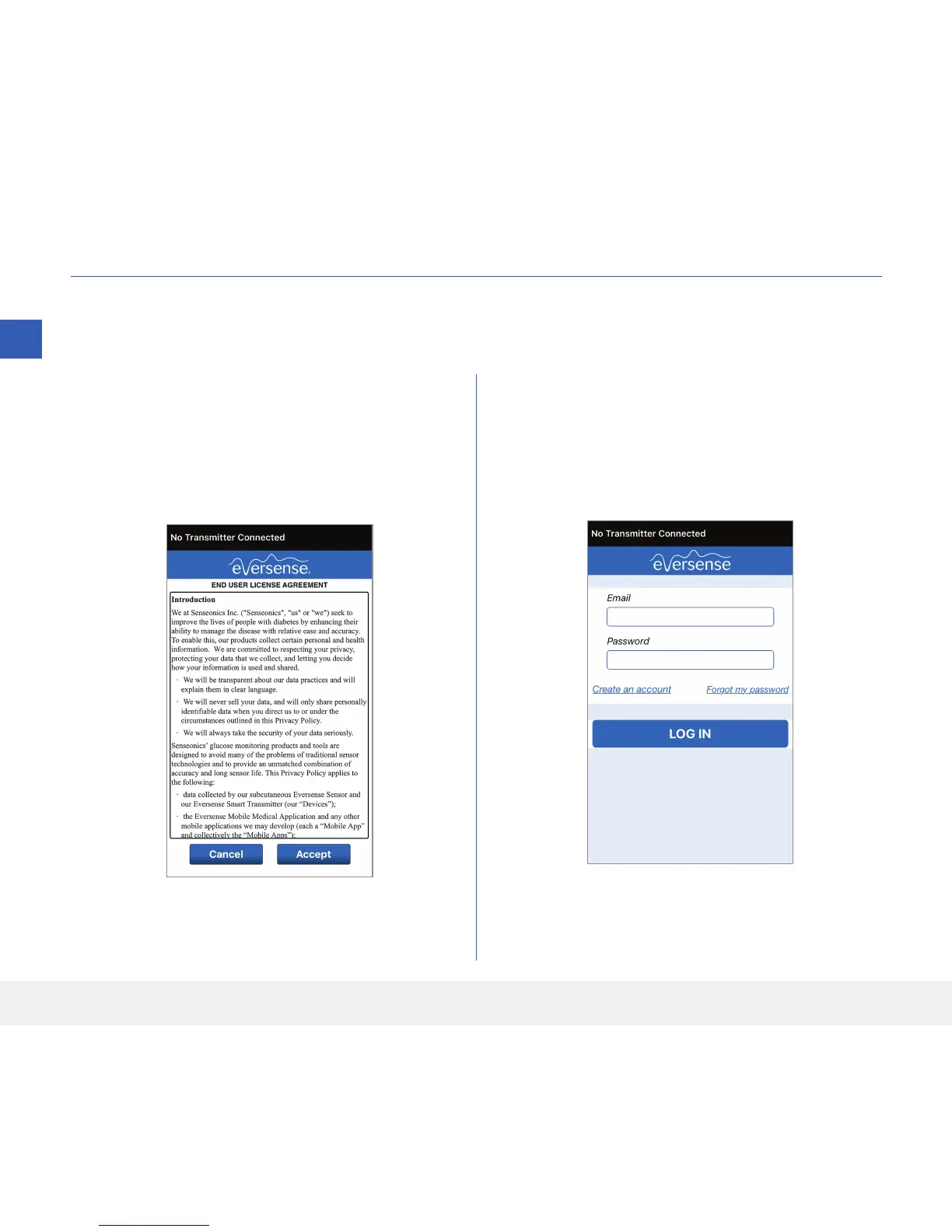
Launch the app by tapping the Eversense App
icon on your mobile device. The END USER
LICENSE AGREEMENT will appear.
• Review the Agreement and tap Accept to
agree to the terms of the License Agreement.
2. After you accept the Agreement, you will be
prompted to create and register an account with
an Email and Password.
• You must register an account before you are able
to log in. Tap Create an Account.
Once the app is downloaded, connect the app and smart transmitter by pairing the smart transmitter with your
mobile device.
Note: If you forget your password, you can reset it
via the app. If you forget your email associated with
your account, contact Customer Support.



 To Next Page