31
Eversense XL CGM User Guide
4
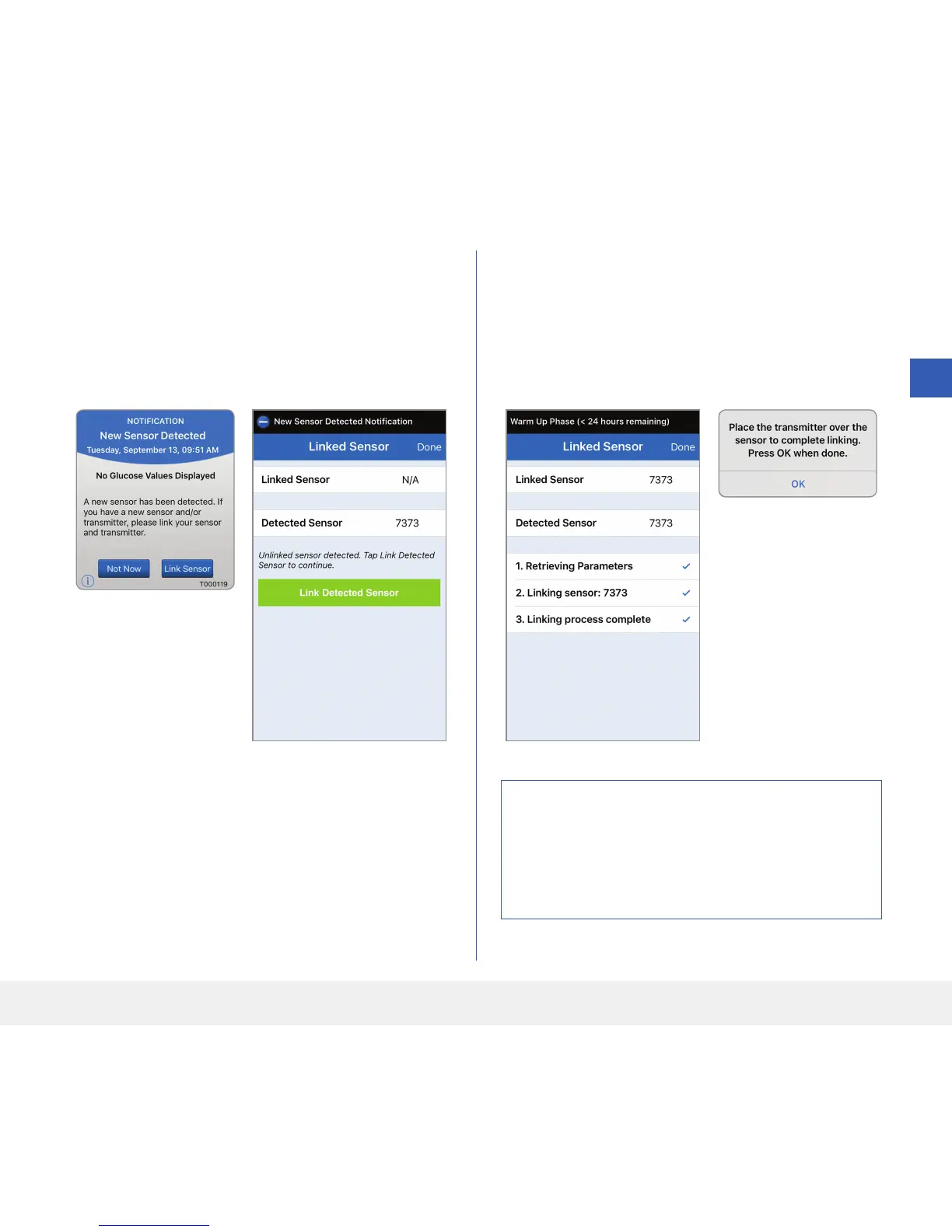
3. To link the smart transmitter and sensor, tap
Link Sensor on either the New Sensor
Detected pop-up screen or by tapping Menu >
Settings > System> Linked Sensor and
then tap Link Detected Sensor.
Note: It may take
up to 5 minutes for the
New Sensor Detected
notification to be
displayed.
If the smart transmitter
is removed from
the sensor site, the
system will display a
notification.
4. The linking process will begin. Each step will show
a check mark when finished. It may take up to
10 minutes for the process to complete. DO NOT
remove the smart transmitter from your insertion
site until the third check mark is displayed.
Caution: The sensor and smart transmitter
should be linked the day of the sensor insertion.
Failure to link the sensor and smart transmitter
could result in a delay in receiving glucose
readings.



 To Next Page