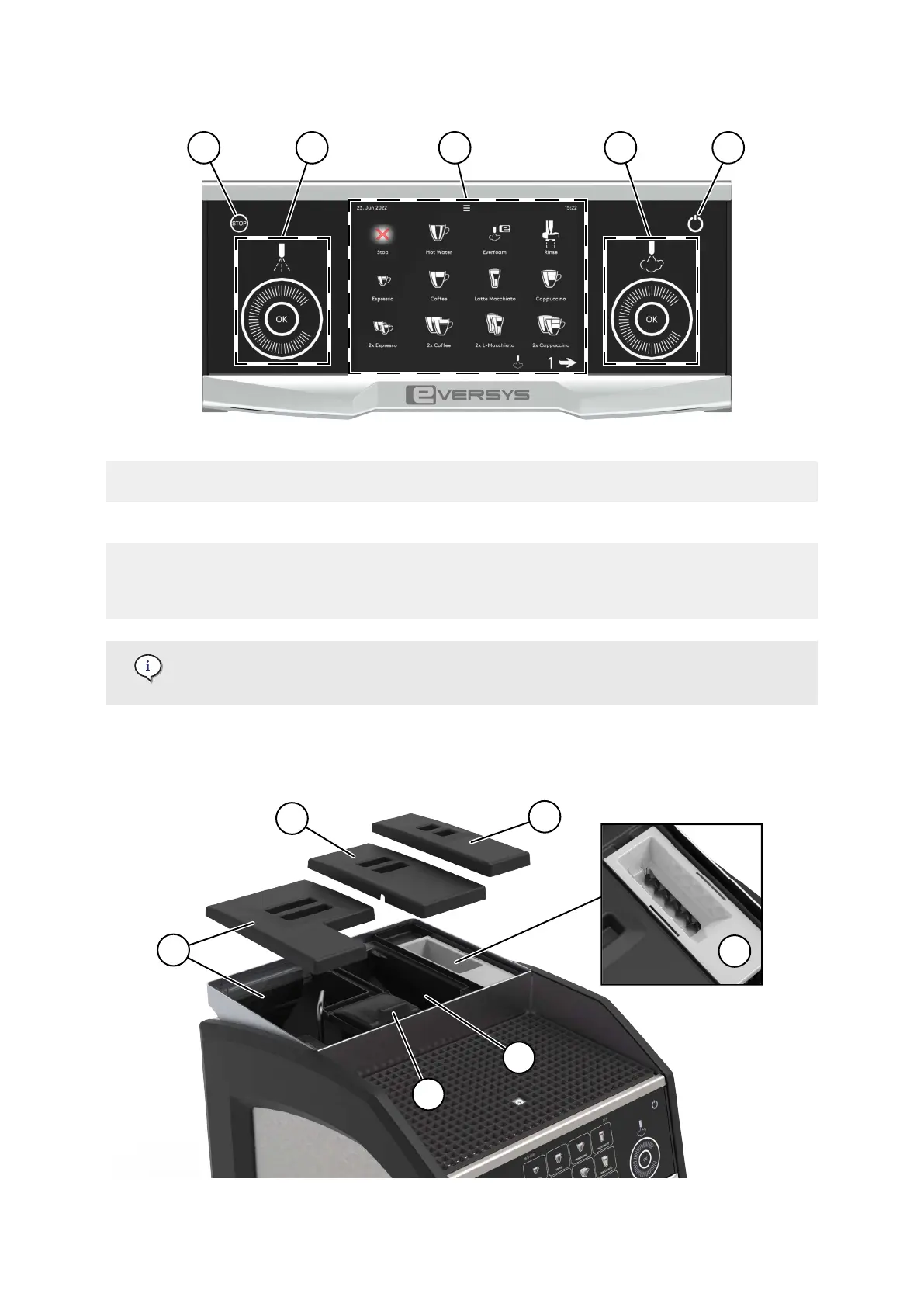
(1) Stop touch button (page 53) (4) Steam wheel selector and/or
button (page 51)
(2) Hot water wheel selector and/or
button (page 51)
(5) Standby button (page 45)
(3) Graphical User Interface (GUI (page 132))
(products may vary according to settings
and machine model, see Software (page
36))
Display of the stop and standby buttons also depend on the settings.
For more information, refer to User Rights (page 137).
2.2.5. Top view (bean hopper) of Cameo machines
Description
02.01.2023 Page 27 of 150 © Eversys S.A.











 To Next Page