6.6. Bean & Grinder menu
Display of this button of this screen depends on settings. Default settings are limited
to service engineer access User rights in the Display menu (page 141).
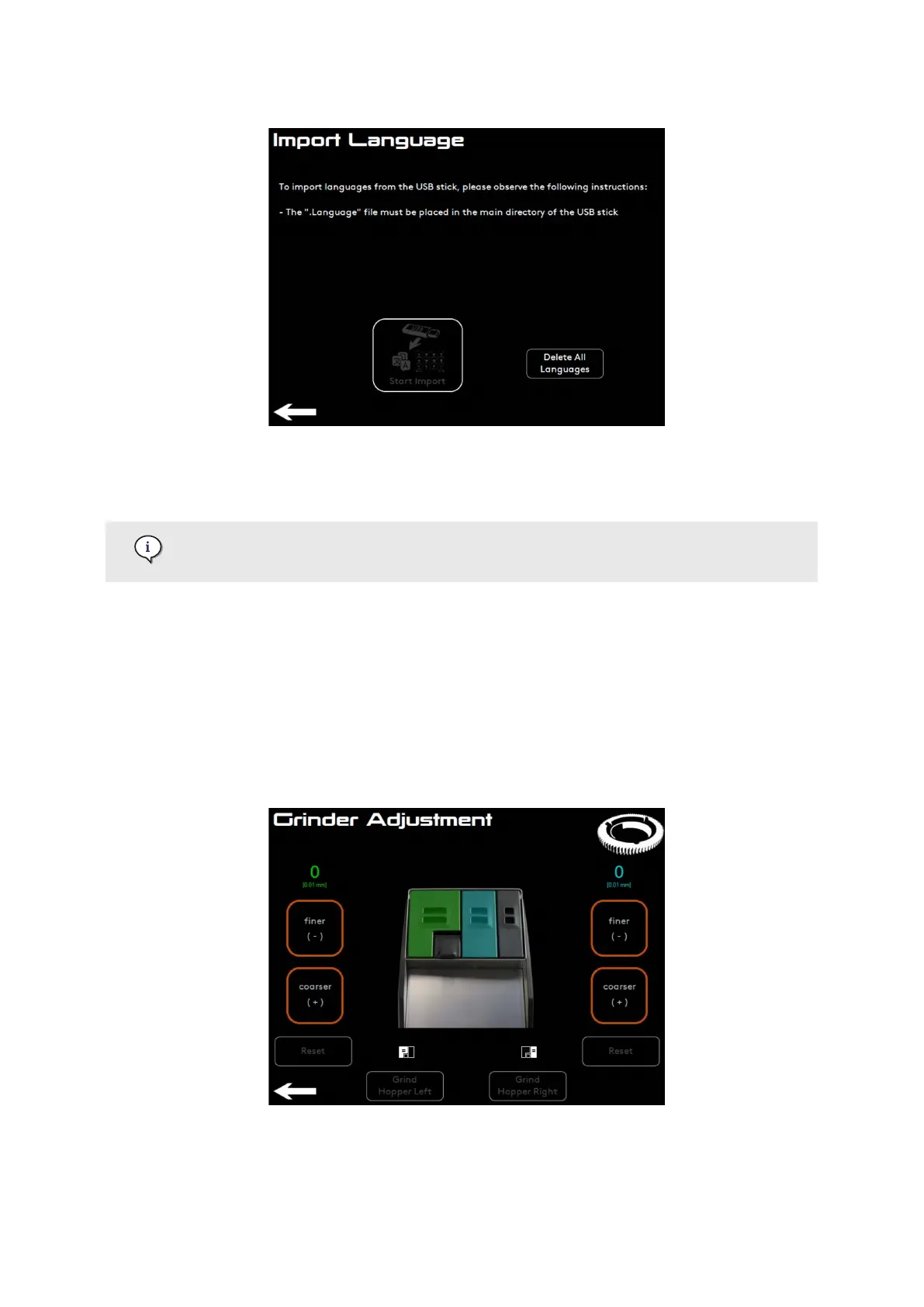
From the Grinder Adjustment menu it is possible to manually adjust the grind size of the coee
powder by 1/100 mm.
• Press ner (-) or coarser (+) to adjust the grind size.
6.6.1. Cameo
Grind hopper left (green) or the Grind hopper right (blue) allow to test grinding of the coee
beans.
Settings Menu
02.01.2023 Page 65 of 150 © Eversys S.A.











 To Next Page