HD9084 HDTV Caption Encoder Manual
Page 3-24 OPERATION
3.4.6.3. Set Language
The Language can be set using the HD9084. Three Language Flags are available to set English,
French, and Spanish.
3.5. DECODE SETUP MENU
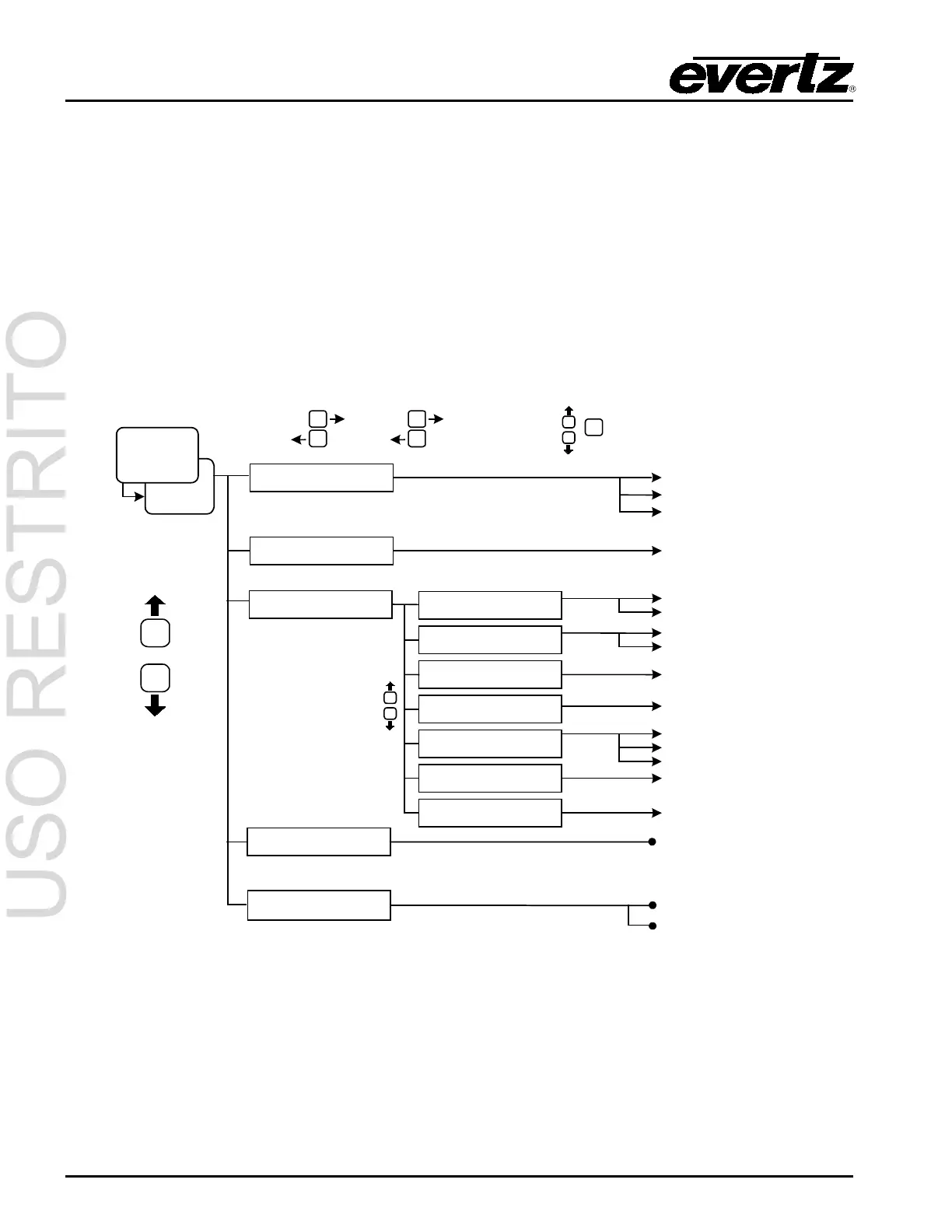
The Decode Menu allows the user to configure the On Screen Display (OSD) and closed caption
decoders for the HD9084. The OSD feature is only available on the Composite Monitor Output BNC.
To enter the Decode Setup Menu, press DECODE then SETUP. Use the UP and DOWN arrow
pushbuttons to scroll through the different options as listed in sections 3.5.1 to 3.5.5. Refer to the
diagram below to view a “quick reference” layout of the Decode menu system. To exit the menu
system, press SETUP until the MENU LED is off.
T1 to T4
0 to 64
SETUP
DECODE
then
OSD Display Mode
OSD Transparency
608 Decoder
708 Decoder
(scroll up/down)
SELECT
SETUP
SELECT
Section 3.5.2
Section 3.5
Section 3.5.4
Section 3.5.3
Section 3.5.1
CC Channel
Text Channel
Text Win Top Row
Text Win Height
XDS Display
XDS Win Top Row
XDS Win Height
SELECT
SETUP
Off
608 Decoder
708 Decoder
1 to 15 (default: 1)
Off
CC1 to CC4
Off
1 to 15 (default: 1)
Off
Scrolling
Fixed Pos
2 to 15 (default: 4)
1 to 15 (default: 6)
2 to 15 (default: 4)
Section 3.5.5
PVR Data Block
Pass
Block
3.5.1. OSD Display Mode
The OSD DISPLAY MODE option allows the user to select which OSD feature to enable. The HD9084
is capable of displaying the following information: CEA-608 captions and CEA-708 captions.



 To Next Page