HD9084 HDTV Caption Encoder Manual
Page 3-36 OPERATION
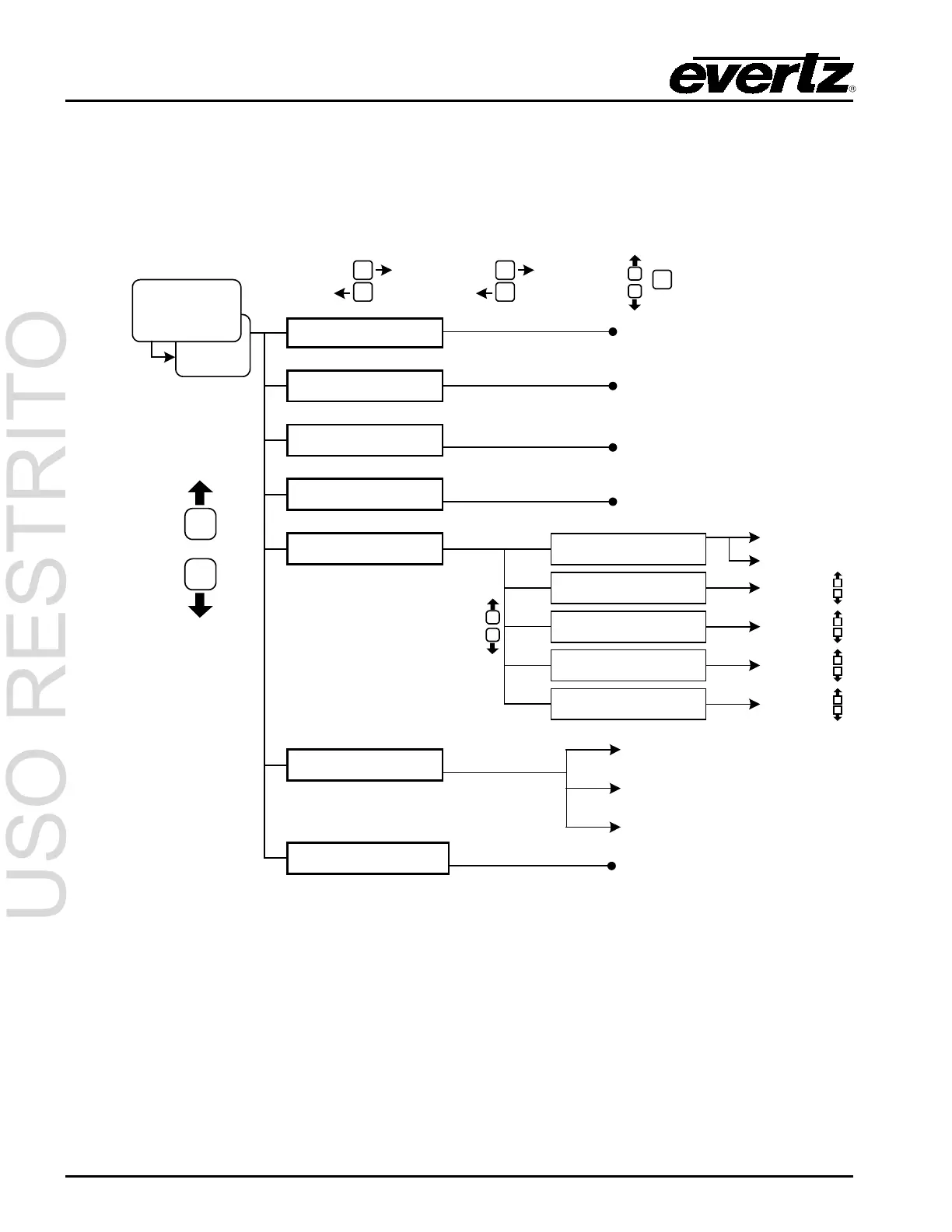
3.8. GENERAL SETUP MENU
The General Setup menu has the following options: Load and store presets, reset the unit, upgrade the
firmware, and check the current version of firmware on the HD9084. To enter the General Setup menu,
press GENERAL then press SETUP. Use the UP and DOWN arrow pushbuttons to scroll through the
different options. Press SETUP a second time to exit this level.
SETUP
GENERAL
then
Load Preset
Store Preset
Factory Reset
Network Setup
(scroll up/down)
SELECT
SETUP
SELECT
Section 3.8.1
Section 3.8.2
Section 3.8
Section 3.8.4
Section 3.8.3
Erase NV XDS
Upgrade Firmware
Section 3.8.7
Section 3.8.5
IP Address SRC
Static Address
Static Netmask
Static Broadcast
Static Gateway
SELECT
SETUP
Dynamic
Static
(0.0.0.0)
(0.0.0.0)
(0.0.0.0)
(0.0.0.0)
Info Msg Setup
Load out of P1 to P4
Save in P1 to P4
shft + sel = reset
shft + sel = del XDS
Critical errs
Show ALL errs
Info msg. only
shft + sel = upgrade
Section 3.8.6
Figure 3-4: General Setup Menu



 To Next Page