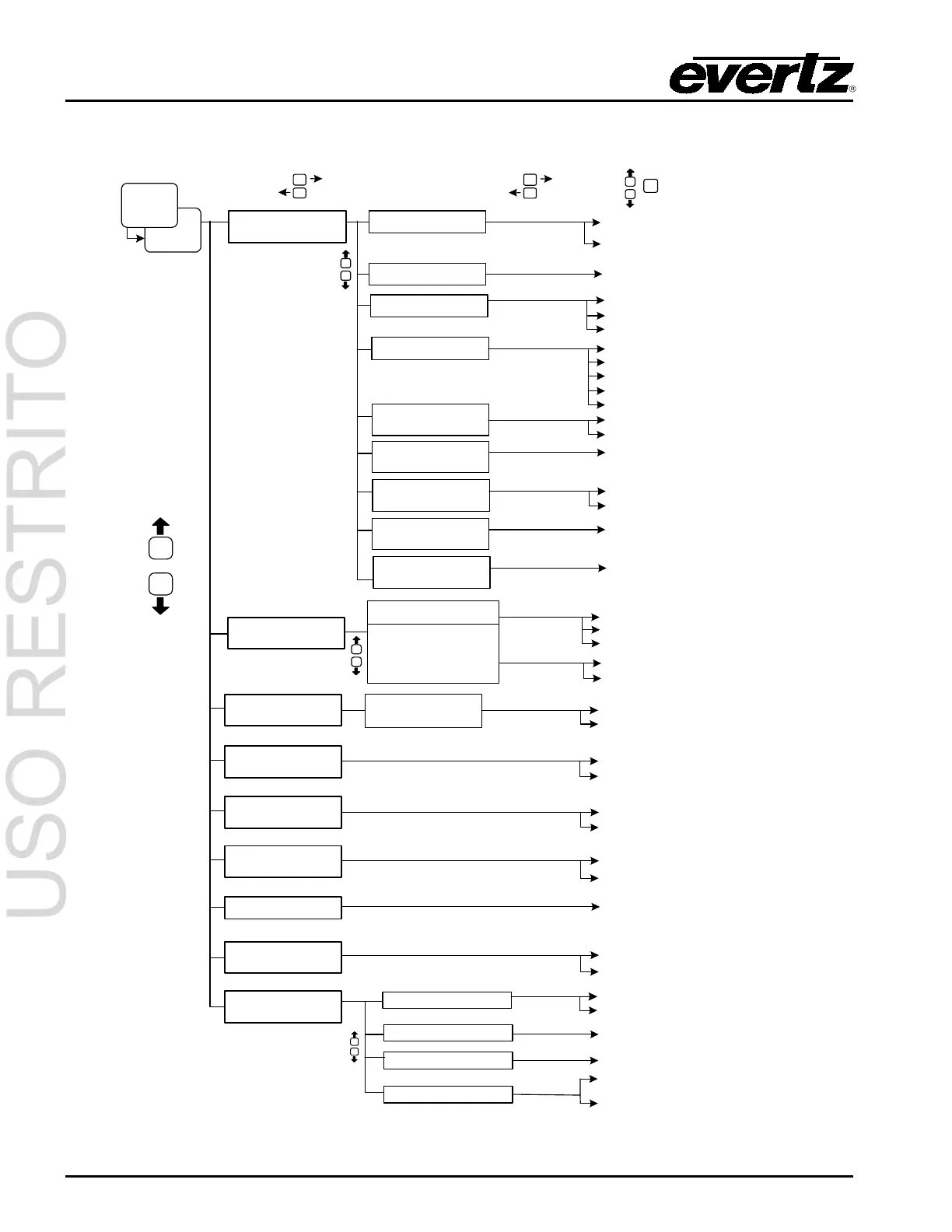
3.6. PORTS SETUP MENU
Low
SETUP
Port x Mode
Port x Comms
PORTS
then
Port x Baud
Port x Setup
(x=A,B,C,D,E,F)
GPI Active LVLS
GPI x Active Level
(x=A to G)
(scroll up/down)
SELECT
SETUP
SELECT
SETUP
SELECT
Section 3.6.1
Section 3.6
Control-A default
7 - Odd - 1
7 - Even - 1
8 - None - 1 (default on Port D)
High
Modem Speaker
On
Section 3.6.6
GPI Caption Shift
Section 3.6.4
gpi: disabled
gpi: A to G
Port x Enable
enabled
disabled
GPI A to G
modem hangup
1200, 2400, 9600, 14400, 19200,
38400, 57600, 115200
Port x Permission
(x=A,B,C,D,E,F)
Set all Services
Services 1 to 63
Service CC1 to CC4
Service T1 to T4
Service XDS
enable
disable
Section 4.7.2
Section 3.6.2
cancel
enable
disable
Off
GPI/O Config
Section 3.6.7
GPO 1 to 4 Active Lvl
GPO 1 to 4 Assert Dly
GPO 1 to 4 Deasrt Dly
GPO 1 to 4 Stimulus
Low
High
0 to 127.5 s (0.5s increments)
0 to 127.5 s (0.5s increments)
Disabled
For other options,
see list in this section.
For other options
see Table 3-3.
MSG. INJECT GPI
MSG INJECT CCx
disabled
GPI A to GPI G
CC1
CC2, CC3, CC4
Section 4.7.2
Section 3.6.3
no telnet connection
Port x Rings
(modem ports only)
1 ring
3 rings
Inactive Timeout
(telnet port F only)
1 to 31 minutes (default: 31)
Telnet Login Enb.
(telnet port F only)
diabled
enabled
Set Telnet Login
(telnet port F only)
String entry
Set Telnet Password
(telnet port F only)
String entry
2→4 lines
Section 3.6.5
GPI Shift Lines



 To Next Page