HD9084 HDTV Caption Encoder Manual
Page 3-34 OPERATION
SETUP
TIME
then
Set UTC Time
(scroll up/down)
SELECT
SETUP
SELECT
Section 3.7.1
Section 3.7
CDP Time Encode
Section 3.7.3
Disabled
CDP decode
UTC Time
Local Time
LTC Input
UTC - > hh:mm:ss
Date mm/dd/yy
Time Zone = hh:mm
DST On
Off
DSO On
Off
*LTC Time Setup
*LTC Date Setup
UTC Time
Local Time
Leitch
SMPTE-A
SMPTE-B
Not Present
Section 3.7.2
Section 3.7.2
*LTC Reader option is currently not available.
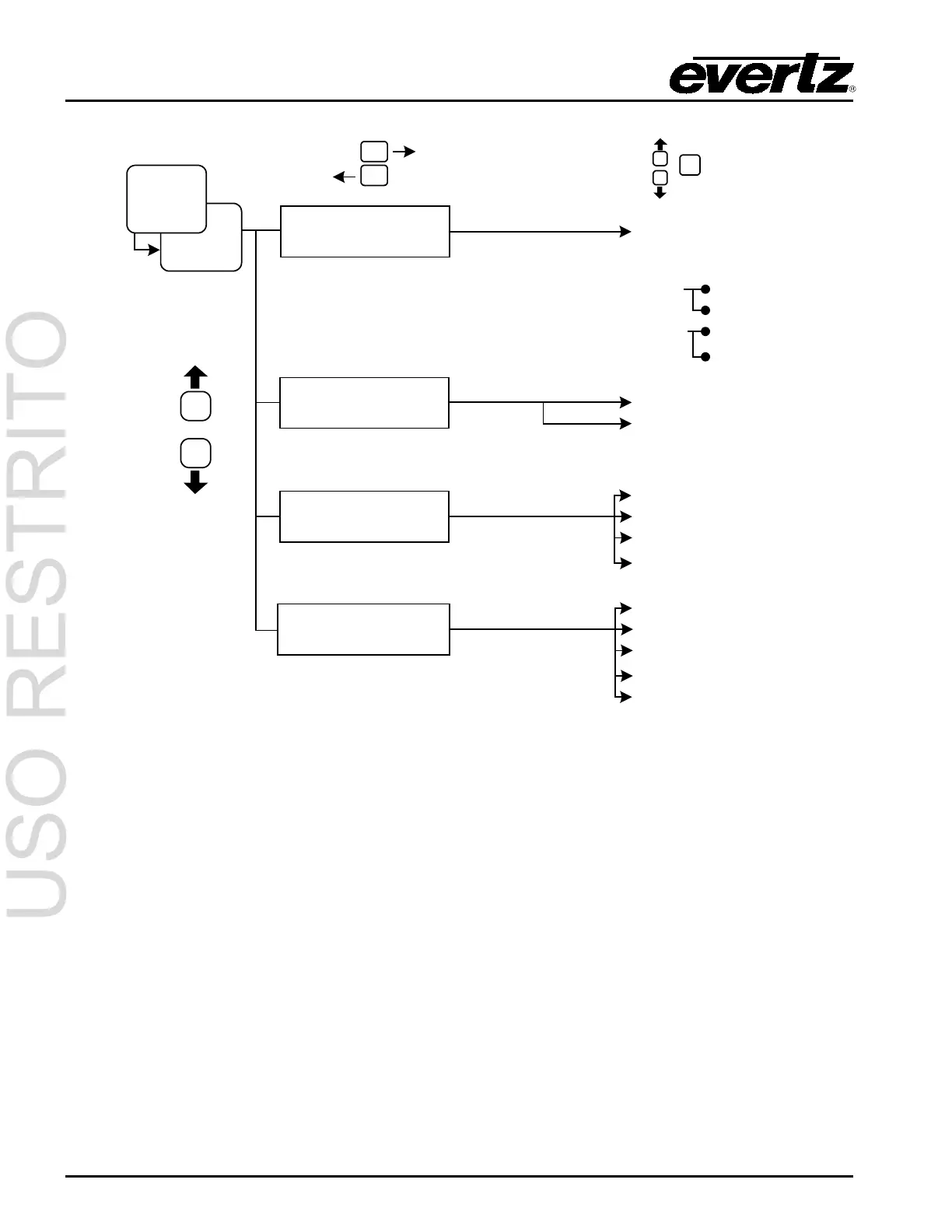
Figure 3-3: Time Setup Menu
3.7.1. Set UTC Time
The Universal Time, Coordinated (UTC) is an international time standard that defines a time that does
not depend on where we are on Earth. Universal Time (UTC), Greenwich Mean Time (GMT), and Zulu
Time (Z), are based at the prime meridian (0° longitude) of Earth and are used to avoid confusion of
time zones.
To set the UTC time, use the UP and DOWN arrows to scroll to SET UTC TIME and press SELECT.
The user can now configure time, date, time zone, DST, and DSO. The configuration screens will cycle
as followed:
UTC -> 00:00:00
DATE 00/00/0000
TIME ZONE=00:00
DST=OFF DSO=OFF
The flashing characters indicate a selection and can be configured using the UP and DOWN arrows.
When the desired setting is selected, press SELECT to enable the setting. Repeat the process until all



 To Next Page