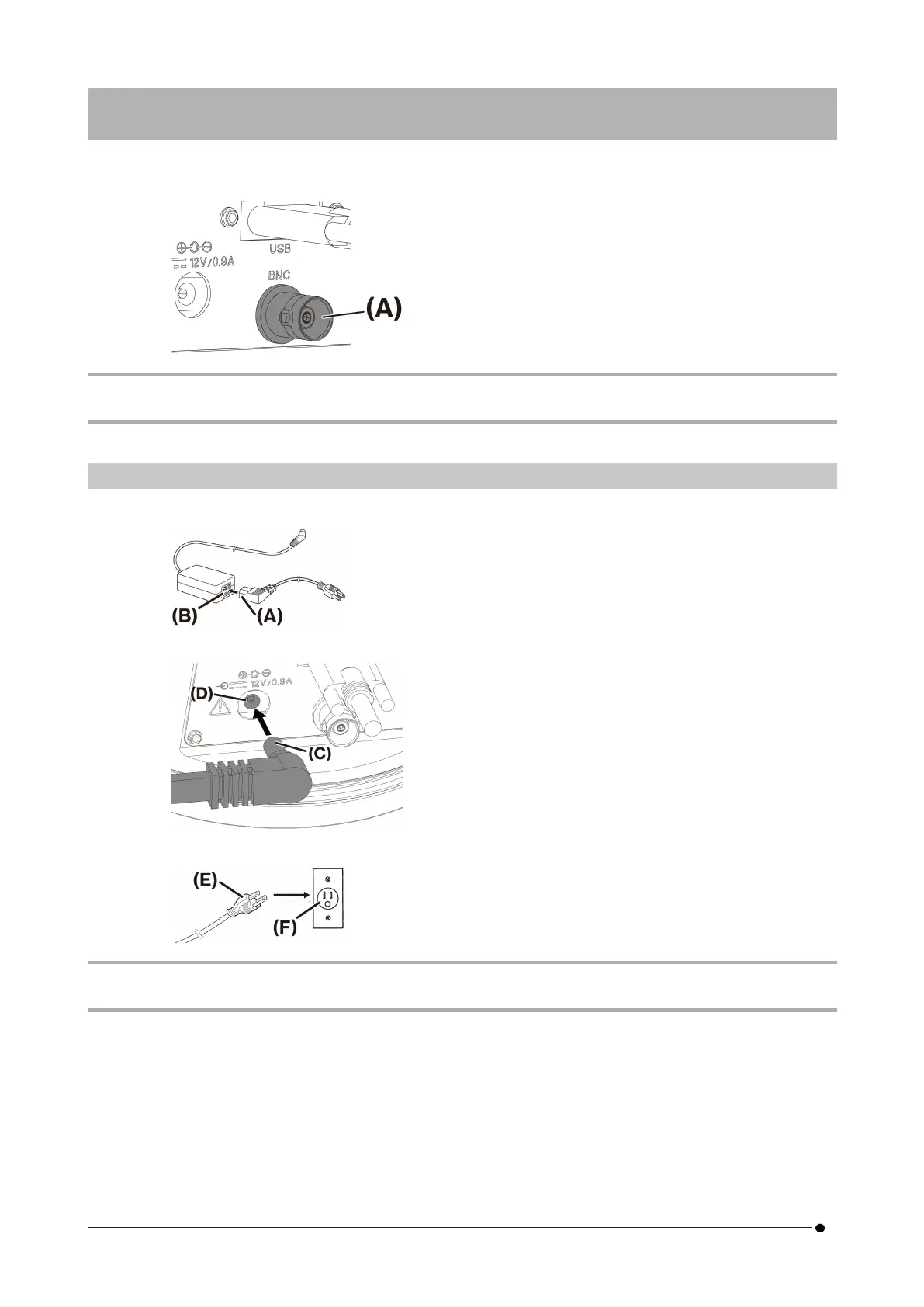
1. Insert the BNC cable connector of the external device into the DP75 BNC cable jack (A).
NOTE:
The software cellSens/PRECiV is necessary to use the external trigger function.
6.5 Connecting AC adapter
1. Plug the power cord (A) into the power cord connector (B) on the AC adapter.
2. Plug the AC adapter connector (C) into the DP75 AC adapter jack (D).
3. Plug the power cord plug (E) into the power outlet (F).
NOTE:
Connect the AC adapter after the interface cable was connected.
18
6. Assembly 6.5 Connecting AC adapter



 To Next Page