DP75
7.1 Software cellSens/PRECiV
Install cellSens/PRECiV after referring to the installation manual for this software. If you have purchased DP2-PC-S,
cellSens Standard is already installed in the controller.
7.2 Before installing software
1. Close all running application software before installing the software.
2. The software cannot be installed unless the account of the user logged on to Windows® is registered as
"Administrator".
If it is registered as a "Standard User", change it to "Administrator".
(For information on changing user accounts, refer to Windows® Help. )
7.3 The TWAIN driver DP2-TWAIN
This product does not include DP2-TWAIN. Download the installer from the Evident website to use it.
When using DP2-TWAIN on a 64-bit OS, commercially available native 64-bit application software that supports
TWAIN is required.
7.4 Selecting Device
cellSens
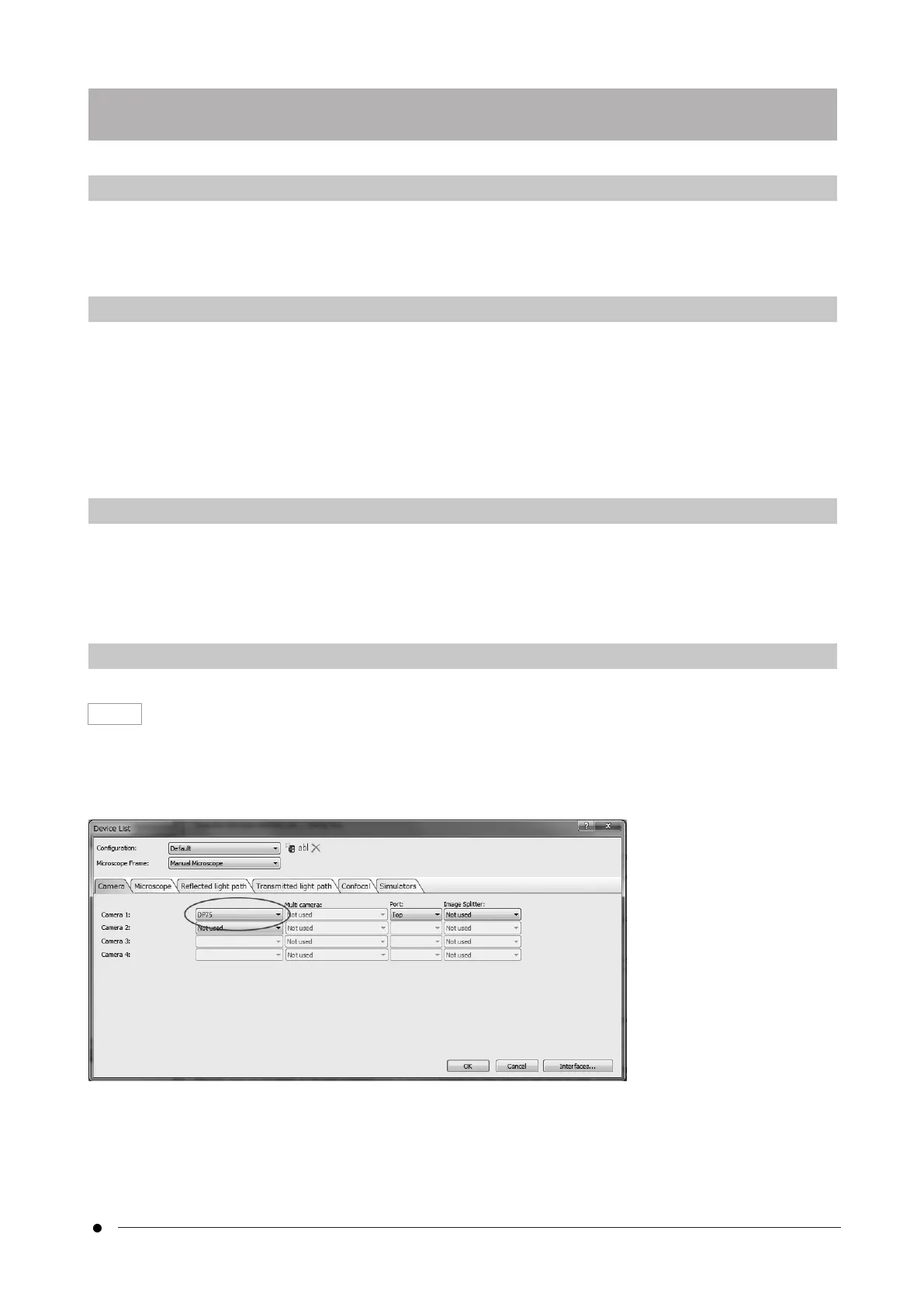
When selecting a device with cellSens, make settings in the device list as shown below. The device list is displayed
on the first run of cellSens. Alternatively, select [Import]->[Device]->[Device List] on the menu bar to display the
list.
Please refer to cellSens help section for more information about settings.
7. Installing software
19
7.1 Software cellSens/PRECiV7. Installing software



 To Next Page