DP75
6.2 Mounting the camera head
NOTE:
l
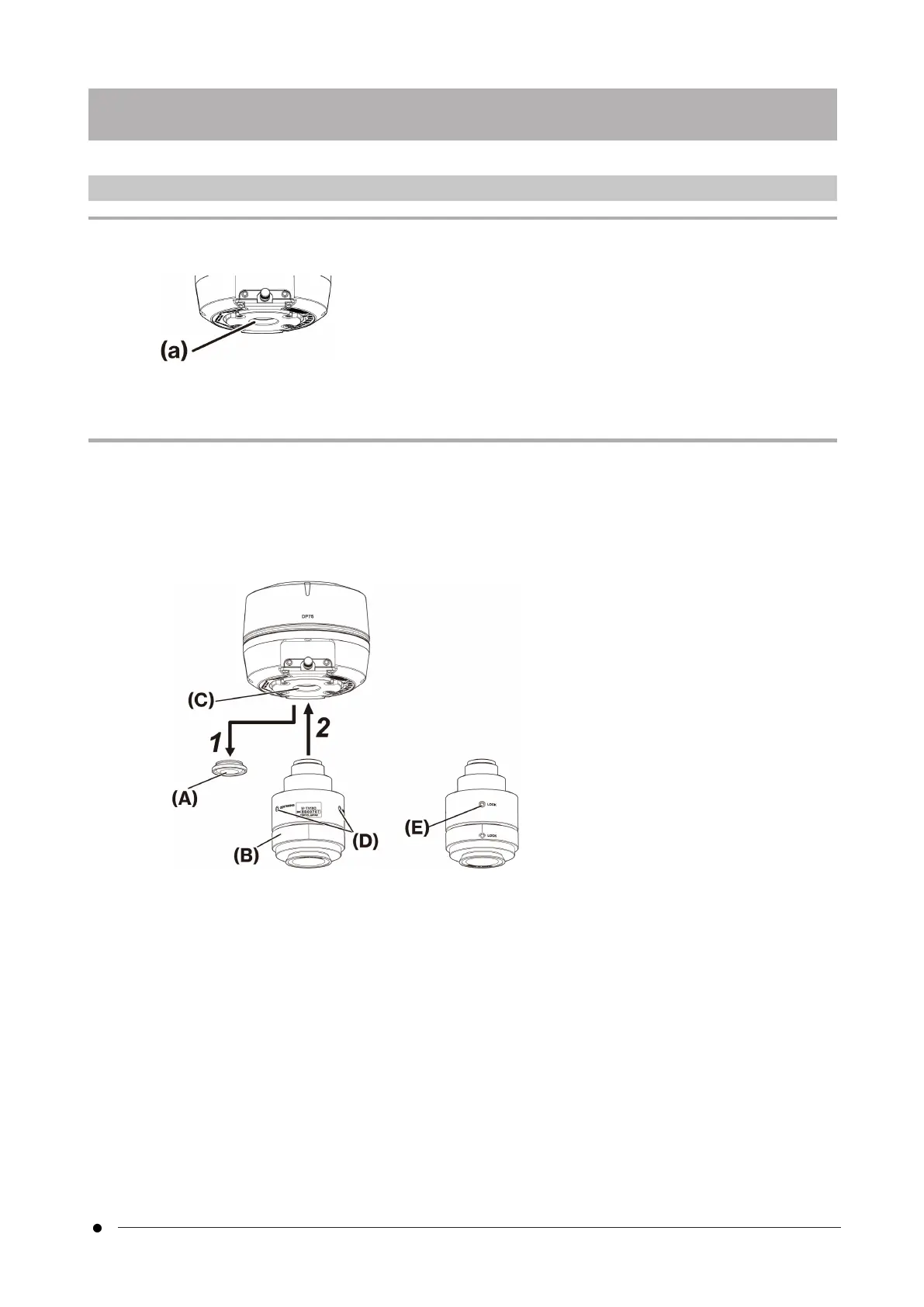
Do not touch the C mount thread (c) because it has sharp edges.
l
When attaching or removing the camera head or the C mount camera adapter, be careful not to drop them.
l
Screw the C mount camera adapter into the camera head firmly. If it is attached loosely, the camera head may
drop during operation or the sufficient performance may not be obtained when acquiring the image.
As an example, the procedure for using the C-mount camera adapter (U-TV1XC) is explained.
1. Remove the C-mount lens cap (A).
2. Screw the C-mount camera adapter (B) in to the C-mount screw (C) on the bottom of the camera head by
turning it clockwise to the end.
3. Attach the C-mount camera adapter to the microscope's camera port.
Back of C-mount camera adapter
15
6.2 Mounting the camera head6. Assembly



 To Next Page