11.2 Cleaning IR cut filter
If there is noticeable dirt such as dust on the IR cut filter Follow the steps below to clean the IR cut filter.
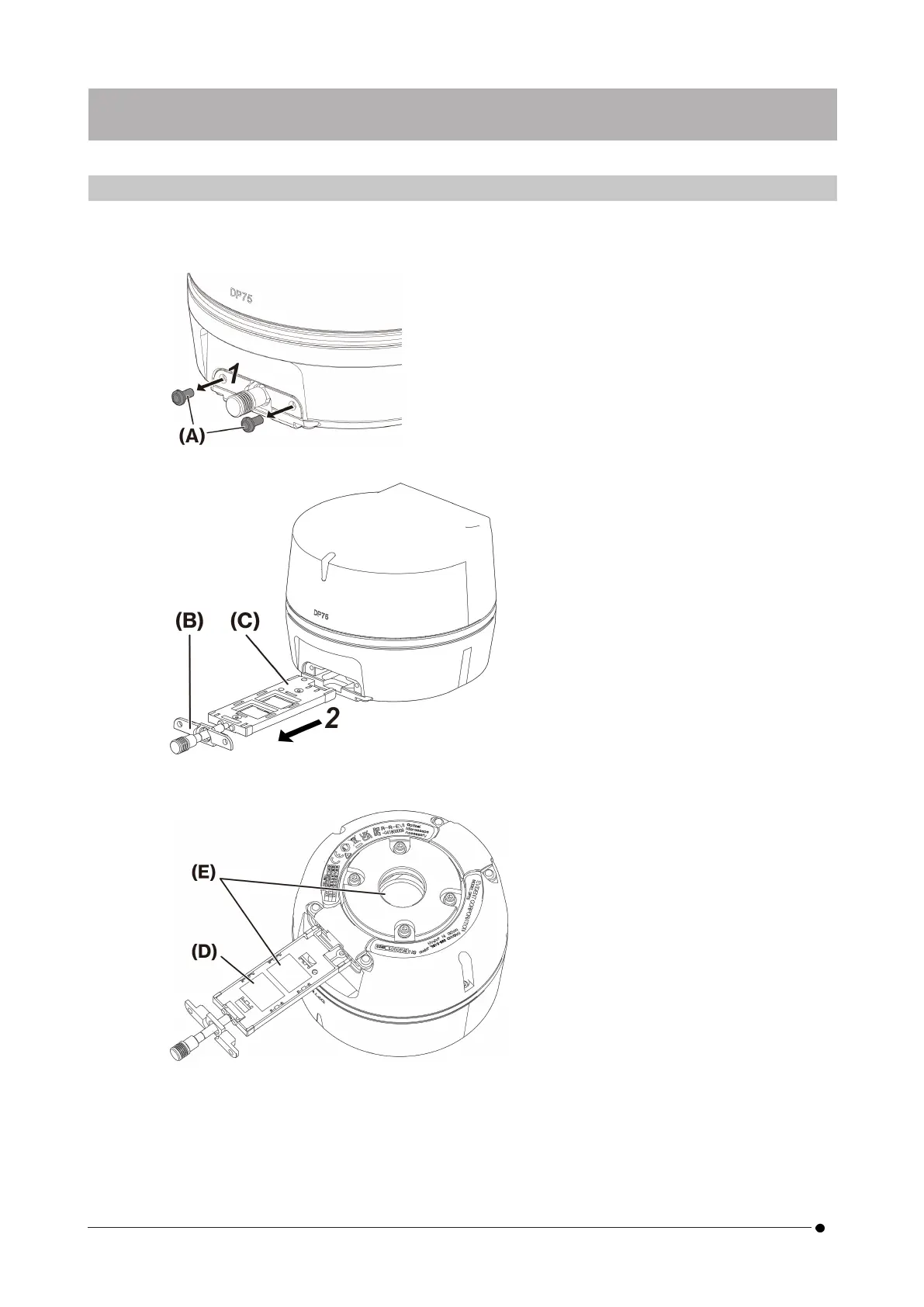
1. Use your Phillips screwdriver to remove the screws (2 M3 screws) (A).
2. Remove the IR cut filter slider (C) with the cover (B) in the direction of the arrow.
3. Blow off dust adhering to the IR cut filter slider (D) and the dummy glass (E), using a commercially available
blower.
4. After cleaning, reassemble by reversing the removal steps.
26
11. Maintenance 11.2 Cleaning IR cut filter



 To Next Page