Evolution Digital
EVO-SUP-DMS2002HD-U-001-v1r0 Page 56
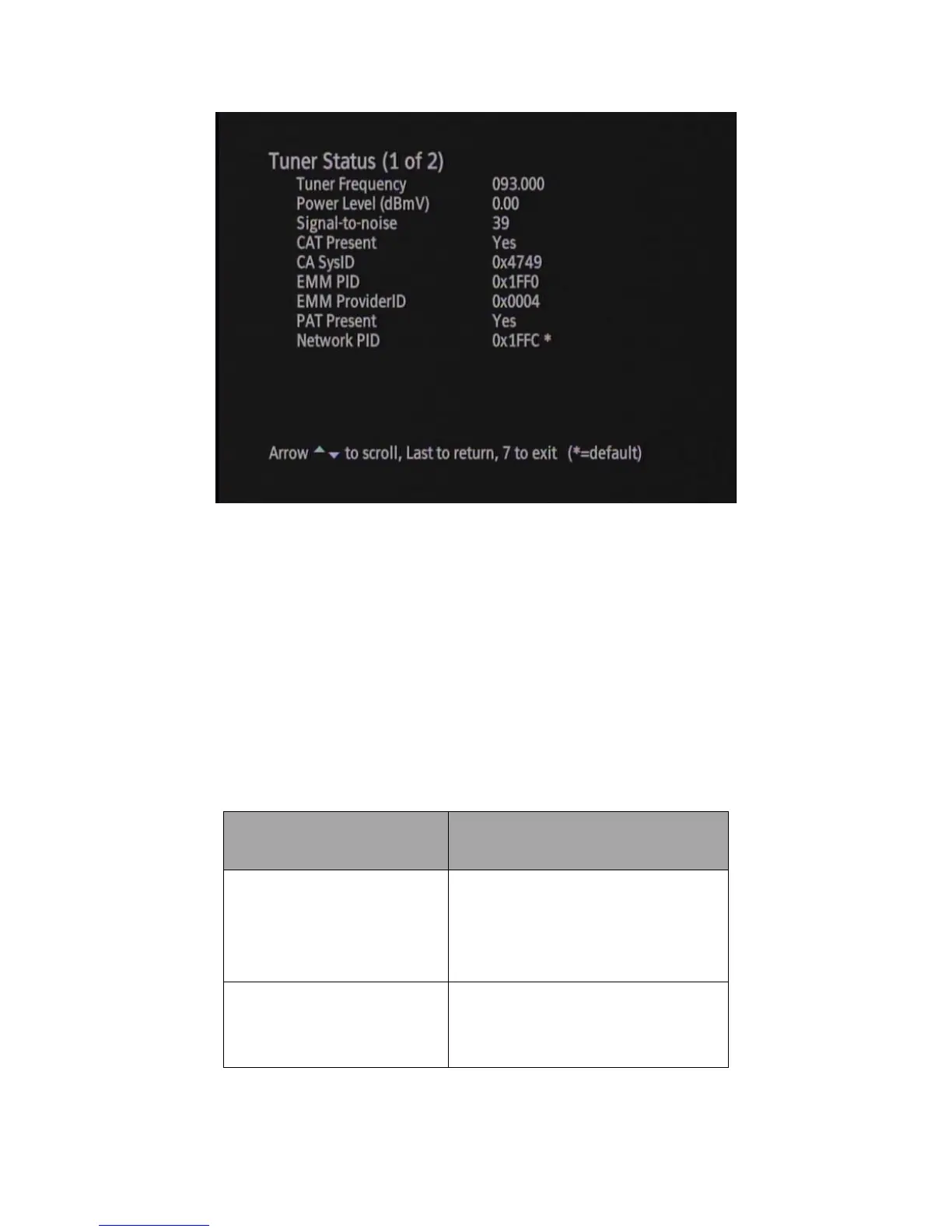
Figure 34 Diagnostic Menu – Tuner Status
6.7 Current Channel Status
The Current Channel Status screen provides information about the currently tuned to service. This screen is only
useful if the DTA is in Normal Operations and decoding A/V on a service. Note that while viewing the Current
Channel Status screen you can change channels using the CH up/down buttons or by direct channel entry. This will
allow you to see information for any channel in your lineup. Table 17 defines the parameters displayed in the
Current Channel Status screen.
Table 17 Current Channel Status Screen Parameters


 To Next Page