LEDs Function
The available LEDs linked to the CPU module are, from left to right:
LED Color Status Function
CPU1
EPLD
Green Blinking These LEDs blink to indicate that the processor is
running.
Other
LEDs
— — For EVS internal use only.
The available LEDs linked to the SDTIcontroller module are, from left to right:
LED Color Status Function
LED 1 Green On Ok.
Red On An error occurred while booting the H3XP board.
LED 2 to
LED 8
— — For EVS internal use only.
FRAMER Green On The signal on the XNet2 IN connector is a valid EVS
SDTI signal.
NET Green On The XNet2 SDTI network is established (SDTI loop
closed, correct speed, etc).
DSP Green Blinking Indicates DSP activity (audio processing).
Connectors
The following connectors are available on the XNet2 (SDTI) module:
J15 OUT connector for XNet2 (SDTI network 2970Mbps without relay).
J16 IN connector for XNet2 (SDTI network 2970Mbps without relay).
70 6. Boards Description
EVS Broadcast Equipment SA Issue 15.2.A- June 2017


 To Next Page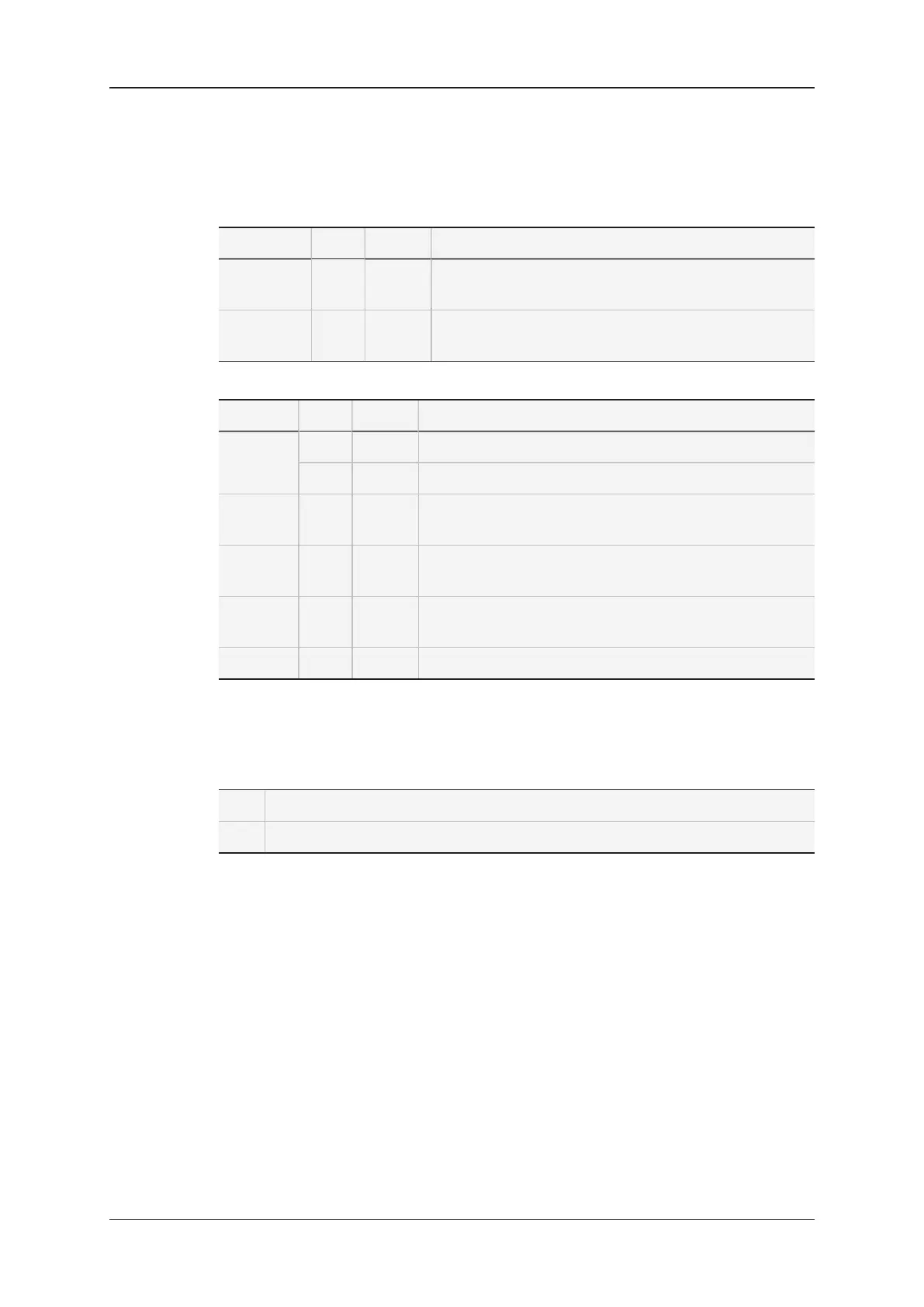
![Preview: EVS XT[2]](https://data.easymanua.ls/products/617905/200x200/evs-xt-2.webp)