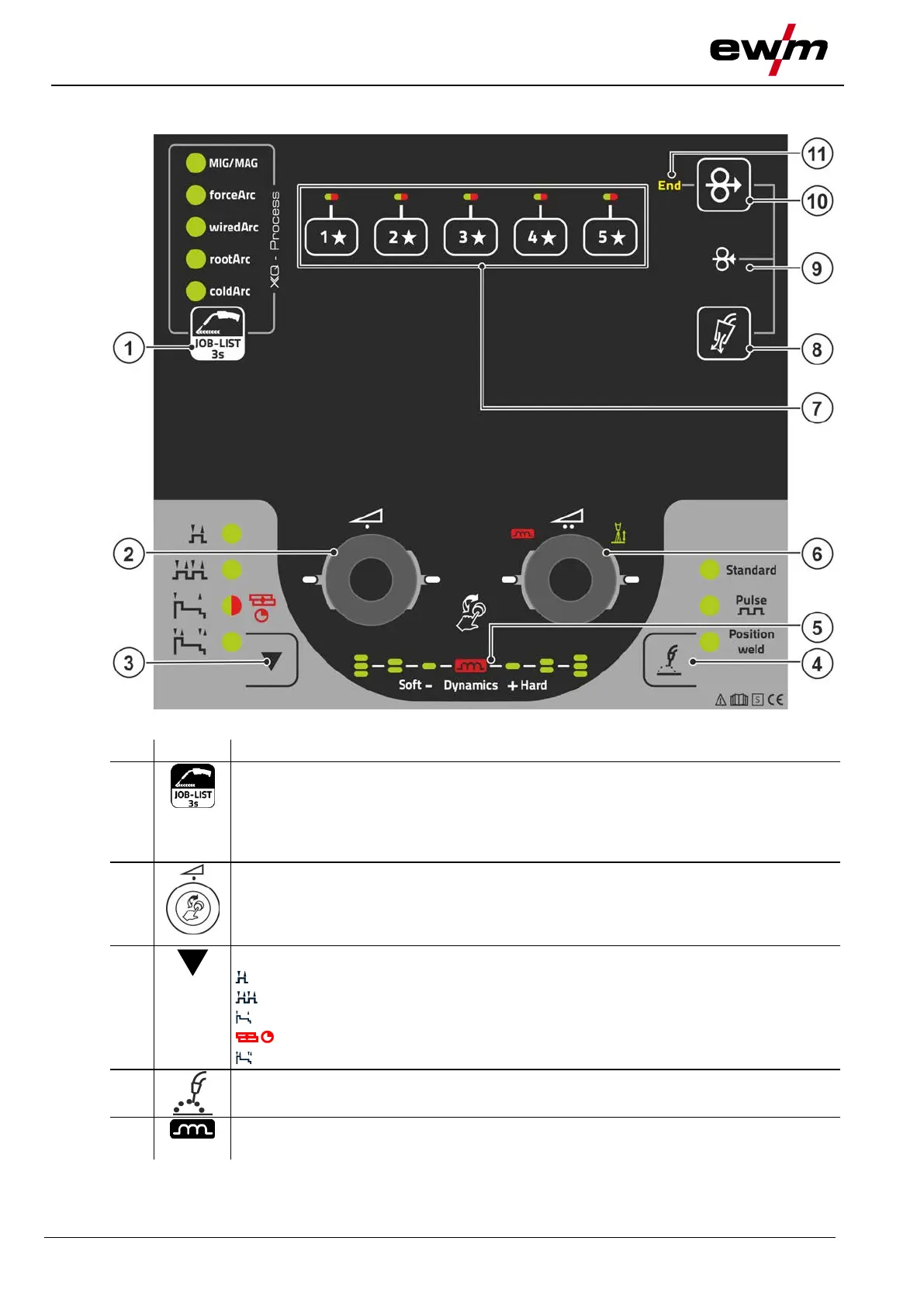
Machine control – Operating elements
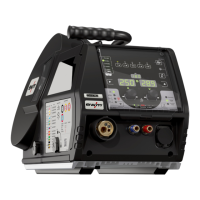
Overview of control sections
099-5TLPXQ-EW501
29.01.2021
4.1.1 Control section A
Figure 4-2
Welding task push-button (JOB)
• ---------- Pressing the pushbutton briefly: Fast switching of the available welding proce-
dures in the selected basic parameters (material/wire/gas).
• ---------- Pressing the pushbutton longer: Select the welding task (JOB) from the
welding task list (JOB-LIST) > see 5.2.3 chapter.
Rotary knob (click wheel ) for welding power
• ---------- Setting the welding power > see 5.2.5 chapter
• ---------- Setting various parameters values depending on the preselection.
(Settings can be made when the backlight is activated.)
Operating modes push-button (functional sequences) > see 5.2.8 chapter
-------- Non-latched
------ Latched
-------- Signal light turns green: Special non-latched
---- Signal light turns red: MIG spots
-------- Special latched
Welding type push-button > see 5.2.4.3 chapter
Display of arc dynamics
The height and orientation of the set arc dynamics are displayed.



 To Next Page