Operation
16
Edition 04/09.2002 EXAKT 35 / 50
6.2 Attaching the plastic guides / Mounting the hopper
Warning – Personal Injury Hazard!
There is an increased risk of injury in the area of the draw-in
rollers when replacing the guides while the unit is running.
Switch the unit off and, if necessary, disconnect it from the main
power supply prior to working in the area of the draw-in rollers.
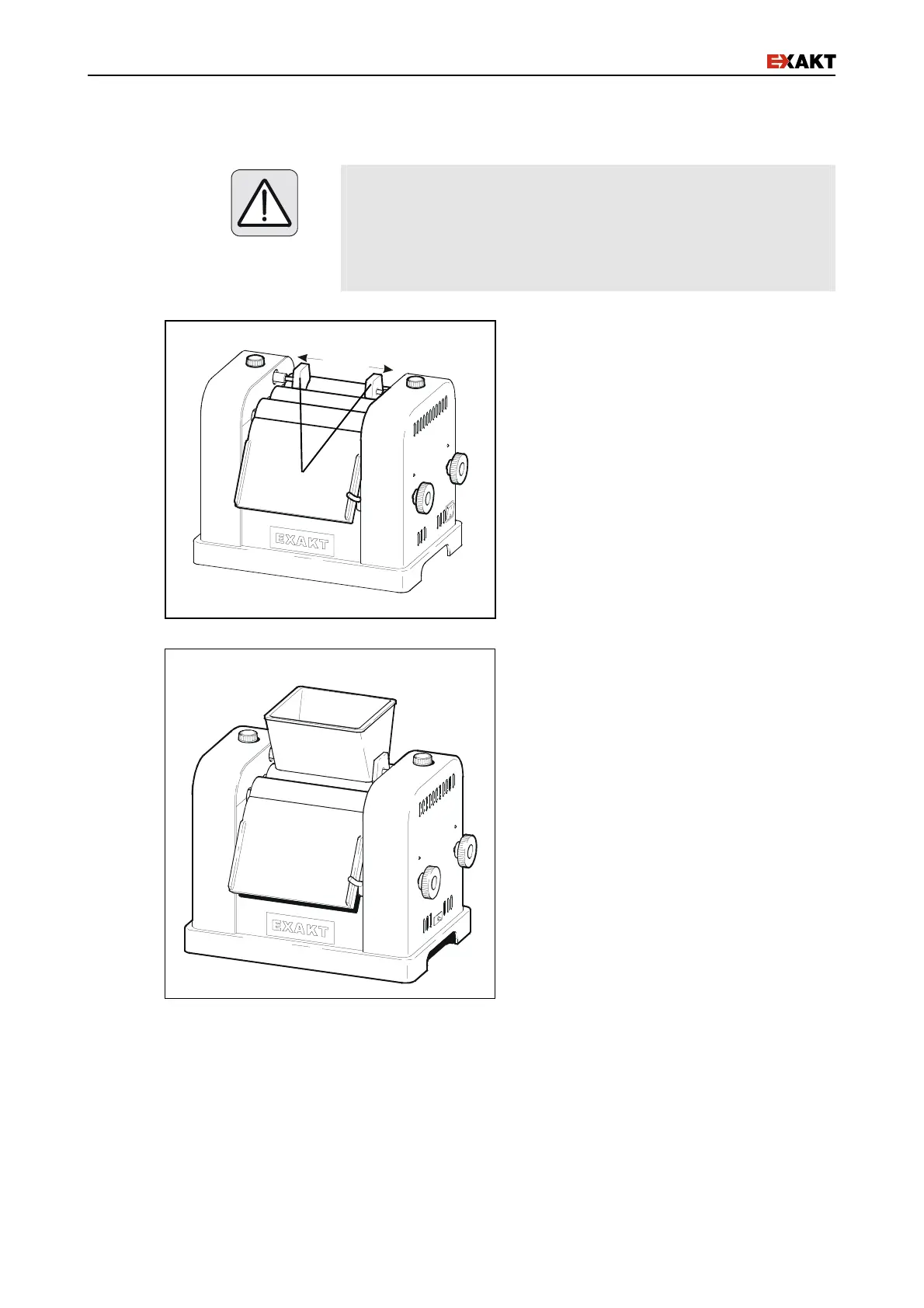
!" Gently lift the guide positioning holders
and slide the shafts of the guides into
(Fig. 8/a) them.
!" To remove the guides for cleaning
gently lift and pull them to the center of
the roller until the shaft is free.
Fig. 8: Mounting the plastic guides
!" Mount the hopper (Fig.9).
Fig. 9: Mounting the hopper
a


 To Next Page