EXCELL PRECISION CO., LTD.
02018058 ZSME300000264
31
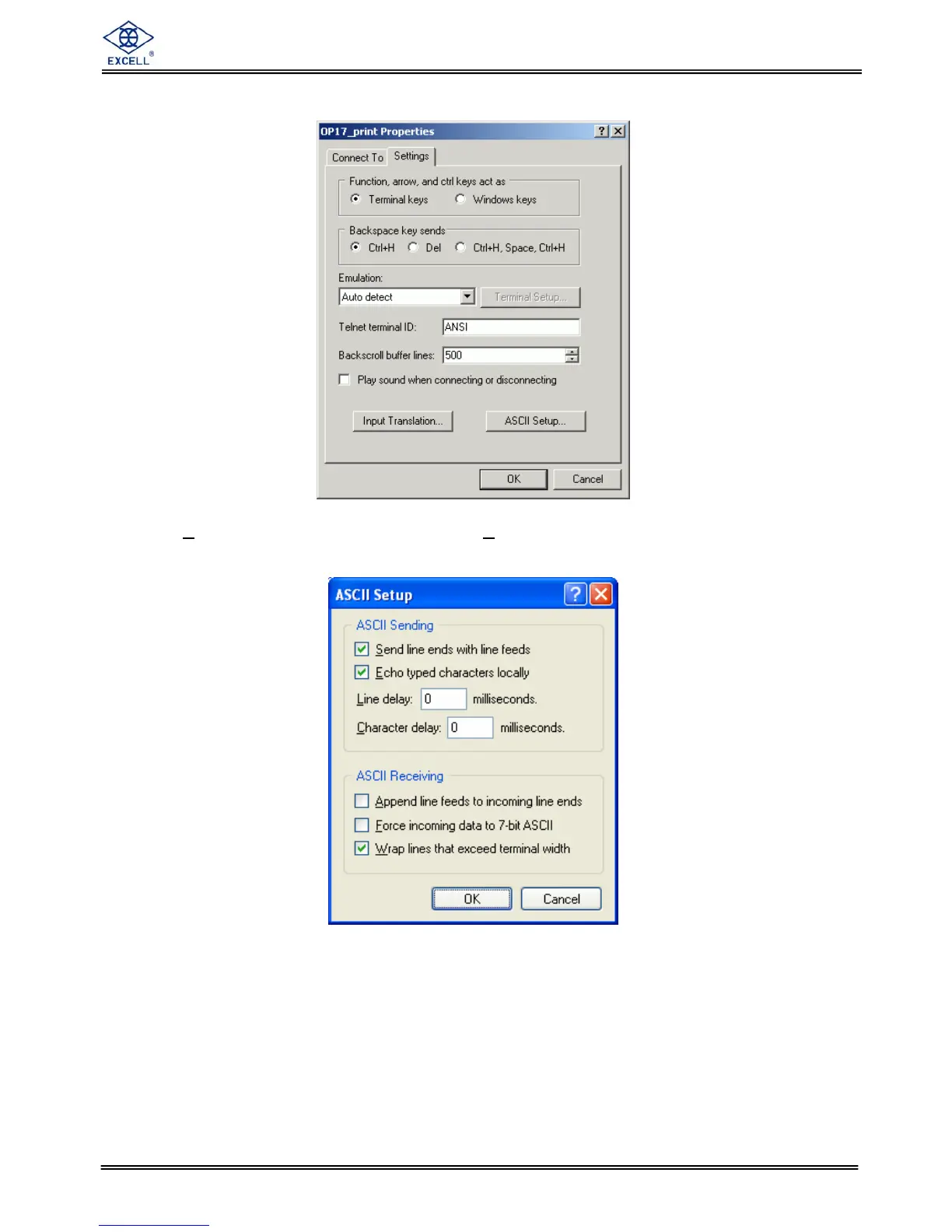
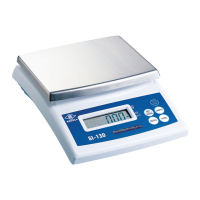
5. Select “settings” from the menu, and click “ASCII setup” on the bottom of the box.
6. Check “Send line ends with line feeds” and “Echo typed characters locally” and click
“OK”.
7. Key in commands such RW, MZ, and RG in the main screen to test...



 To Next Page