Need help?
Do you have a question about the Excell H3 Series and is the answer not in the manual?
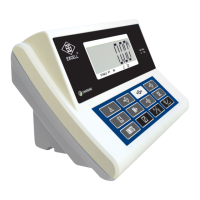
Explains the different display columns for weight, unit weight, and quantity.
Explains the meaning of various indicator symbols displayed on the scale.
Details the layout and functions of the scale's keypad.
Explains the specific function of each key on the scale's keypad.
Lists and explains various error codes and their meanings for troubleshooting.
Introduces the self-test mode for diagnostics and outlines the procedures.
Describes the procedure for turning the scale on and its initial state.
Explains how to view and interpret internal values displayed on the scale.
Describes how to use the zero function to set a stable reference point.
Covers methods for determining unit weight, including unknown and known samples.
Explains how to use the tare function to subtract container weight.
Details the operation of the pre-tare function for packaging.
Explains how to clear or recall pre-tare values.
Covers the accumulation functions for quantity and weight.
Explains the process of accumulating item quantities.
Explains the process of accumulating total weight.
Allows setting an upper limit for item quantity with beeper alerts.
Describes how to set an upper limit for item quantity with beeper alerts.
Allows setting an upper limit for weight with beeper alerts.
Describes how to set an upper limit for weight with beeper alerts.
Details how to input identification codes for items.
Details how to input item descriptions or codes.
Covers saving and recalling unit weight data.
Procedure for saving unit weight data to memory addresses.
Procedure for recalling saved unit weight data from memory.
Details various scale functional configurations like backlight and sampling.
Options for calibrating scale weight and gravity based on location.
Configuration options for serial communication and printer setup.

 To Next Page
 General