34
EXCELL PRECISION CO., LTD.
ZSME200000051
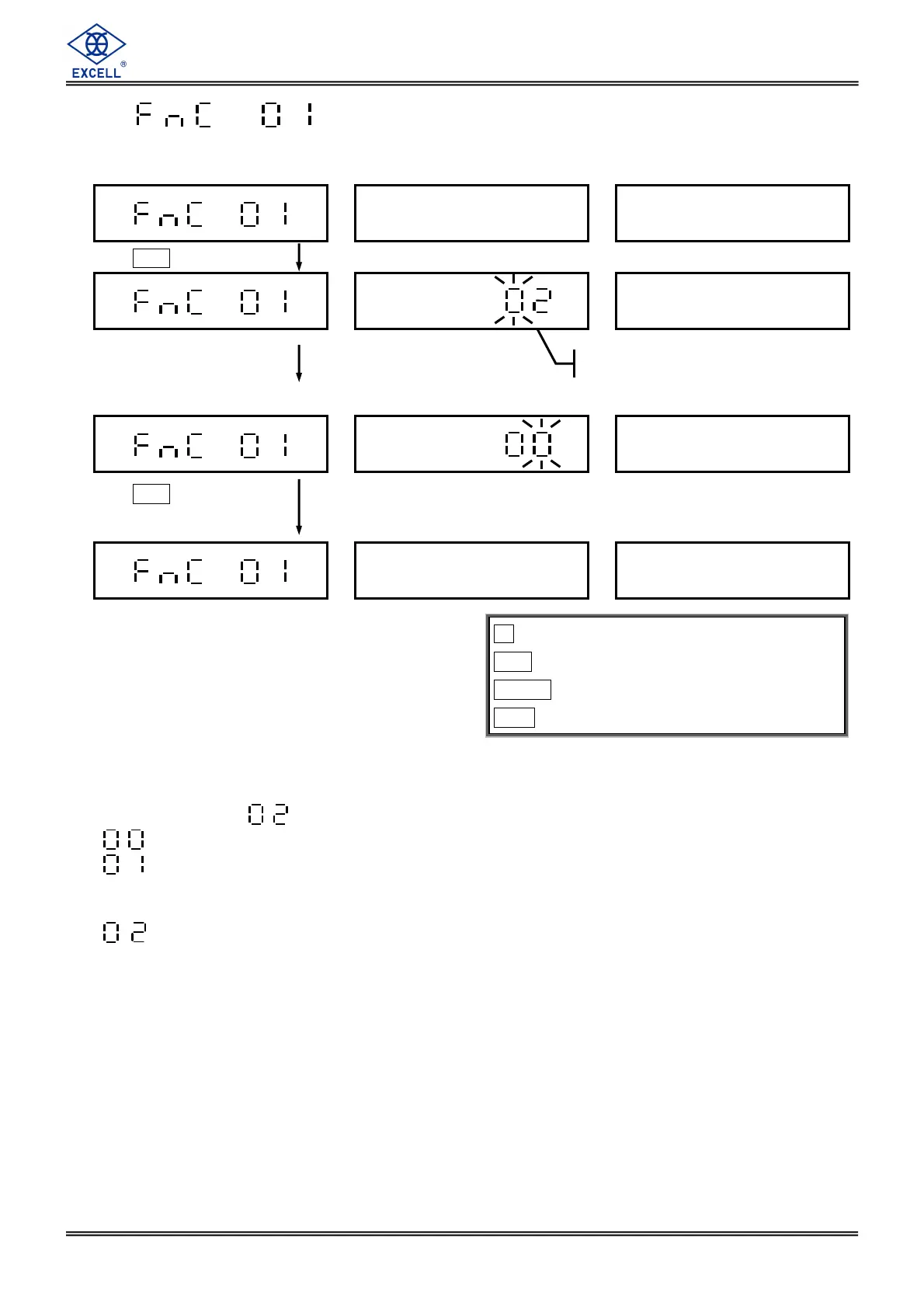
3-1-1 Backlight Mode Setting
Default Setting:
(No backlight)
⇒ Backlight is always on.
⇒ While weighing (weight is higher than 10d) or pressing any key, backlight be turned
on automatically. The backlight is turned off automatically when the scale is idle for
10 minutes. (d=division)
⇒ No backlight.
When turning on, the backlight mode is the same as previous setting.
key ⇒
⇒⇒
⇒ Exit
CE key ⇒
⇒⇒
⇒ Move the cursor leftward
TARE key ⇒
⇒⇒
⇒ Move the cursor rightward
MC key ⇒
⇒⇒
⇒ Enter
Press
MC
according to demand.
Press
MC
to save the
setting data.
Previous setting


 To Next Page
 Loading...