EasyManua.ls Logo

EXFO FTB-4 Pro - User Manual

EXFO FTB-4 Pro
509 pages
Print Icon
To Next Page IconTo Next Page
Loading...
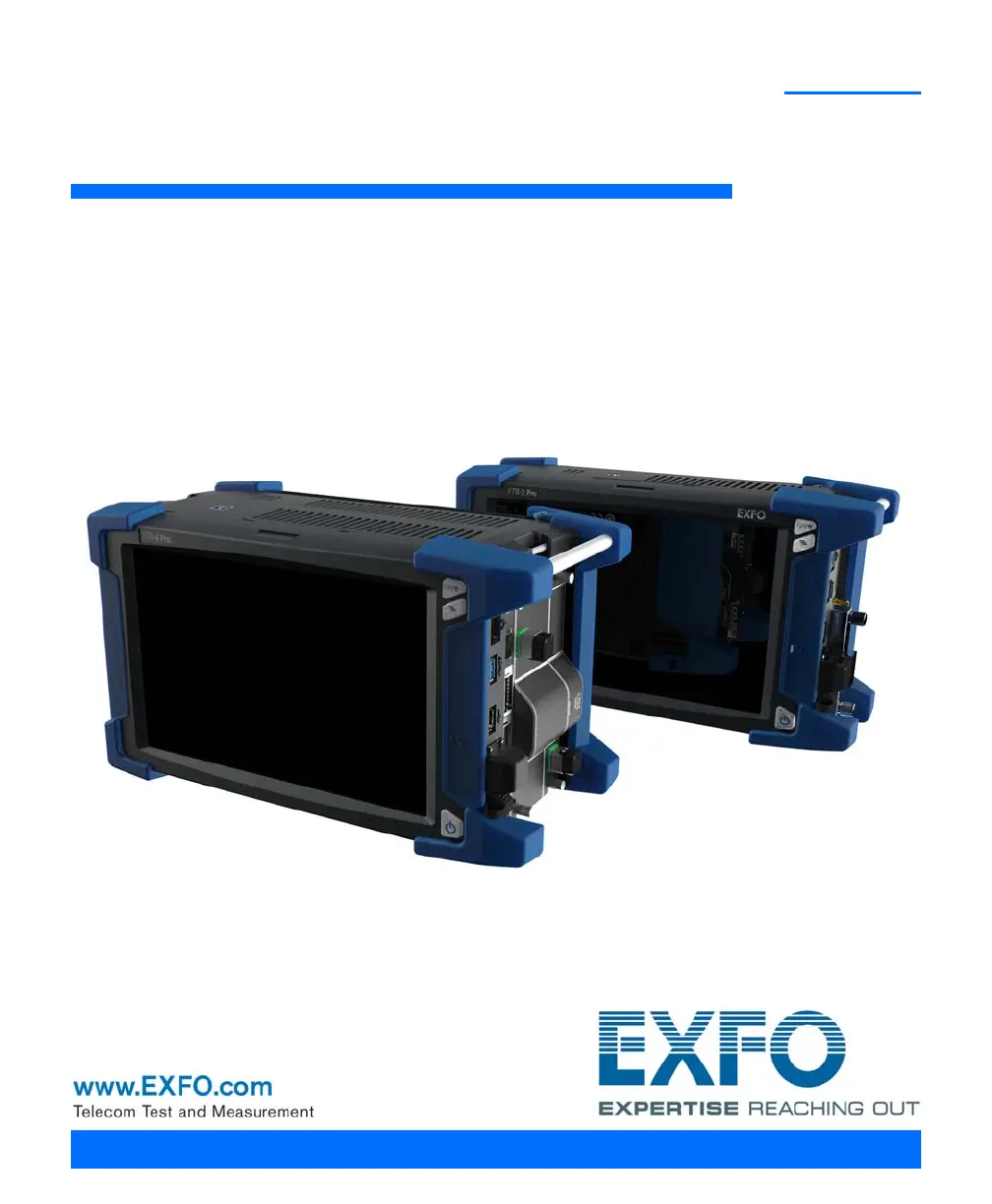
User Guide
FTB-2/FTB-2 Pro and FTB-4 Pro
ООО "Техэнком" Контрольно-измерительные приборы и оборудование www.tehencom.com

Table of Contents

Other manuals for EXFO FTB-4 Pro

Questions and Answers

  • N
    Nicholas CummingsSep 3, 2025
    What to do if the module application does not start on EXFO FTB-4 Pro?
    • J
      Jorge SullivanSep 3, 2025
      If the module application doesn't start when you tap the icon on your EXFO Measuring Instruments unit: * Connect your unit to an external power source, as the module may require more energy than the batteries can provide. * Ensure that the module is supported on your unit by referring to the unit’s technical specifications.
  • G
    griffinbrittanySep 1, 2025
    How to calibrate the screen on EXFO Measuring Instruments?
    • M
      Michael ChambersSep 2, 2025
      If the screen calibration on your EXFO Measuring Instruments unit is not maintained or is difficult to calibrate properly, reset the calibration settings. From the Control Panel, go to Hardware and Sound > Tablet PC Settings. Tap Reset. If further adjustments are needed, use ToolBox X: tap System Settings > Touch Screen Calibration.
  • C
    christopher22Aug 31, 2025
    What to do if EXFO FTB-4 Pro unit does not recognize a test module?
    • G
      Gregory WhiteAug 31, 2025
      If your EXFO Measuring Instruments unit doesn't recognize a test module: * Install the corresponding application using the Update Manager application. * If the unit recognizes other modules, the one you are trying to use could be defective. * Ensure that the module is supported on your unit by referring to the unit’s technical specifications.
  • S
    Sarah WelchAug 29, 2025
    Why can't I access the internet with my EXFO Measuring Instruments using a mobile broadband USB modem key?
    • D
      Deborah GoodwinAug 29, 2025
      If you cannot access the Internet with your EXFO Measuring Instruments unit using a mobile broadband USB modem key, consider these possible causes: * Ensure that the SIM card is properly inserted into the USB modem key. * Try disconnecting and reconnecting the modem key, or try a different USB port. * Contact your mobile service provider to verify that the SIM card is activated and that there are no issues with your service or the mobile network.
  • A
    Adam SimsAug 28, 2025
    Why is my EXFO Measuring Instruments unit running slower than expected?
    • K
      Kayla HaysAug 28, 2025
      If your EXFO Measuring Instruments unit is running slower than expected, it may be due to Windows components configuring in the background. Leave the unit idle for about an hour to allow Windows to complete these tasks.
  • T
    Tammy ThompsonAug 27, 2025
    Why are the batteries in my EXFO FTB-4 Pro not recharging?
    • T
      Tammy LewisAug 27, 2025
      If the batteries in your EXFO Measuring Instruments are not recharging, check the following: * Ensure the ambient temperature is within the specified range for recharging. * For FTB-2 and FTB-2 Pro units: verify the AC adapter is connected to the unit and the AC power cord is connected to both the adapter and the AC outlet. For FTB-4 units: ensure the power cord is properly connected to the unit and the AC outlet.
  • M
    Matthew BeckAug 25, 2025
    What to do if EXFO Measuring Instruments unit is not responding?
    • R
      Rebecca BushAug 25, 2025
      If your EXFO Measuring Instruments unit is not responding, force a hardware reset by pressing the On/Off button for at least fifteen seconds.
  • D
    Deanna SandovalAug 23, 2025
    What to do if the USB device I connected to EXFO Measuring Instruments is not working?
    • H
      Harold Johnson DVMAug 23, 2025
      If a USB device isn't working after you connect it to your EXFO Measuring Instruments unit: * Try disconnecting and reconnecting the device. * Turn the unit off and then on again. * Make sure you have the correct driver for the device, which may be provided with the device or available online.

Summary

Introducing the FTB-2;FTB-2 Pro and FTB-4 Pro

Main Features

Overview of the key hardware and software features of the FTB-2/FTB-2 Pro and FTB-4 Pro units.

Safety Information

Electrical Safety Information

Guidelines and warnings related to the safe electrical operation and handling of the unit.

Getting Started with Your Unit

Inserting and Removing Test Modules

Procedure for safely inserting and removing test modules from the unit.

Setting Up Your Unit

Accessing Your Unit Remotely

Working with Remote Desktop

Steps to enable and use Remote Desktop Connection for remote unit access.

Testing Network Connections

Performing a Ping Test

Procedure for conducting a ping test to measure network connectivity and response time.

Preparing for Automation

Changing Communication Settings

Guide to modifying communication settings for instrument control and automation.

Maintenance

Recharging the Batteries

Instructions on how to charge the unit's lithium-ion batteries correctly.

Replacing Batteries

Step-by-step guide for safely replacing the unit's batteries.

Troubleshooting

Solving Common Problems

A guide to common issues and their potential solutions.

Restoring Your Unit to Normal Operation

Procedures for restoring the unit to a previous state or factory settings.

IEEE 488.2 and Specific Command Reference

Communicating Through TCP;IP Over Telnet

Executing SCPI Commands Over Telnet

Instructions for remotely controlling modules using SCPI commands via Telnet.

EXFO FTB-4 Pro Specifications

General IconGeneral
BrandEXFO
ModelFTB-4 Pro
CategoryMeasuring Instruments
LanguageEnglish

Related product manuals