Getting Started with Your Unit
Optical Test Head 29
Connecting Your Unit to a Power Source
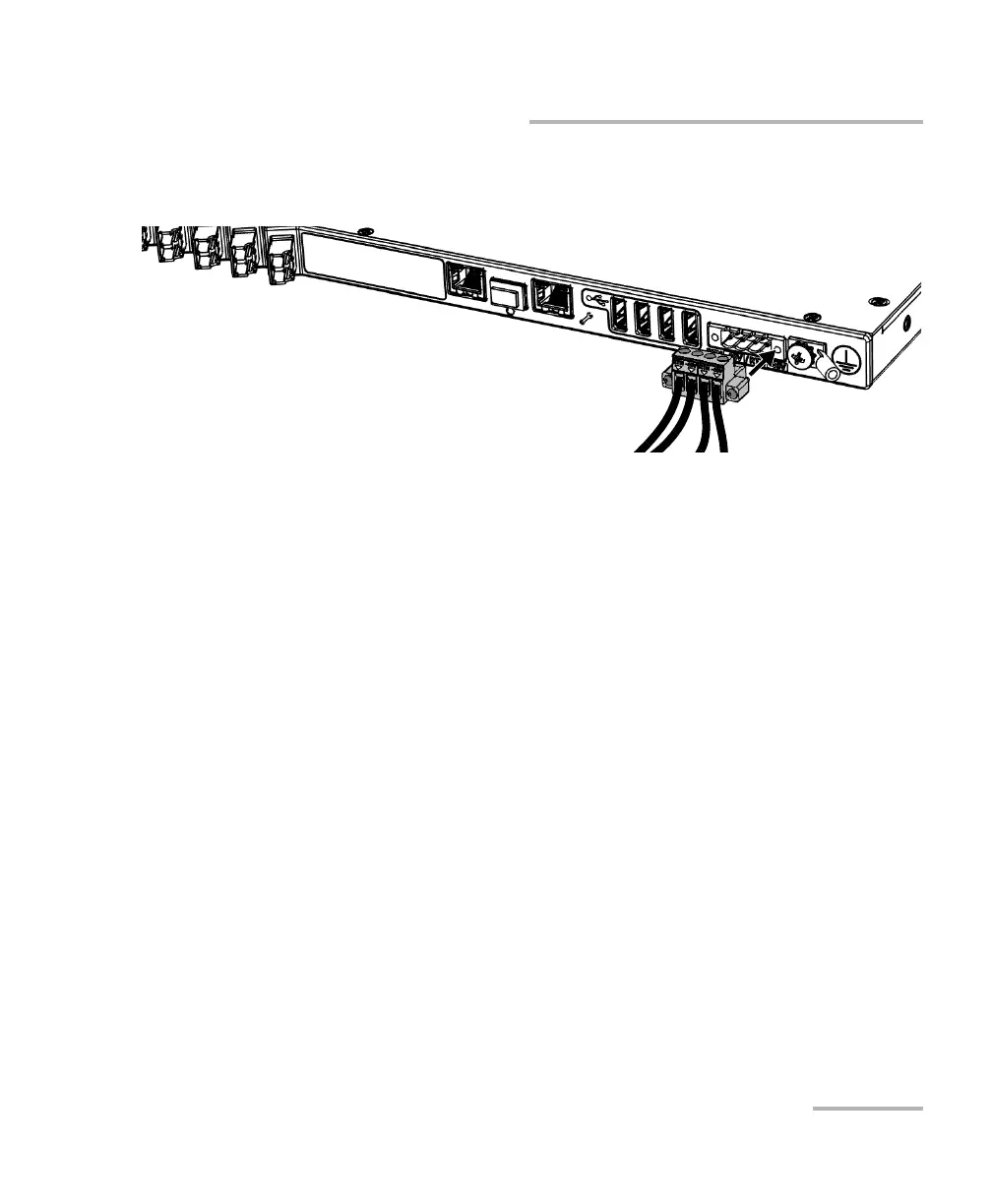
4. Ensure that the connector of the AC/DC power adapter is aligned
properly with the bay containing the electrical connectors.
5. Slide the connector of the AC/DC power adapter all the way into the
bay until it stops.
6. Screw the two screws to secure the connector of the AC/DC power
adapter in place.
7. Ensure that the removable power cord is connected to the other end of
the AC/DC power adapter, and then connect the adapter to the power
outlet.
8. If necessary, turn on the disconnect device.
The unit will start automatically.













 To Next Page