IN1604 DTP and IN1604 HD Scalers • Installation 6
Installation
This section contains information on how to connect cables to the scalers. Topics in this
section include:
• Rear Panel Connections
• Connection Details
Rear Panel Connections
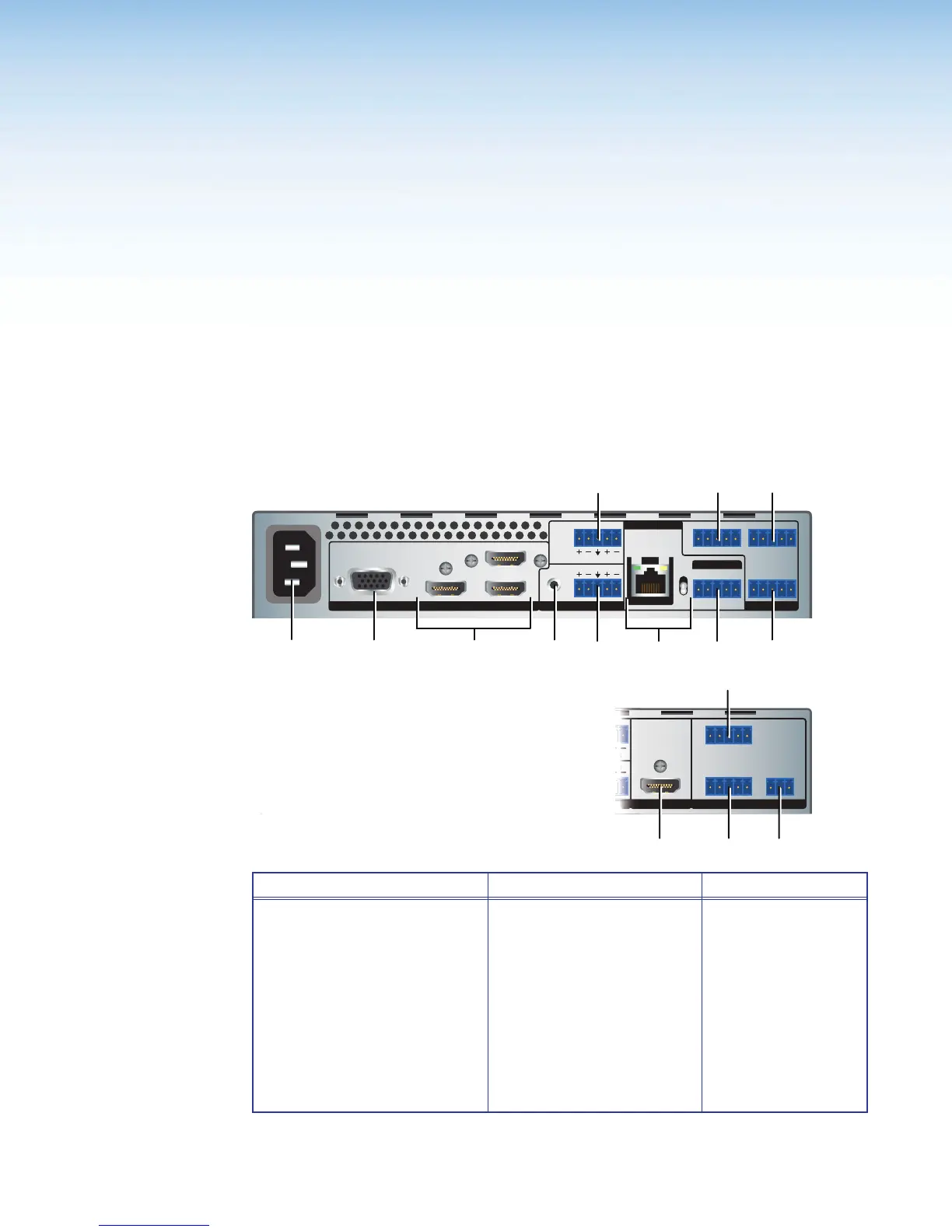
The IN1604 DTP and IN1604 HD have many of the same connectors. Figure 2 shows the
different output connectors and the different arrangement of the remote connectors on the
scalers.
HDMI
HDMI HDMI3
4
21 CONFIGURABLE
100-240V ~ 0.5 A MAX
50-60 Hz
REMOTEAUDIOINPUT
OVER TP
OUTPUT
TALLY OUTCONTACT IN
HDBT
DTP
L
12
R
L
R
Tx Rx G
3214+V1234G
Tx RxTx
GRx
RS-232
OUT
IN
RS-232 IR
SIG
OUT
LINK
BC
F
G
LD
A
HDMI HDMI3
HDMI4
21 CONFIGURABLE
100-240V ~ 0.5 A MAX
50-60 Hz
AUDIOOUTPUT
TALLY OUT
CONTACT IN
L
12
R
LR
Tx Rx G
3214+V
1234G
RS-232
OUT
IN
HDMI
INPUT REMOTE
NFI
RABL
100-240V ~ 0.
A MAX
-
z
DI
I
K
IN1604 HD
Power and Input Connections Output Connections Control Connections
A
AC power connector
B
Configurable Analog video
connector — input 1
C
HDMI input connectors
— inputs 2-4
D
Analog audio input
connector — input 1
E
Analog audio input
connector — input 2
F
Analog audio output
connector
G
TP output connector
and TP output switch
(IN1604 DTP only)
H
RS-232 and IR Over
TP output connector
(IN1604 DTP only)
I
HDMI output connector
(IN1604 HD only)
J
Contact closure
connector
K
Tally output
connector
L
Remote RS-232
connector
Figure 2. IN1604 DTP and IN1604 HD Rear Panel Connectors













 To Next Page