IN1604 DTP and IN1604 HD Scalers • Operation 22
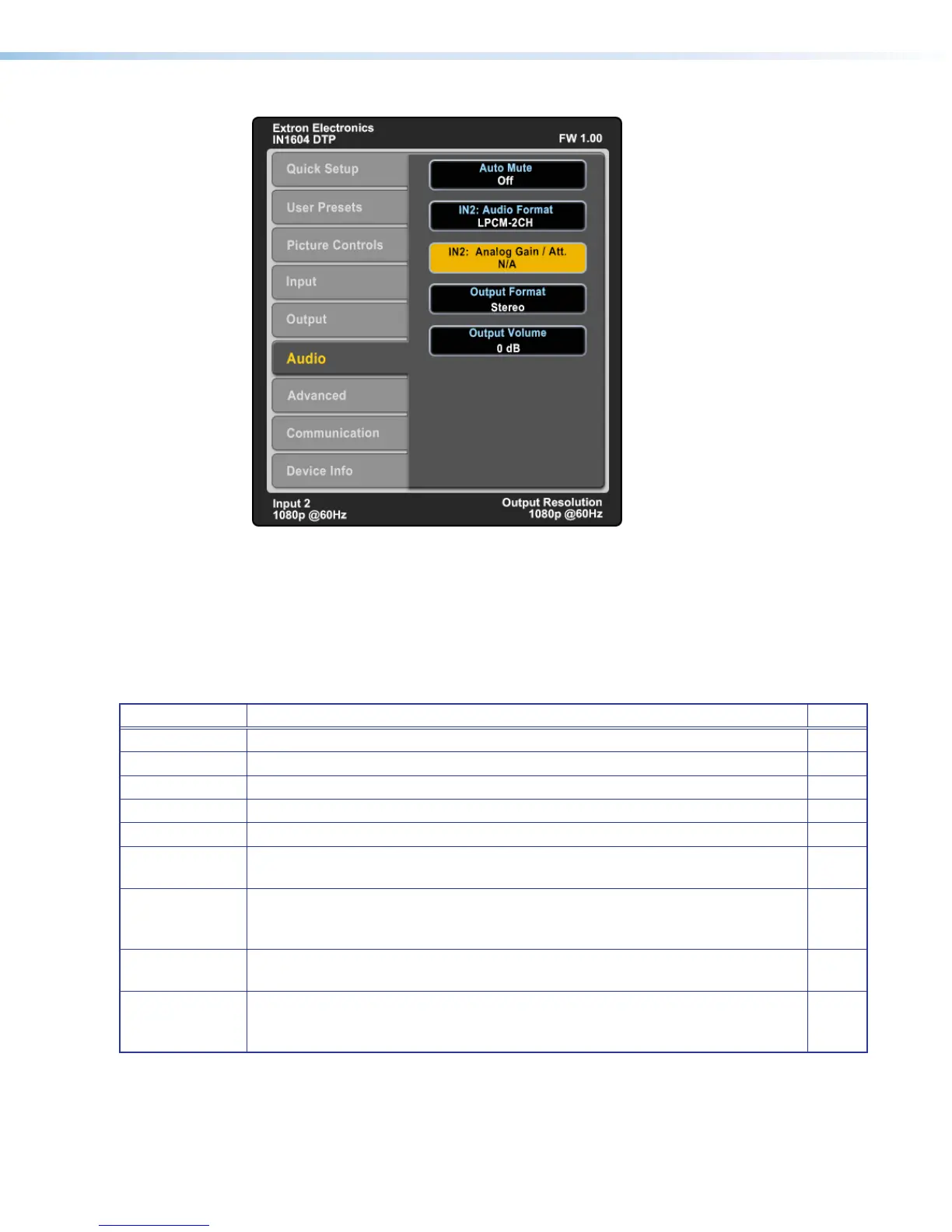
Audio Submenu
Figure 14. Audio Submenu
The Audio submenu allows adjustment of audio settings, including mute, input format, gain
and attenuation, output format, and volume.
Audio Mute — Press the Navigation buttons to globally mute or unmute audio output.
Audio Format — Press the Navigation buttons to select the audio input format. Input 1 can
only be set to None, Analog 1, or Analog 2. Inputs 2-4 can be set for any audio input format
(see the table below for a description of the formats).
Format Details Inputs
None Mutes audio for the selected input. Sets “No Audio” EDID. All
Analog 1 Sets the selected input to analog input 1. Sets “No Audio” EDID. All
Analog 2 Sets the selected input to analog input 2. Sets “No Audio” EDID. All
LPCM-2Ch Sets the selected input to LPCM-2Ch audio. Sets 2Ch audio EDID. 2-4
Multi-Ch Sets the selected input to Multi-Ch audio. Sets Multi-Ch audio EDID. 2-4
LPCM-2Ch Auto
(Analog 1)
Sets the selected input prioritize 2-channel LPCM audio. Audio on analog input 1
is passed when 2-channel LPCM audio is not present. Sets 2Ch audio EDID.
2-4
Multi-Ch Auto
(Analog 1)
Sets the selected input to prioritize multi-channel audio, but will pass 2-channel
LPCM if multi-channel audio is not available. Audio from analog input 1 is passed
when digital is not present. Sets Multi-Ch audio EDID.
2-4
LPCM-2Ch Auto
(Analog 2)
Sets the selected input prioritize 2-channel LPCM audio. Audio on analog input 2
is passed when 2-channel LPCM audio is not present. Sets 2Ch audio EDID.
2-4
Multi-Ch Auto
(Analog 2)
Sets the selected input prioritize multi-channel audio, but will pass 2-channel
LPCM if multi-channel audio is not available. Audio on analog input 2 is passed
when digital audio is not present. Sets 2Ch audio EDID.
2-4
Analog Gain and Attenuation — Press the Navigation buttons to set the gain (in dB) for
the applicable analog input.
Output Format — Press the Navigation buttons to set the output format.
Output Volume — Press the Navigation buttons to set the audio output volume.













 To Next Page