IN1604 DTP and IN1604 HD Scalers • Configuration Software 71
To clear a preset:
1. Select the input preset or user preset (see figure 51,
1
on page 70) to be cleared.
2. Click the Clear button (
4
) located in the same section of the screen. A confirmation
dialog box opens.
3. Click the Clear button to erase saved data or click the Cancel button to return to the
Preset Management page.
To rename a preset:
1. Double-click a Preset Name or right-click a Preset Name (
1
) and select Rename.
2. Enter a new preset name and press the <Enter> key.
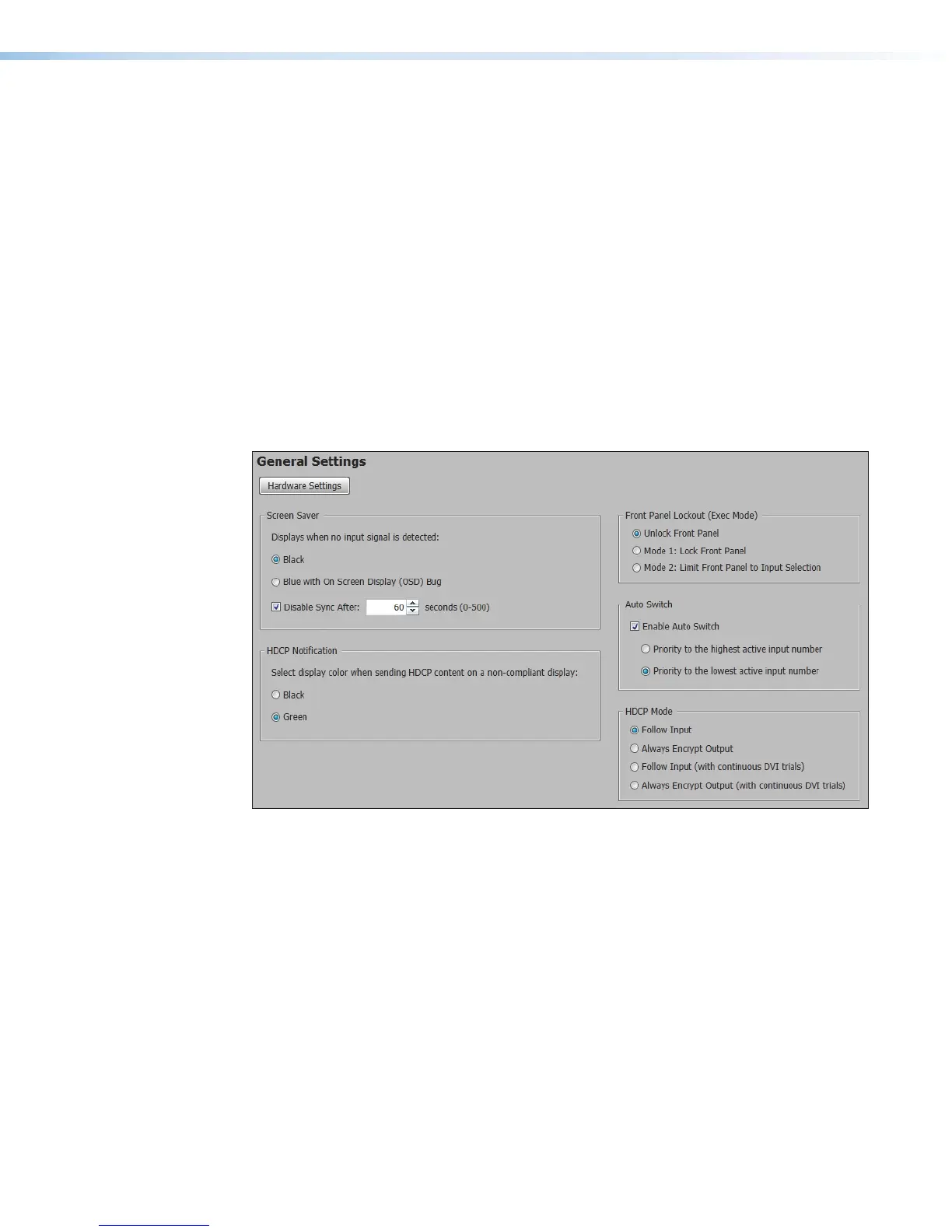
General Settings Page
The General Settings page allows configuration of Screen Saver settings, auto switch
modes, HDCP notifications, video and sync muting, and HDCP modes. Click the General
Settings
icon (see figure 38,
7
on page 58) on the Global Navigation Bar to open the
General Settings page.
Figure 52. General Settings Page
To access the Hardware Settings dialog box, click the Hardware Settings button.













 To Next Page