IN1604 DTP and IN1604 HD Scalers • Configuration Software 49
Device Discovery Panel
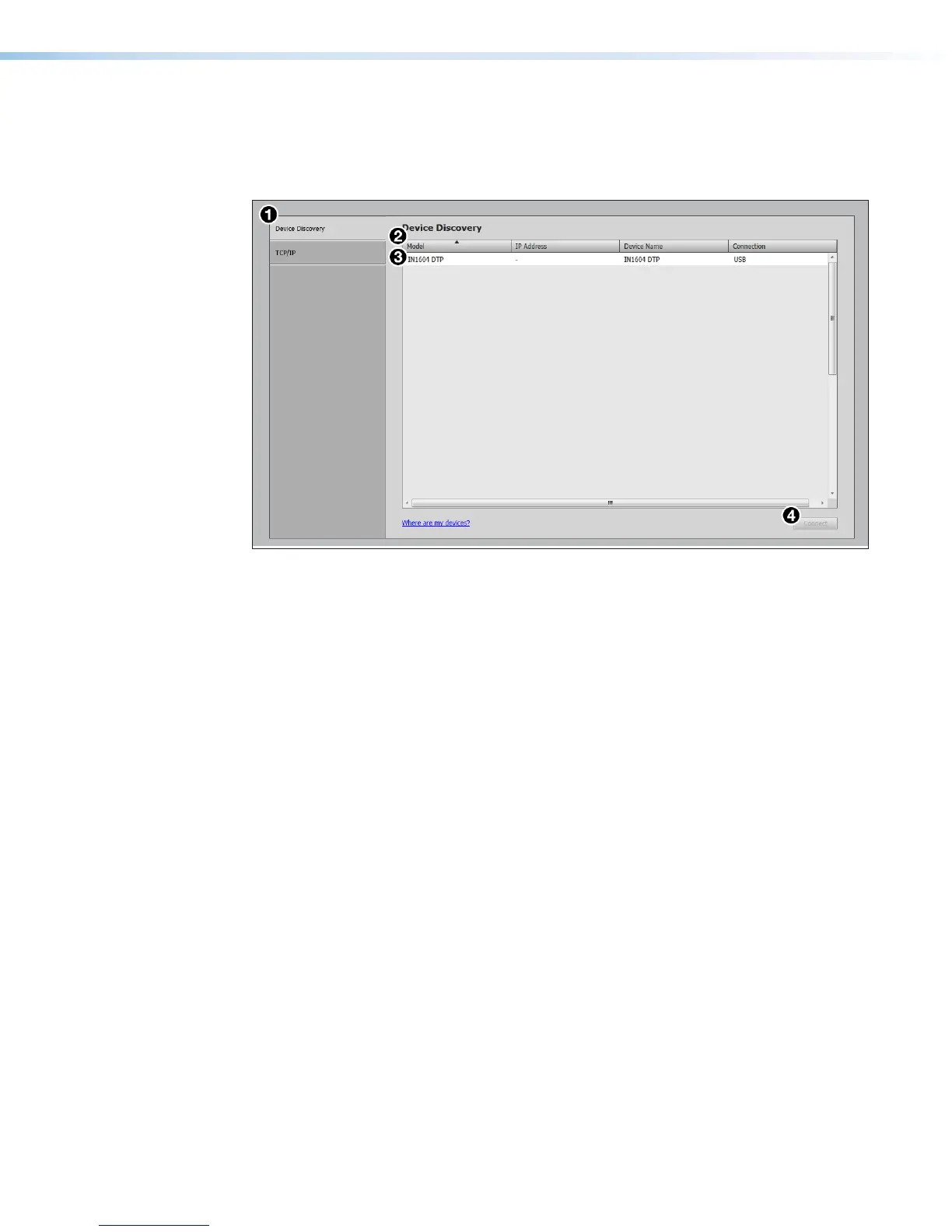
The Device Discovery panel displays accessible Extron devices connected directly to the
PC using the software. Devices can be identified and sorted by model, IP address, device
name, or connection method.
Figure 22. Device Discovery Panel
To sort the list of available devices:
1. Click the Device Discovery tab (see figure 22,
1
).
2. Click the desired column heading (
2
) to sort the category in ascending or descending
order.
To connect to a device:
1. Click the Device Discovery tab (
1
).
2. Select the desired device (
3
).
3. Click the Connect button (
4
). A new device configuration tab opens.













 To Next Page