Network Button Panels • Hardware Features and Installation 7
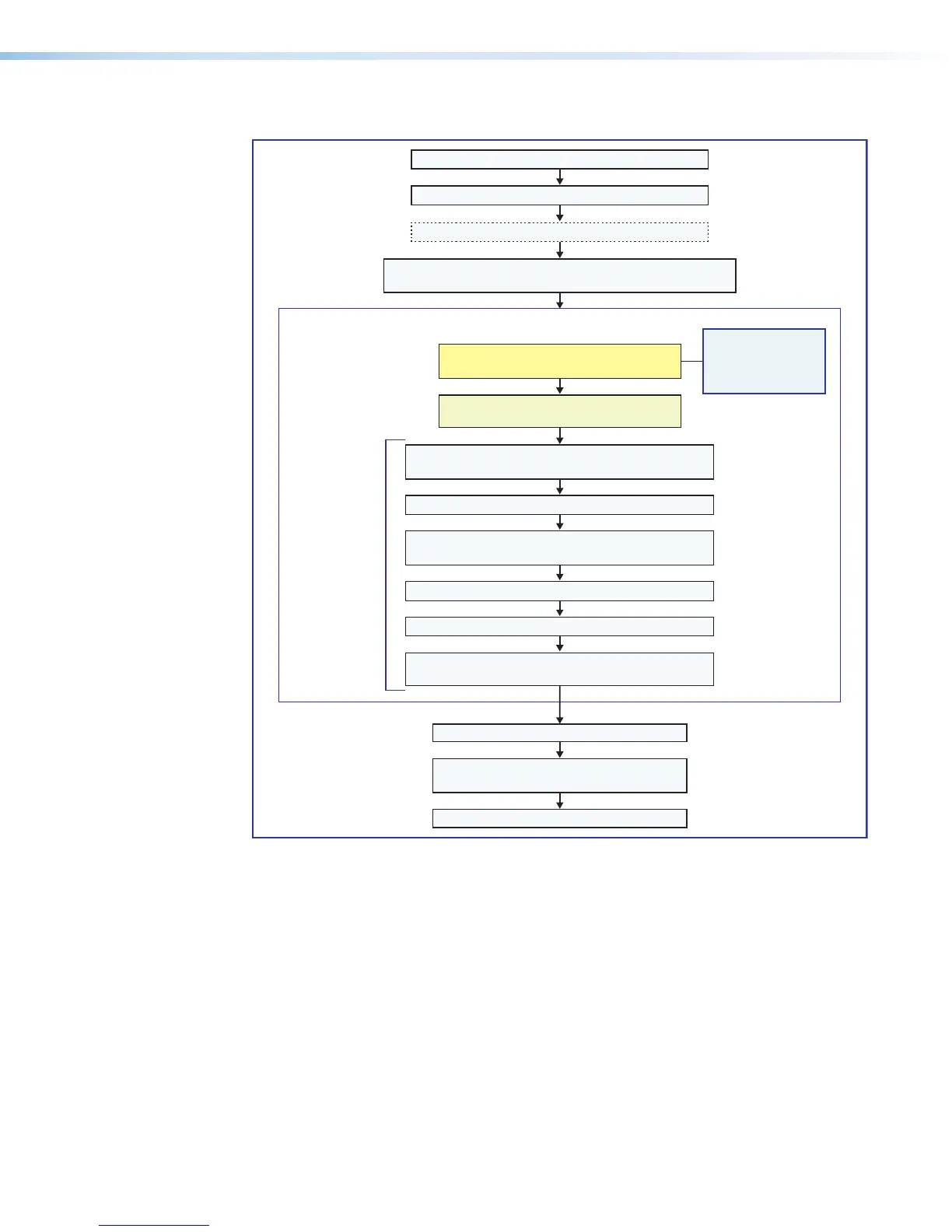
Overall Configuration Procedure
Configure the IP settings of each NBP
and of the control processor or receiver.
See the network
communication
setup instructions
Create a new GC Professional or GC Plus project
and add the control processor or receiver to it.
Congure ports.
Add NBP button panels and congure the buttons.
Test the system, make adjustments,
nalize conguration.
Save the project.
Cable the NBPs and the control processor or HCR receiver,
then apply power.
Cable all devices.
Prepare the installation site.
Get ready.
Change buttons or faceplates, if desired
Mount the NBPs.
Create monitors, schedules, timers, macros,
and local variables.
Build and upload the conguration to
the controller or receiver.
If desired or required, install a new
security certicate (via Toolbelt).
Within Global Configurator
(GC Professional or
GC Plus mode):
Figure 6. Overall Installation and Configuration Steps
network
communication
setup instructions
on page17.



 To Next Page