Network Button Panels • Hardware Features and Installation 18
Installation Step 8: Complete the Physical Installation
Mount the unit to a wall or furniture (see Mounting, below). Before mounting the NBP, make
sure that the Ethernet cable has been fed through the wall or furniture and is connected to
the NBP rear panel.
NOTES:
• Extron recommends taking safety precautions to avoid electrostatic discharge
issues during installation.
• For best results, Extron recommends grounding the NBP if the junction box or mud
rings are not already grounded (see the grounding instructions on page14).
Mounting
Mount the NBP button panel as follows:
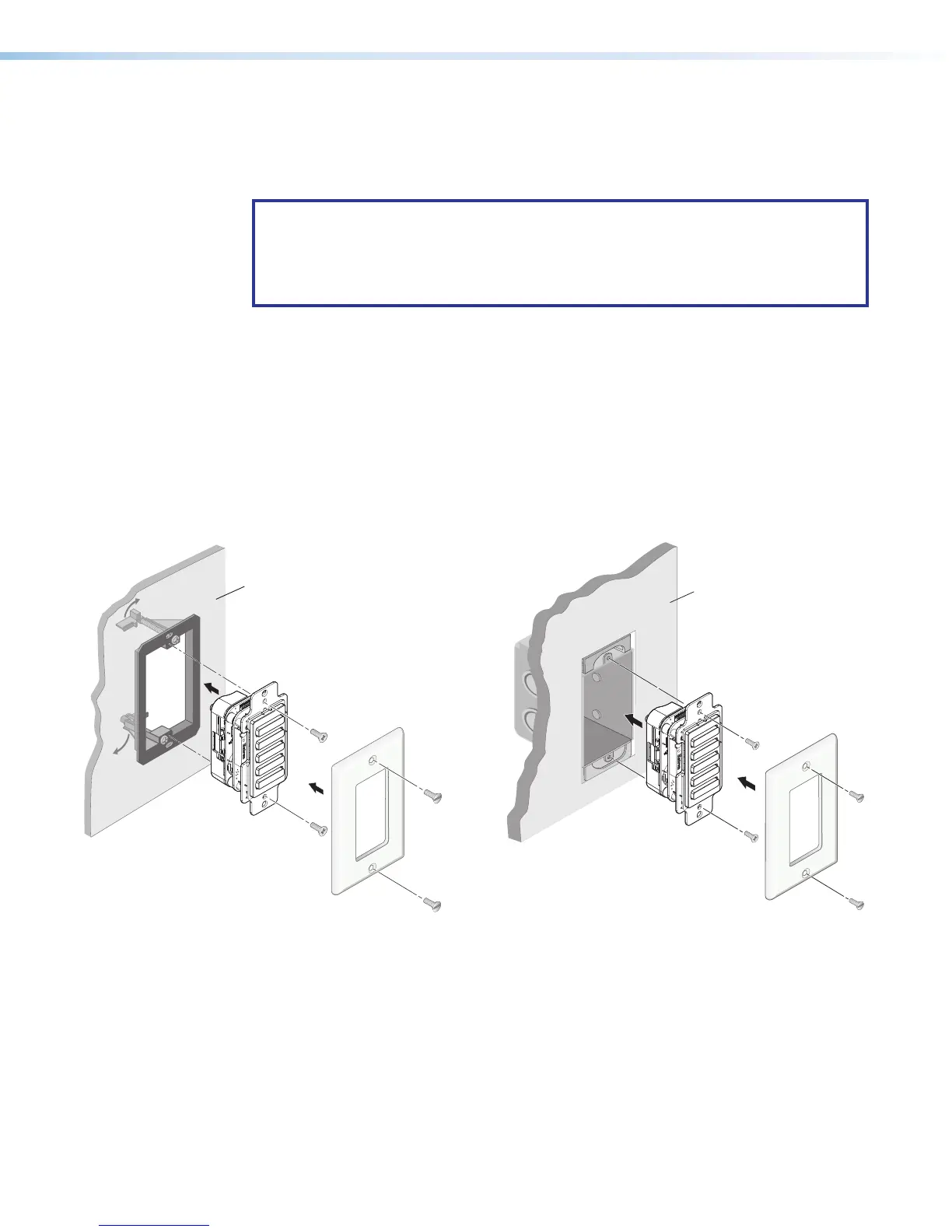
1. Insert the cabled NBP into the mud ring or junction box within the wall or furniture,
aligning the mounting holes in the NBP with those in box or mud ring.
2. Secure the NBP to the junction box, wall or surface mounting box, or mud ring as
follows (see figures 17 to 20):
a. For decorator-style models: Insert the included screws through the mounting holes
at the top and bottom of the NBP and into the corresponding threaded holes in the
box or mud ring (see figure 177 and figure 188).
LAPTOP
HDMI
PC
MEDIA PLAYER
VIDEO
e
e
R
Wall
Mud Ring
Wallplate
NBP 105 D
LAPTOP
HDMI
PC
MEDIA PLAYER
VIDEO
e
e
R
Wallplate
NBP 105 D
Wall
Electrical
Junction
Box
Figure 17. Installing the NBP105D in a Mud Ring
Figure 18. Installing the NBP105D
in a Junction Box



 To Next Page