Network Button Panels • Operation 24
Buttons
All the buttons are backlit so they are visible in low light conditions.
You can configure the active (selected) buttons to light brighter
than inactive buttons. The light intensity and blink rate
can be set during configuration.
Each button can be configured with a variety of
commands and functions, as desired.
DISPLAY
ON OFF
ON OFF
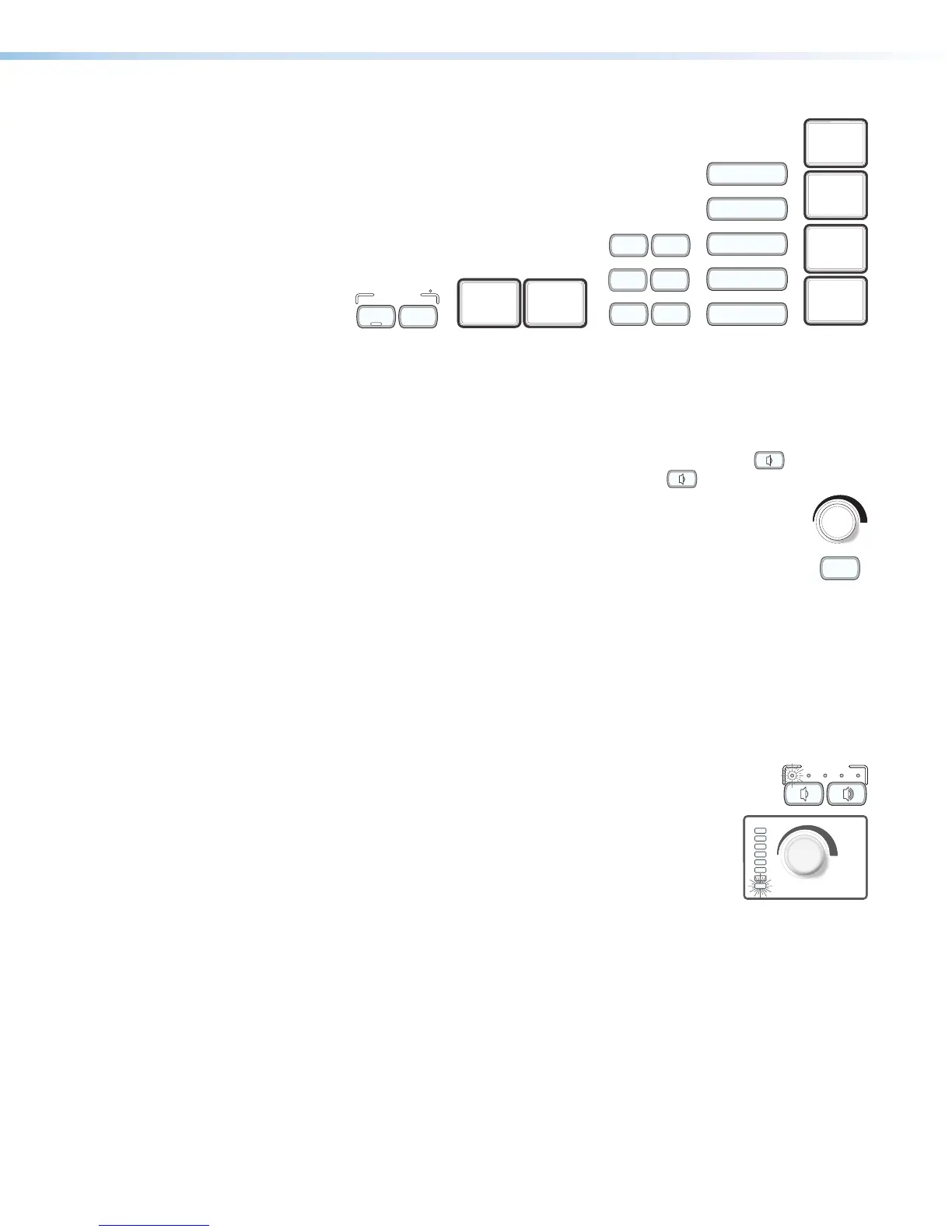
Volume Controls and LEDs
You must configure these buttons (NBP decorator-style models) or knob (NBP100 or
NBP200). They can be used for any function and behavior and to control any device.
However, the most common configuration is as follows:
• On the decorator-style models, press the increase volume button ( ) to increase
the audio volume. Press the decrease volume button ( ) to decrease volume.
• On the NBP 100 and 200 models, rotate the volume knob clockwise to
increase the audio volume, counterclockwise to decrease volume.
• On decorator-style models, the Mute button can be configured to turn audio
output off or on.
The Volume LEDs directly above the buttons (NBP106D, NBP108D) or to the left of the
knob (NBP100, NBP200) can be configured as follows:
• Blink to indicate increases or decreases or to show volume level status (see Volume
control options below for additional details).
• Light in patterns such as upward or downward sweeps to indicate increases or
decreases for increment or decrement adjustments, or to indicate a volume level range
for range-based adjustments (see “Volume control options” below for additional details)
For all models, when audio mute is active, mute would typically be
indicated by a slowly blinking LED (shown in the diagrams at right), no
matter which port is used for audio control or what mode (range-
based) is being used. When the audio is unmuted, the volume
returns to the previously used level.
Volume control options
Global Configurator software and Global Scripter programming let you configure the
volume buttons (decorator-style models) and volume knob (NBP100, NBP200) to control
audio volume using serial or IR control commands together with a COM or IR port on the
IPCPPro or IPLPro control processor or HCR receiver.
You can specify incremental adjustments or range-based adjustments (via device driver
only). See the GlobalConfigurator Plus and Global Configurator Professional Help File or the
Global Scripter Help File for details on these types of volume adjustments and on how to
configure the volume LEDs (for the desired lighting behavior).
MEDIA
PLAYER
MUTE
HDMI 1 HDMI 2
PC LAPTOP
HDMI
MEDIA PLAYER
VIDEO
LAPTOP
PC
PC
VIDEO
MUTE
LAPTOP
MUTE



 To Next Page