Network Button Panels • Hardware Features and Installation 10
Site Preparation
The NBP button panels fit standard US junction boxes or mud rings.
Model Gang Size
Decorator Series:
NBP105D, NBP106D, NBP108D, NBP110D 1
NBP100 2
NBP200 3
Optional mud rings, ULListed junction boxes, external junction boxes, and surface
mounting boxes are available for use with the button panels. Read any installation
instructions and UL guidelines that come with the mounting devices, then install the box or
mud ring in the opening at the installation site.
To prepare the site:
1. Using the size of the junction box or mud ring for reference, cut the hole in the mounting
surface. Protect the surface prior to and during cutting so the surface is not damaged.
NOTES:
• The approximate cutout dimensions for an Extron-supplied two-gang mud ring
are 4.1" W x 3.75" H (104 mm W x 95 mm H).
• If mounting the NBP100 directly to the mounting surface, cut a hole of
approximately 3.6” W x 2.9” H (91 mm W x 74 mm H).
2. Run cables to the mounting location,
leaving enough slack for device installation.
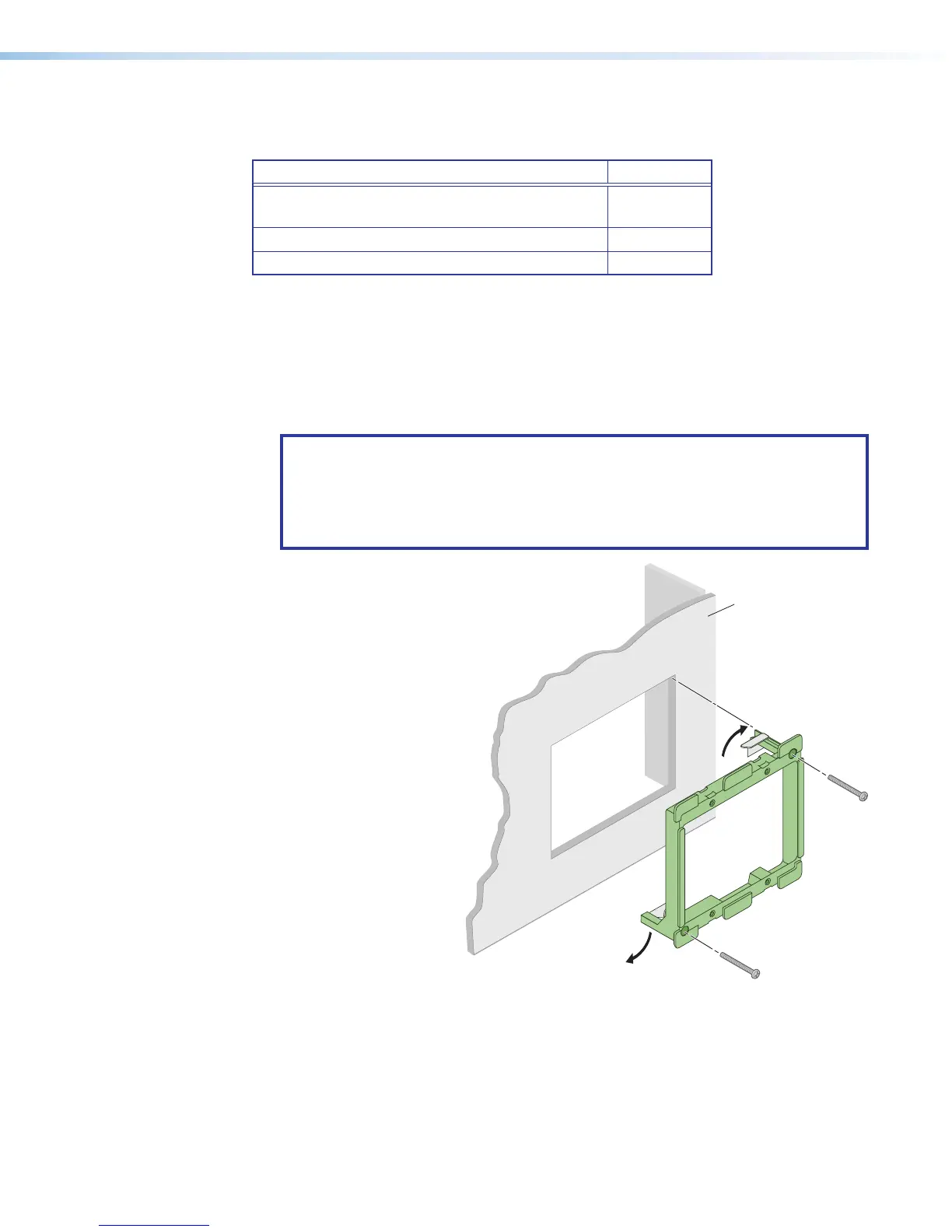
3. Install the junction box or mud ring
into the wall or furniture.
4. Secure the cables with
a clamp for strain relief
and so they do not slip
back down into the wall
or furniture.
Wall
Mud Ring
Figure 7. Installing a Mud Ring



 To Next Page