Network Button Panels • Operation 23
ON OFF
MEDIA
PLAYER
LAPTOP
PC
VIDEO
MUTE
HDMI 1 HDMI 2
WIRELESS
RESET
q
RESET
ON
PC
VIDEO
MUTE
LAPTOP
OFF
q
Extron
PC
LAPTOP
VIDEO
MEDIA PLAYER
HDMI
MAC: 00-05-A6-XX-XX-XX
S/N:
XXXXXXX
E
XXXXXX
00-05-A6-XX-XX-XX
MAC: 00-05-A6-XX-XX-XX
S/N:
XXXXXXX
E
XXXXXX
00-05-A6-XX-XX-XX
NBP 100 Front Panel without Faceplate
F
FFF
NBP 200 Front Panel without Faceplate NBP 105 D
Front Panel
without Wallplate
Mounting Holes (x4) Mounting Holes (x6)MAC Address
Access Holes (2)
Bezel
(Faceplate)
Mounting
Holes (2)
Wallplate
Attachment
Holes (2)
F
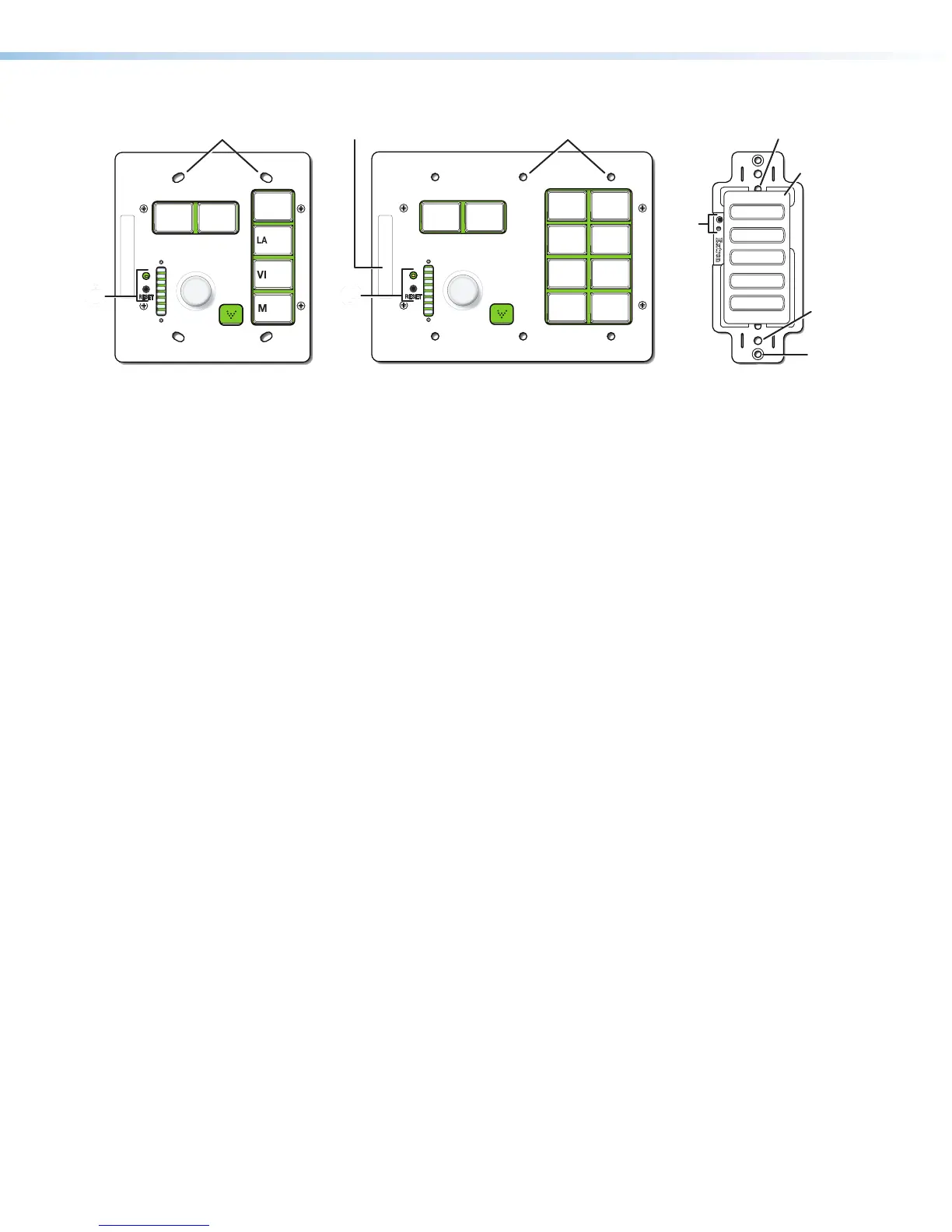
Figure 23. NBP Front Panels Without Faceplates or Wallplates
F
Reset button and LED — Pressing this recessed button (present on all models)
causes various product settings to be reset to the factory defaults (see Reset Features
and Resetting the Unit on page26). The LED is normally off except during resets
and immediately after boot-up.
All the function, power, and volume buttons or knob must be configured or programmed to
carry out their functions. The buttons are backlit by LEDs.
• Buttons that are configured or programmed but are inactive are dimly lit.
• Buttons that are not configured are dimly lit.
• The NBP buzzes or chirps each time a button is pressed.
Wallplates and Bezels
Each decorator-style NBP is shipped with a white bezel and white wallplate and also a black
bezel and black wallplate.
Each NBP 100 or NBP 200 is shipped with a white faceplate and knob and a black
faceplate and knob.
See Installation Step 3: Change Buttons, Button Labels, a Bezel, or Wallplate
(optional) on page11 for instructions on how to change the bezel, wallplate, faceplate,
buttons, or button labels.
Buzzer (Decorator-style Models Only)
The NBP decorator-style models have a buzzer located on a circuit board within the unit.
The behavior of the buzzer can be configured using Global Configurator or programmed
with Global Scripter to be globally disabled or to beep as desired when a button is pressed.



 To Next Page