Network Button Panels • Operation 22
DISPLAY
ON OFF
PC VIDEO
LAPTOP MUTE
VOLUME
VIDEO
PC
VOLUME
DISPLAY
OFF
ON
HDMI
MEDIA PLAYER
VIDEO
LAPTOP
PC
MEDIA
PLAYER
MUTE
HDMI 1 HDMI 2
PC LAPTOP
ON OFF
A
A
B B
D
E
D
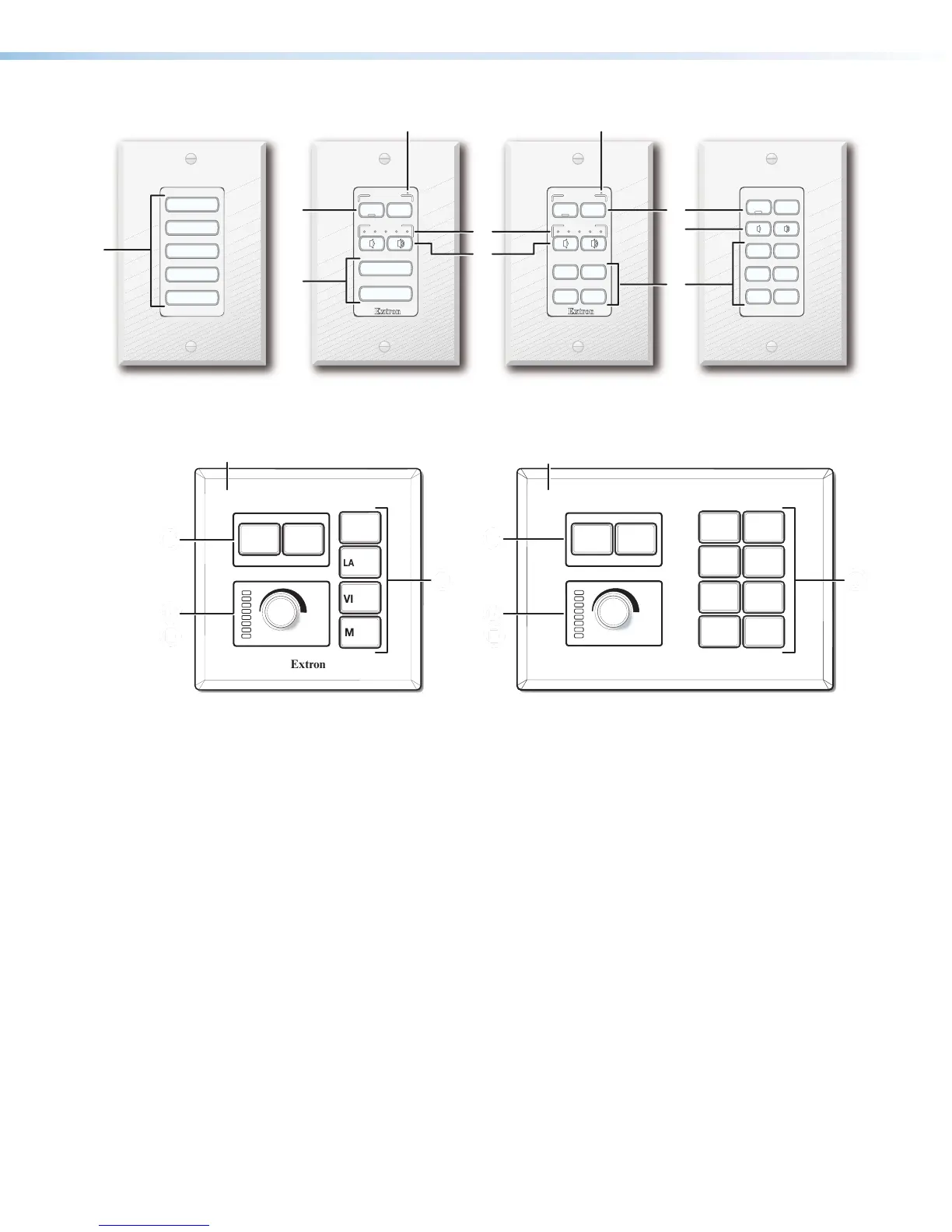
Figure 21. Decorator-style NBP Front Panels With Wallplates
E
ON OFF
MEDIA
PLAYER
LAPTOP
PC
VIDEO
MUTE
HDMI 1
HDMI 2
WIRELESS
Extron
ON
PC
VIDEO
MUTE
LAPTOP
OFF
BBBB
D
E
D
E
D
E
D
E
D
E
D
E
D
E
D
E
B
BBB
NBP 100
AAAA
NBP 200
AAAA
Faceplate Faceplate
Figure 22. US Gang NBP Front Panels With Faceplates
A
Function buttons — Configure these buttons to light and function as desired.
B
Power buttons — These buttons (present on certain models only) are usually used to
control the power to the display device. The On button has a nub that can be felt with
finger tips.
C
Communications LED (NBP 106 D, NBP 108 D) — This LED indicates the
configuration and connection status of the NBP.
• Unlit — Normal operation (the NBP is configured and connected to an IPCPPro
control processor).
• Blinking red — The NBP has been configured but is not connected to an IPCPPro
control processor.
• Lit steadily — The NBP has not been configured.
D
Volume buttons (on certain decorator-style models) or volume knob (on US
gang models) — Configure Volume buttons or the volume knob to increment or
decrement audio volume.
E
Volume LEDs — Volume LEDs (present only on models with Volume buttons or a
volume knob) light to act as a meter to indicate the volume level.



 To Next Page