B614 48 532297 - Rev.D
SLAVE BARRIER CONFIGURATION
1. Power Slave barrier The board turns on. The
display reads in sequence:
- firmware version (2 digits separated by a point)
-
SO flashing if a set-up or the automation status
is requested
2. Access the Basic programming and set:
-
cF depending on the arm configuration and length
- Ct=SL for configuring the board as Slave.
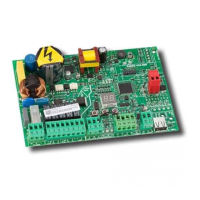
3. Check the status of the LEDs on the board:
LED DL7 (Red)
Master
-Slave synchronisation absent or the line
is short circuited.
LED DL3 (Green)
Master
-Slave synchronisation present.
4. Check the direction of travel (see the chapter §
10.2). The barrier must not be in manual func-
tioning mode.
5. Start up (see the chapter § 6).
During the set-up the Master board controls the Slave
board and the two arms move with a synchronous
movement.



 To Next Page